#Verify a #BankAccount via an #API

If you process large volumes of payments, then you will need to be able to quickly and cheaply check that the payment you are about to make is going to a valid bank account, or else it will delay payment to your supplier / employee / or affiliate, this API allows you to check each account for 3p / 4¢ – using the same technology as used by Stripe.
verifyBankAccount.com
Getting started
The API endpoint is located at https://verifybankaccount.com/api.asmx
It accepts GET / POST and SOAP requests, and returns either a HTTP 500 error with textual description on error, or JSON embedded in XML in the case of a valid response, similar to as follows:
| <string xmlns=”http://verifybankaccount.com/”>
{ </string> |
Countries supported by this API are as follows;
| Country code | |
| US | USA |
| IE | Ireland |
| GB | United Kingdom |
| AU | Australia |
| CA | Canada |
| DK | Denmark |
| FI | Finland |
| FR | France |
| JP | Japan |
| NO | Norway |
| SG | Singapore |
| ES | Spain |
| SE | Sweden |
| AT | Austria |
| BE | Belgium |
| DE | Germany |
| HK | Hong Kong |
| IT | Italy |
| LU | Luxembourg |
| NL | Netherlands |
| PT | Portugal |
The API also includes an endpoint for programmatically retrieving the remaining credits associated with an API Key, called GetRemainingCredit returning data such as;
| <int xmlns=”http://verifybankaccount.com/”>98</int> |
C# (.NET) implementation
Here is a step by step guide to writing a simple C# client
- Open Visual Studio
- Press File > New > Project
- Select Console Application – Visual C#
- Press OK
- Right Click on the project in Solution Explorer
- Select Add > Service Reference
- Click Advanced
- Click Add Web Reference
- Enter “https://www.verifybankaccount.com/api.asmx?wsdl” into the URL
- Press Add Reference
- Click Tools > NuGet Package Manager > Package Manager Console
- Type “Install-Package Newtonsoft.JSON” into the Package Manager Console window
- Now, enter the following code (Replacing the API KEY)
| static void Main(string[] args)
{ var strAPIKey = “Your API key here“; var bank = new com.verifybankaccount.www.API(); Console.WriteLine(“Enter the 2 letter country code:”); var strCountry = Console.ReadLine(); Console.WriteLine(“Enter the Bank sort code:”); var strSortCode = Console.ReadLine(); Console.WriteLine(“Enter the Bank account number:”); var strAccountNumber = Console.ReadLine(); try { var strJson = bank.VerifyBankAccount(strCountry, strSortCode, strAccountNumber, strAPIKey); var jObject = Newtonsoft.Json.Linq.JObject.Parse(strJson); Console.WriteLine(“This bank is ” + jObject[“bank_name”]); } catch(Exception ex) { Console.WriteLine(ex.Message); } Console.ReadKey(); } |
PHP Implementation
The following implementation uses the HTTP GET version of the webservice, you could use $soapclient as an alternative implementation. Please note that you should never pass bank account details over an unsecure connection so this code should be run either on localhost or on a suitably secured HTTPS webserver.
You will have to replace the APIKey below
| <?php
$country = $_GET[“country”]; $sortcode = $_GET[“sortcode”]; $accountNumber = $_GET[“accountNumber”]; $url = “https://www.verifybankaccount.com/api.asmx /VerifyBankAccount?”; $url .= “Country=” . $country; $url .= “&SortCode=” . $sortcode; $url .= “&AccountNumber=” . $accountNumber; $url .= “&ApiKey={{Your API Key}}“; $ch = curl_init($url); curl_setopt($ch, CURLOPT_RETURNTRANSFER, true); curl_setopt($ch, CURLOPT_SSL_VERIFYPEER, false); $xmlData = curl_exec($ch); libxml_use_internal_errors(true); $xml=simplexml_load_string($xmlData); if ($xml) { $json = json_decode($xml); print_r($json->bank_name); } else { print_r($xmlData); } ?> |
Unofficial #Google #PlayStore #API, in #JSON

Unofficial Android App Store API
This API is not affiliated with Google, it reads from a database that contains a copy of the Google Play Store, and may not be completely up to date, but is updated regularly. As such, the API is free to use, but we’d appreciate a thank you.
| Usage – Via HTTP GET request |
The API is requested using the following query string:
http://www.androidappstore.com.cn/playstoreapi/api.aspx?search=angry%20birds
Where “Angry birds” is a sample placeholder.
A sample response in JSON would be as follows;
[
{
“ID”: 85052,
“imageUrl”: “https:\/\/lh6.ggpht.com\/M9q_Zs_CRt2rbA41nTMhrPqiBxhUEUN8Z1f_mn9m89_TiHbIbUF8hjnc_zwevvLsRIJy=w300”,
“Name”: “Angry Birds”,
“Developer”: “Rovio Entertainment Ltd.”,
“IsTopDeveloper”: “False”,
“Category”: “\/store\/apps\/category\/GAME_ARCADE”,
“Price”: “0”,
“Reviewers”: “4040062”,
“AppSize”: “48”,
“source”: “PlayStore”,
“url”: “http:\/\/www.androidappstore.com.cn\/EN\/displayproduct\/85052\/PlayStore\/angry-birds”
},
{
“ID”: 85080,
“imageUrl”: “https:\/\/lh3.googleusercontent.com\/0vquFcjLdlClPFZlnq3S-kNSyYWyc4MkYwluIfMPHf92QYL8s9rOfozPiG7RQ-7bfQ3R=w300”,
“Name”: “Angry Birds Go!”,
“Developer”: “Rovio Entertainment Ltd.”,
“IsTopDeveloper”: “False”,
“Category”: “\/store\/apps\/category\/GAME_RACING”,
“Price”: “0”,
“Reviewers”: “2695984”,
“AppSize”: “152”,
“source”: “PlayStore”,
“url”: “http:\/\/www.androidappstore.com.cn\/EN\/displayproduct\/85080\/PlayStore\/angry-birds-go”
},
{
“ID”: 85085,
“imageUrl”: “https:\/\/lh5.ggpht.com\/rp_WwrHlSIfiDD2w4P6qZf-WXK2XLAn8MXqxZhdteCHIN0I53Po9pXS8lUjFKANLnA=w300”,
“Name”: “Angry Birds Rio”,
“Developer”: “Rovio Entertainment Ltd.”,
“IsTopDeveloper”: “False”,
“Category”: “\/store\/apps\/category\/GAME_ARCADE”,
“Price”: “0”,
“Reviewers”: “1730826”,
“AppSize”: “48”,
“source”: “PlayStore”,
“url”: “http:\/\/www.androidappstore.com.cn\/EN\/displayproduct\/85085\/PlayStore\/angry-birds-rio”
},
{
“ID”: 85196,
“imageUrl”: “https:\/\/lh5.ggpht.com\/CXqjoN_u3sFyV_Z1M7E-4KmyI0tYe5FLHV5KosQC-0s5LsZuhm4omg-5nP6VBpIwilI=w300”,
“Name”: “Angry Birds Space”,
“Developer”: “Rovio Entertainment Ltd.”,
“IsTopDeveloper”: “False”,
“Category”: “\/store\/apps\/category\/GAME_ARCADE”,
“Price”: “0”,
“Reviewers”: “1049597”,
“AppSize”: “48”,
“source”: “PlayStore”,
“url”: “http:\/\/www.androidappstore.com.cn\/EN\/displayproduct\/85196\/PlayStore\/angry-birds-space”
},
{
“ID”: 85328,
“imageUrl”: “https:\/\/lh5.ggpht.com\/5lsYulxyO1ENBxp89y_vVLI6FwYX5BStQRCLUHKuFl67vWsFwIkSH2YCez7WFGi-eto=w300”,
“Name”: “Angry Birds Seasons”,
“Developer”: “Rovio Entertainment Ltd.”,
“IsTopDeveloper”: “False”,
“Category”: “\/store\/apps\/category\/GAME_ARCADE”,
“Price”: “0”,
“Reviewers”: “1426544”,
“AppSize”: “44”,
“source”: “PlayStore”,
“url”: “http:\/\/www.androidappstore.com.cn\/EN\/displayproduct\/85328\/PlayStore\/angry-birds-seasons”
},
{
“ID”: 85443,
“imageUrl”: “https:\/\/lh6.ggpht.com\/mFp9bta4gxoHiVhJ25Q8RjSJRcu7Yn19yIYGhgHuwDfCyUjhSez7G4nsEC-nscCF9TE=w300”,
“Name”: “Angry Birds Friends”,
“Developer”: “Rovio Entertainment Ltd.”,
“IsTopDeveloper”: “False”,
“Category”: “\/store\/apps\/category\/GAME_ARCADE”,
“Price”: “0”,
“Reviewers”: “477116”,
“AppSize”: “35”,
“source”: “PlayStore”,
“url”: “http:\/\/www.androidappstore.com.cn\/EN\/displayproduct\/85443\/PlayStore\/angry-birds-friends”
},
{
“ID”: 85460,
“imageUrl”: “https:\/\/lh6.ggpht.com\/JMKJB1_VXk8rH7Kzz_2BPKprT61oMp_Xp768Xbdm-OWa-PWtdsdq55I0DZPZYbNWjC0=w300”,
“Name”: “Angry Birds Star Wars”,
“Developer”: “Rovio Entertainment Ltd.”,
“IsTopDeveloper”: “False”,
“Category”: “\/store\/apps\/category\/GAME_ARCADE”,
“Price”: “0”,
“Reviewers”: “875156”,
“AppSize”: “46”,
“source”: “PlayStore”,
“url”: “http:\/\/www.androidappstore.com.cn\/EN\/displayproduct\/85460\/PlayStore\/angry-birds-star-wars”
},
{
“ID”: 90472,
“imageUrl”: “https:\/\/lh6.ggpht.com\/wQMavK-tiAYOnlK4hXwX2fdDET3xWfQIl3sCOQegMszI5CKlWOgXwEot7vChcKSOIXo=w300”,
“Name”: “Angry Birds Transformers”,
“Developer”: “Rovio Entertainment Ltd.”,
“IsTopDeveloper”: “False”,
“Category”: “\/store\/apps\/category\/GAME_ARCADE”,
“Price”: “0”,
“Reviewers”: “818959”,
“AppSize”: “109”,
“source”: “PlayStore”,
“url”: “http:\/\/www.androidappstore.com.cn\/EN\/displayproduct\/90472\/PlayStore\/angry-birds-transformers”
},
{
“ID”: 90495,
“imageUrl”: “https:\/\/lh5.ggpht.com\/kSBf57npbQNutgfzvXL7x6Nl95LAQeUTKkCRVWqquOJ6T4IppoKAlfuUgNI1vk6Bc_4=w300”,
“Name”: “Angry Birds Stella”,
“Developer”: “Rovio Entertainment Ltd.”,
“IsTopDeveloper”: “False”,
“Category”: “\/store\/apps\/category\/GAME_ARCADE”,
“Price”: “0”,
“Reviewers”: “451535”,
“AppSize”: “49”,
“source”: “PlayStore”,
“url”: “http:\/\/www.androidappstore.com.cn\/EN\/displayproduct\/90495\/PlayStore\/angry-birds-stella”
},
{
“ID”: 90523,
“imageUrl”: “https:\/\/lh5.ggpht.com\/Ju6Su5337-hEXaKsZO4aZEH1H7M_Izu3FoKBSzoF93CbhICXYcISYruOW4ulGBeEIS4=w300”,
“Name”: “Angry Birds Star Wars II Free”,
“Developer”: “Rovio Entertainment Ltd.”,
“IsTopDeveloper”: “False”,
“Category”: “\/store\/apps\/category\/GAME_ARCADE”,
“Price”: “0”,
“Reviewers”: “898573”,
“AppSize”: “49”,
“source”: “PlayStore”,
“url”: “http:\/\/www.androidappstore.com.cn\/EN\/displayproduct\/90523\/PlayStore\/angry-birds-star-wars-ii-free”
}
]
#Car Registration #API now extended to cover #Pakistan (#Punjab #Khyber #Gilgit)

Our API at http://pk.carregistrationapi.com has now been extended to serve an additional 214 million people in Pakistan. Covering the Punjab, Khyber and Gilgit provinces. You can use the API to look up vehicle details and vehicle owner details by supplying a number plate and state.
Pakistan support
Car registration plates in Pakistan use the /CheckPakistan endpoint and return the following information:
- Make & Model
- VIN number
- Age
- Engine number
- Owner information
- Representative image
Currently, 3 provinces of Pakistan are supported, Punjab (PB), Khyber Pakhtunkhwa (KP), and Gilgit–Baltistan (GB). You must provide the province / state value as “PB”, “KP”, or “GB”. additionally, each province returns different data as follows
Punjab Province
Sample Json:
{
“Description”: “EXCLUSIVE”,
“CarMake”: {
“CurrentTextValue”: “CHEVROLET”
},
“CarModel”: {
“CurrentTextValue”: “EXCLUSIVE”
},
“MakeDescription”: {
“CurrentTextValue”: “CHEVROLET”
},
“ModelDescription”: {
“CurrentTextValue”: “EXCLUSIVE”
},
“VechileIdentificationNumber”: “KL14M11BE5C108055”,
“RegistrationYear”: 2005,
“Image”: “http:\/\/pk.carregistrationapi.com\/image.aspx\/@Q0hFVlJPTEVUIEVYQ0xVU0lWRQ==”,
“Extended”: [
{
“Key”: “Registration Number”,
“Value”: “LZR 996”
},
{
“Key”: “Chassis Number”,
“Value”: “KL14M11BE5C108055”
},
{
“Key”: “Engine Number”,
“Value”: “F8CV321778K”
},
{
“Key”: “Make Name”,
“Value”: “CHEVROLET – EXCLUSIVE-LS”
},
{
“Key”: “Registration Date”,
“Value”: “22-Jul-2005 12:00 AM”
},
{
“Key”: “Model”,
“Value”: “2005”
},
{
“Key”: “Vehicle Price”,
“Value”: “555,000”
},
{
“Key”: “Color”,
“Value”: “P.BLACK”
},
{
“Key”: “Token Tax Paid upto”,
“Value”: “LIFETIME”
},
{
“Key”: “Owner Name”,
“Value”: “MUHAMAMD ZAHID HANIF”
},
{
“Key”: “Father Name”,
“Value”: “MUHAMMAD HANIF”
},
{
“Key”: “Owner City”,
“Value”: “LAHORE”
}
]
}
Khyber-Pakhtunkhwa province
For the Khyber-Pakhtunkhwa province “KP”, you will need to also provide the district where the vehicle was registered, which can be one of; Abbottabad, Bannu, Battagram, Buner,Charsadda,Chitral,Dera Ismail Khan,Hangu,Haripur,Karak,Kohat,Kohistan,Lakki Marwat,Lower Dir (PATA), Malakand (PATA), Mansehra, Mardan, Nowshera, Peshawar,Shangla,Swabi,Swat,Tank,Tor Ghar or Upper Dir.
Sample Json:
{
“Description”: “HERO RF70”,
“CarMake”: {
“CurrentTextValue”: “HERO RF70”
},
“MakeDescription”: {
“CurrentTextValue”: “HERO RF70”
},
“VechileIdentificationNumber”: “266991”,
“RegistrationYear”: “2011”,
“Image”: “http:\/\/pk.carregistrationapi.com\/image.aspx\/@SEVSTyBSRjcwfG1vdG9yY3ljbGU=”,
“Extended”: [
{
“Key”: “Vehicle Registration Number”,
“Value”: “B 9838”
},
{
“Key”: “Maker Name”,
“Value”: “HERO RF70”
},
{
“Key”: “Model”,
“Value”: “2011”
},
{
“Key”: “Chasis Number”,
“Value”: “266991”
},
{
“Key”: “Engine Number”,
“Value”: “266991”
},
{
“Key”: “Owner Name”,
“Value”: “ALI RAZA”
},
{
“Key”: “Owner Father Name”,
“Value”: “ABDUR RASHEED”
},
{
“Key”: “Color”,
“Value”: “Red”
}
]
}
Gilgit–Baltistan Province
Sample Json:
{
“Description”: “L.Cruiser”,
“CarMake”: {
“CurrentTextValue”: “L.Cruiser”
},
“MakeDescription”: {
“CurrentTextValue”: “L.Cruiser”
},
“VechileIdentificationNumber”: “BJ-70-0002425”,
“RegistrationYear”: 1990,
“Image”: “http:\/\/pk.carregistrationapi.com\/image.aspx\/@TC5DcnVpc2VyfG1vdG9yY3ljbGU=”,
“Extended”: [
{
“Key”: “Reg.No”,
“Value”: “GZR-1”
},
{
“Key”: “ChassisNo.”,
“Value”: “BJ-70-0002425”
},
{
“Key”: “EngineNo.”,
“Value”: “3B-0722423”
},
{
“Key”: “MakeType”,
“Value”: “L.Cruiser”
},
{
“Key”: “Reg.Date”,
“Value”: “7\/10\/1990”
},
{
“Key”: “YearOFManufacture”,
“Value”: “1985”
},
{
“Key”: “OwnerName”,
“Value”: “Pir Karam Ali Shah”
},
{
“Key”: “OwnerFatherName”,
“Value”: ” Nadar Alam”
},
{
“Key”: “OwnerAddress”,
“Value”: “Village Majini Mohallah Gilgit”
}
]
}
Generate a #Facebook #AccessToken that never expires

I thought this was a very useful step by step guide to generating an access token in Facebook that never expires:
Steps for Creating Never Expire Page Access Token.
- Go To link https://developers.facebook.com/
- Login with your facebook Credential
- Go to Right upper Menu My Apps → Select Add New App / Create New App
- After Creating a New App you have redirect to App Dashboard page
- Click on Dashboard you see App Id and App Secret
- Now You Go to App Review from the left menu. Make App Public.
- Now you go to Tools and Support menu
- Select Graph API Explorer
- Now at Right Upper Corner. Select Your Application. By default, “Graph Api Explorer” selected
- Now Click on Get Token Button. And then you see three option.
- Select “Get User Access Token” Popup open, Select manage_pages and publish_pages Checkboxes and click on “Get Access Token” Button.
- Now Again Click on Get Token Button→ Select Page Access Token→ choose your Page.
- After Selecting your page your short term Access token is generated. That is in the Access token textbox.
- Now Click Information button(blue i button) that is in left side near the Access Token label. One poupu open, now click on “Open in Access Token tool”
- Another tab is open. Now Click on Extend Access Token. Two month Access Token is generated
- Now go to previous tab Graph Api Explorer paste this extended token in the Access token toolbox.
- Add one parameter in “access_token” in the get toolbox so final string looks like “me?fields=id,name, access_token”
- Click on submit button. Your never expire token is generated in the response
- Copy this and check this access token paste on Access Token debugger.
And to finish off, here’s a code example in C# to post to a Facebook business page:
static async Task PostToFacebookAsync(string accessToken, string pageId)
{
// Use HttpClient
using (var client = new HttpClient())
{
// Set variable values for post to facebook
string uri = string.Format(“https://graph.facebook.com/{0}/feed?”,pageId);
var strName = HttpUtility.UrlEncode(result.Title + suffix);
var strLink = HttpUtility.UrlEncode(result.MediaUrl);
// Formulate querystring for graph post
StringContent queryString = new StringContent(“access_token=” + accessToken + “&message=Hello+World”);// Post to facebook /{page-id}/feed edge
HttpResponseMessage response = await client.PostAsync(new Uri(uri), queryString);
if (response.IsSuccessStatusCode)
{
// Get the URI of the created resource.
string postId = await response.Content.ReadAsStringAsync();
Console.WriteLine(“Post Successfully: Your Post ID is: {0}”,postId);}
else
{
Console.WriteLine(“Something Went Wrong”);}
}
}
Control a #Linux machine from C#

If your architecture involves both Windows and Linux machines, and suddenly Apache crashes, or you otherwise lose contact with the Linux machine, then normally this requires a linux admin to go in, and restart services. But, you can also have your Windows machine remotely monitor these services, and kick them off itself.
- Ok, this is a contrived situation, it’s more about if you’re a good c# programmer but are clueless around linux – like me.
Anyway, there’s a NuGET package which you can install using Install-Package SSH.NET, then you can get C# to connect to your Linux server as follows
string strOut = “”;
// Install-Package SSH.NET
using (var client = new SshClient(“112.12.12.123”, “root”, “password”))
{
client.Connect();
var result = client.RunCommand(“/etc/init.d/httpd restart”);
strOut = result.Result;
client.Disconnect();
}
Console.WriteLine(strOut);
Console.ReadLine();
Decoding #Nevdis codes #NSW / #WA

Nevdis is government body in Australia that handles intra-state data on cars. It uses a unique set of identifiers to describe cars, and here is a break down of what they mean:
For example
FORFMTGHF240G6I2007A
FOR = Ford (Make)
FMT = Fairmount (Model)
GH = GHIA (Variant)
F2 = ?? (This blog post will be updated as I find more information on this)
40 = 4.0 Litre engine
G6I = First 3 digits of NVIC code “Glasscode”
2007 = Year registered
A = Last digit of NVIC code
This information may be relevant to those using the NSW / WA states on the http://www.carregistrationapi.com/ API for Australia.
#Car #Stock #Photos API with bulk download option
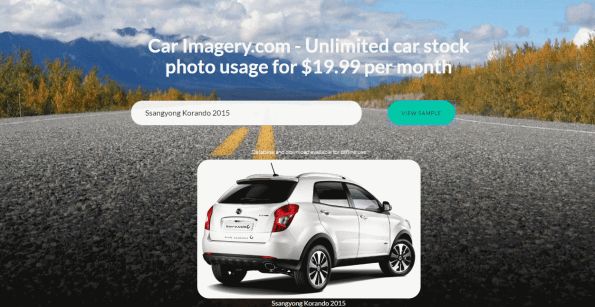
CarImagery.com is a website that gives business’ in the auto trade industry access to thousands of quality, licensed stock photos of cars. To spruce up catalogue pages with glossy images of cars.
For $19.99 per month, you get unlimited access to an API, that will look up car images, and return one to you based on your search criteria, or if you prefer to hold the data locally on your own server, you can download our 100MB database of car imagery and data. You can preview a sample of it on the website. – This is updated every 6 months to account for new cars entering the market.
There is a free version to try out, but it is not licensed for commercial or educational use, and will block excessive usage.
For .NET developers, here’s some sample code:
Open a new project in Visual Studio, in this case, we are assuming a console application, but the steps are identical for other project types too.
● Right click on the project, and select Add > Service Reference
● Change the namespace to CarImagery
● Enter the address www.CarImagery.com/api.asmx into the address bar.
● Press OK.
● Enter the following code in the Main() method
var carImagery = new CarImagery.apiSoapClient(“apiSoap”);
var strUrl = carImagery.GetImageUrl(“Ford Fiesta”); System.Diagnostics.Process.Start(strUrl);
● Press Run, and your default browser will open with an image of a Ford Fiesta car.
Access a #JSON #API via #SQL server

Let’s say you want to access a JSON based API, and import that data into SQL server, then your first thought, is that you’re going to need to write some form of application to do this, which calls the API, converts the JSON response to an object, then changes the object into SQL statements and … oh dear, where did the day go?
This great bit of code, sent to me by Tim Sant at Pickles Auctions shows you how to do the whole process within SQL server, so you don’t need any separate application.
The first part, is basically some AJAX preformed from within the SQL server using a COM object MSXML2.XMLHTTP
Declare @Object as Int;
Declare @ResponseText as Varchar(8000);
Declare @Rego as Varchar(15), @State as Varchar(3), @SiteURL as Varchar(500);

Set @Rego = 'AI38WB'
Set @State = 'NSW'
set @SiteURL =  'https://www.regcheck.org.uk/api/reg.asmx/CheckAustralia?RegistrationNumber=' + @Rego + '&State=' + @State + '&username=xxxx'

Print @SiteURL

Exec sp_OACreate 'MSXML2.XMLHTTP', @Object OUT;
Exec sp_OAMethod @Object, 'open', NULL, 'get',
                 @SiteURL, --Your Web Service Url (invoked)
                 'false'
Exec sp_OAMethod @Object, 'send'
Exec sp_OAMethod @Object, 'responseText', @ResponseText OUTPUT

--Select @ResponseText

Select * from parseJSON(@ResponseText)

Exec sp_OADestroy @Object
The API here is an Australian Registration number lookup, but any (http://www.carregistrationapi.com/) – but any JSON returning API is relevant here.
The next part is some really crazy string parsing code that can convert the JSON into a format more suitable for SQL queries.
	CREATE FUNCTION dbo.parseJSON( @JSON NVARCHAR(MAX))
	RETURNS @hierarchy TABLE
	  (
	   element_id INT IDENTITY(1, 1) NOT NULL, /* internal surrogate primary key gives the order of parsing and the list order */
	   sequenceNo [int] NULL, /* the place in the sequence for the element */
	   parent_ID INT,/* if the element has a parent then it is in this column. The document is the ultimate parent, so you can get the structure from recursing from the document */
	   Object_ID INT,/* each list or object has an object id. This ties all elements to a parent. Lists are treated as objects here */
	   NAME NVARCHAR(2000),/* the name of the object */
	   StringValue NVARCHAR(MAX) NOT NULL,/*the string representation of the value of the element. */
	   ValueType VARCHAR(10) NOT null /* the declared type of the value represented as a string in StringValue*/
	  )
	AS
	BEGIN
	  DECLARE
	    @FirstObject INT, --the index of the first open bracket found in the JSON string
	    @OpenDelimiter INT,--the index of the next open bracket found in the JSON string
	    @NextOpenDelimiter INT,--the index of subsequent open bracket found in the JSON string
	    @NextCloseDelimiter INT,--the index of subsequent close bracket found in the JSON string
	    @Type NVARCHAR(10),--whether it denotes an object or an array
	    @NextCloseDelimiterChar CHAR(1),--either a '}' or a ']'
	    @Contents NVARCHAR(MAX), --the unparsed contents of the bracketed expression
	    @Start INT, --index of the start of the token that you are parsing
	    @end INT,--index of the end of the token that you are parsing
	    @param INT,--the parameter at the end of the next Object/Array token
	    @EndOfName INT,--the index of the start of the parameter at end of Object/Array token
	    @token NVARCHAR(200),--either a string or object
	    @value NVARCHAR(MAX), -- the value as a string
	    @SequenceNo int, -- the sequence number within a list
	    @name NVARCHAR(200), --the name as a string
	    @parent_ID INT,--the next parent ID to allocate
	    @lenJSON INT,--the current length of the JSON String
	    @characters NCHAR(36),--used to convert hex to decimal
	    @result BIGINT,--the value of the hex symbol being parsed
	    @index SMALLINT,--used for parsing the hex value
	    @Escape INT --the index of the next escape character

	  DECLARE @Strings TABLE /* in this temporary table we keep all strings, even the names of the elements, since they are 'escaped' in a different way, and may contain, unescaped, brackets denoting objects or lists. These are replaced in the JSON string by tokens representing the string */
	    (
	     String_ID INT IDENTITY(1, 1),
	     StringValue NVARCHAR(MAX)
	    )
	  SELECT--initialise the characters to convert hex to ascii
	    @characters='0123456789abcdefghijklmnopqrstuvwxyz',
	    @SequenceNo=0, --set the sequence no. to something sensible.
	  /* firstly we process all strings. This is done because [{} and ] aren't escaped in strings, which complicates an iterative parse. */
	    @parent_ID=0;
	  WHILE 1=1 --forever until there is nothing more to do
	    BEGIN
	      SELECT
	        @start=PATINDEX('%[^a-zA-Z]["]%', @json collate SQL_Latin1_General_CP850_Bin);--next delimited string
	      IF @start=0 BREAK --no more so drop through the WHILE loop
	      IF SUBSTRING(@json, @start+1, 1)='"'
	        BEGIN --Delimited Name
	          SET @start=@Start+1;
	          SET @end=PATINDEX('%[^\]["]%', RIGHT(@json, LEN(@json+'|')-@start) collate SQL_Latin1_General_CP850_Bin);
	        END
	      IF @end=0 --no end delimiter to last string
	        BREAK --no more
	      SELECT @token=SUBSTRING(@json, @start+1, @end-1)
	      --now put in the escaped control characters
	      SELECT @token=REPLACE(@token, FROMString, TOString)
	      FROM
	        (SELECT
	          '\"' AS FromString, '"' AS ToString
	         UNION ALL SELECT '\\', '\'
	         UNION ALL SELECT '\/', '/'
	         UNION ALL SELECT '\b', CHAR(08)
	         UNION ALL SELECT '\f', CHAR(12)
	         UNION ALL SELECT '\n', CHAR(10)
	         UNION ALL SELECT '\r', CHAR(13)
	         UNION ALL SELECT '\t', CHAR(09)
	        ) substitutions
	      SELECT @result=0, @escape=1
	  --Begin to take out any hex escape codes
	      WHILE @escape>0
	        BEGIN
	          SELECT @index=0,
	          --find the next hex escape sequence
	          @escape=PATINDEX('%\x[0-9a-f][0-9a-f][0-9a-f][0-9a-f]%', @token collate SQL_Latin1_General_CP850_Bin)
	          IF @escape>0 --if there is one
	            BEGIN
	              WHILE @index<4 --there are always four digits to a \x sequence
	                BEGIN
	                  SELECT --determine its value
	                    @result=@result+POWER(16, @index)
	                    *(CHARINDEX(SUBSTRING(@token, @escape+2+3-@index, 1),
	                                @characters)-1), @index=@index+1 ;

	                END
	                -- and replace the hex sequence by its unicode value
	              SELECT @token=STUFF(@token, @escape, 6, NCHAR(@result))
	            END
	        END
	      --now store the string away
	      INSERT INTO @Strings (StringValue) SELECT @token
	      -- and replace the string with a token
	      SELECT @JSON=STUFF(@json, @start, @end+1,
	                    '@string'+CONVERT(NVARCHAR(5), @@identity))
	    END
	  -- all strings are now removed. Now we find the first leaf.
	  WHILE 1=1  --forever until there is nothing more to do
	  BEGIN

	  SELECT @parent_ID=@parent_ID+1
	  --find the first object or list by looking for the open bracket
	  SELECT @FirstObject=PATINDEX('%[{[[]%', @json collate SQL_Latin1_General_CP850_Bin)--object or array
	  IF @FirstObject = 0 BREAK
	  IF (SUBSTRING(@json, @FirstObject, 1)='{')
	    SELECT @NextCloseDelimiterChar='}', @type='object'
	  ELSE
	    SELECT @NextCloseDelimiterChar=']', @type='array'
	  SELECT @OpenDelimiter=@firstObject
	  WHILE 1=1 --find the innermost object or list...
	    BEGIN
	      SELECT
	        @lenJSON=LEN(@JSON+'|')-1
	  --find the matching close-delimiter proceeding after the open-delimiter
	      SELECT
	        @NextCloseDelimiter=CHARINDEX(@NextCloseDelimiterChar, @json,
	                                      @OpenDelimiter+1)
	  --is there an intervening open-delimiter of either type
	      SELECT @NextOpenDelimiter=PATINDEX('%[{[[]%',
	             RIGHT(@json, @lenJSON-@OpenDelimiter)collate SQL_Latin1_General_CP850_Bin)--object
	      IF @NextOpenDelimiter=0
	        BREAK
	      SELECT @NextOpenDelimiter=@NextOpenDelimiter+@OpenDelimiter
	      IF @NextCloseDelimiter<@NextOpenDelimiter
	        BREAK
	      IF SUBSTRING(@json, @NextOpenDelimiter, 1)='{'
	        SELECT @NextCloseDelimiterChar='}', @type='object'
	      ELSE
	        SELECT @NextCloseDelimiterChar=']', @type='array'
	      SELECT @OpenDelimiter=@NextOpenDelimiter
	    END
	  ---and parse out the list or name/value pairs
	  SELECT
	    @contents=SUBSTRING(@json, @OpenDelimiter+1,
	                        @NextCloseDelimiter-@OpenDelimiter-1)
	  SELECT
	    @JSON=STUFF(@json, @OpenDelimiter,
	                @NextCloseDelimiter-@OpenDelimiter+1,
	                '@'+@type+CONVERT(NVARCHAR(5), @parent_ID))
	  WHILE (PATINDEX('%[A-Za-z0-9@+.e]%', @contents collate SQL_Latin1_General_CP850_Bin))<>0
	    BEGIN
	      IF @Type='Object' --it will be a 0-n list containing a string followed by a string, number,boolean, or null
	        BEGIN
	          SELECT
	            @SequenceNo=0,@end=CHARINDEX(':', ' '+@contents)--if there is anything, it will be a string-based name.
	          SELECT  @start=PATINDEX('%[^A-Za-z@][@]%', ' '+@contents collate SQL_Latin1_General_CP850_Bin)--AAAAAAAA
	          SELECT @token=SUBSTRING(' '+@contents, @start+1, @End-@Start-1),
	            @endofname=PATINDEX('%[0-9]%', @token collate SQL_Latin1_General_CP850_Bin),
	            @param=RIGHT(@token, LEN(@token)-@endofname+1)
	          SELECT
	            @token=LEFT(@token, @endofname-1),
	            @Contents=RIGHT(' '+@contents, LEN(' '+@contents+'|')-@end-1)
	          SELECT  @name=stringvalue FROM @strings
	            WHERE string_id=@param --fetch the name
	        END
	      ELSE
	        SELECT @Name=null,@SequenceNo=@SequenceNo+1
	      SELECT
	        @end=CHARINDEX(',', @contents)-- a string-token, object-token, list-token, number,boolean, or null
	      IF @end=0
	        SELECT  @end=PATINDEX('%[A-Za-z0-9@+.e][^A-Za-z0-9@+.e]%', @Contents+' ' collate SQL_Latin1_General_CP850_Bin)
	          +1
	       SELECT
	        @start=PATINDEX('%[^A-Za-z0-9@+.e][A-Za-z0-9@+.e]%', ' '+@contents collate SQL_Latin1_General_CP850_Bin)
	      --select @start,@end, LEN(@contents+'|'), @contents
	      SELECT
	        @Value=RTRIM(SUBSTRING(@contents, @start, @End-@Start)),
	        @Contents=RIGHT(@contents+' ', LEN(@contents+'|')-@end)
	      IF SUBSTRING(@value, 1, 7)='@object'
	        INSERT INTO @hierarchy
	          (NAME, SequenceNo, parent_ID, StringValue, Object_ID, ValueType)
	          SELECT @name, @SequenceNo, @parent_ID, SUBSTRING(@value, 8, 5),
	            SUBSTRING(@value, 8, 5), 'object'
	      ELSE
	        IF SUBSTRING(@value, 1, 6)='@array'
	          INSERT INTO @hierarchy
	            (NAME, SequenceNo, parent_ID, StringValue, Object_ID, ValueType)
	            SELECT @name, @SequenceNo, @parent_ID, SUBSTRING(@value, 7, 5),
	              SUBSTRING(@value, 7, 5), 'array'
	        ELSE
	          IF SUBSTRING(@value, 1, 7)='@string'
	            INSERT INTO @hierarchy
	              (NAME, SequenceNo, parent_ID, StringValue, ValueType)
	              SELECT @name, @SequenceNo, @parent_ID, stringvalue, 'string'
	              FROM @strings
	              WHERE string_id=SUBSTRING(@value, 8, 5)
	          ELSE
	            IF @value IN ('true', 'false')
	              INSERT INTO @hierarchy
	                (NAME, SequenceNo, parent_ID, StringValue, ValueType)
	                SELECT @name, @SequenceNo, @parent_ID, @value, 'boolean'
	            ELSE
	              IF @value='null'
	                INSERT INTO @hierarchy
	                  (NAME, SequenceNo, parent_ID, StringValue, ValueType)
	                  SELECT @name, @SequenceNo, @parent_ID, @value, 'null'
	              ELSE
	                IF PATINDEX('%[^0-9]%', @value collate SQL_Latin1_General_CP850_Bin)>0
	                  INSERT INTO @hierarchy
	                    (NAME, SequenceNo, parent_ID, StringValue, ValueType)
	                    SELECT @name, @SequenceNo, @parent_ID, @value, 'real'
	                ELSE
	                  INSERT INTO @hierarchy
	                    (NAME, SequenceNo, parent_ID, StringValue, ValueType)
	                    SELECT @name, @SequenceNo, @parent_ID, @value, 'int'
	      if @Contents=' ' Select @SequenceNo=0
	    END
	  END
	INSERT INTO @hierarchy (NAME, SequenceNo, parent_ID, StringValue, Object_ID, ValueType)
	  SELECT '-',1, NULL, '', @parent_id-1, @type
	--
	   RETURN
	END
GO
#bin number lookup in c#
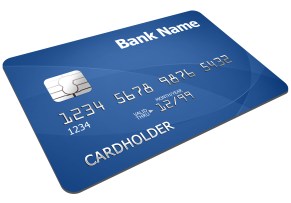
The first six digits of a credit card (BIN) indicate the issuing bank and country. You can use
this to assist in fraud detection, or determine what country a customer is from – although
people do sometimes carry foreign cards.
Here is an example from NeutrinoAPI that allows you look up a card BIN number in c# – you’ll need your own username and key
[HttpGet]
public ActionResult CheckBinNumber(string binNumber)
{
var strUrl = “https://neutrinoapi.com/bin-lookup?”;
strUrl += “bin-number={0}”;
strUrl += “&customer-ip=8.8.8.8”; // Google’s IP address.
strUrl += “&user-id={{your username}}”;
strUrl += “&api-key={{your key}}”;
strUrl = string.Format(strUrl, binNumber);
var wc = new WebClient();
var strRaw = wc.DownloadString(strUrl);
return Content(strRaw, “application/json”);
}
…. and you get the following json
{
“country”:“IRELAND”,
“country-code”:“IE”,
“card-brand”:“MASTERCARD”,
“ip-city”:“Mountain View”,
“ip-blocklists”:[
“dshield”
],
“ip-country”:“United States”,
“issuer”:“BANK OF IRELAND”,
“issuer-website”:“http://www.bankofireland.com/contact-us/”,
“ip-region”:“California”,
“valid”:true,
“card-type”:“CREDIT”,
“ip-blocklisted”:true,
“card-category”:“”,
“issuer-phone”:“1890 365 100 OR 353 1 404 4001”,
“ip-matches-bin”:false,
“ip-country-code”:“US”
}
Embed a #Skype-like chat in your webpage @tokbox

I had a quick look on the internet to see if it was easy to embed Skype / Facetime / or Google talk in a website, and although it seems possible to embed Skype – MDLive did it, but only in partnership with Microsoft, so I don’t think it’s open to all. Facetime seems completely closed.
- When prompted, grant access to your camera and microphone.
- The video from your webcam should appear in the browser.
- Mute your speaker.
- Copy the URI in the browser to your Clipboard.
- Open a new tab.
- Paste the URI into the new tab. Now you should have two videos.
Tip: If you have a public address, share the path with a friend for a real video chat!
<!DOCTYPE HTML>
<html>
<body>
https://static.opentok.com/v2/js/opentok.jsvar apiKey = ‘45708032’;
var sessionId = ‘1_MX40NTcwODAzMn5-MTQ3NzM4MDMxNTE4MH5HUE1rUzlOVlFxb0VDU0FscWRFbXFNdkd-fg’;
var token = ‘T1==cGFydG5lcl9pZD00NTcwODAzMiZzaWc9NWNlMDdkNWExM2Y2MTEzYjFkM2VlZmVjNzg4Zjg0ZTI5ZjY4NTJjZDpzZXNzaW9uX2lkPTFfTVg0ME5UY3dPREF6TW41LU1UUTNOek00TURNeE5URTRNSDVIVUUxclV6bE9WbEZ4YjBWRFUwRnNjV1JGYlhGTmRrZC1mZyZjcmVhdGVfdGltZT0xNDc3MzgwMzQyJm5vbmNlPTAuNjc1MjYyNzQ4NDk2NjA3JnJvbGU9cHVibGlzaGVyJmV4cGlyZV90aW1lPTE0Nzk5NzU5NDQ=’;
var session = OT.initSession(apiKey, sessionId)
.on(‘streamCreated’, function(event) {
session.subscribe(event.stream);
})
.connect(token, function(error) {
var publisher = OT.initPublisher();
session.publish(publisher);
});</body>
</html>
 Network Programming in .NET