Archive
#Car #Stock #Photos API with bulk download option
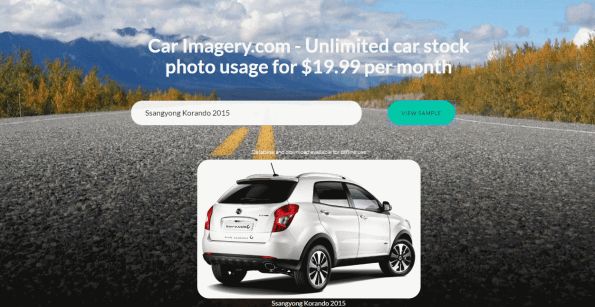
CarImagery.com is a website that gives business’ in the auto trade industry access to thousands of quality, licensed stock photos of cars. To spruce up catalogue pages with glossy images of cars.
For $19.99 per month, you get unlimited access to an API, that will look up car images, and return one to you based on your search criteria, or if you prefer to hold the data locally on your own server, you can download our 100MB database of car imagery and data. You can preview a sample of it on the website. – This is updated every 6 months to account for new cars entering the market.
There is a free version to try out, but it is not licensed for commercial or educational use, and will block excessive usage.
For .NET developers, here’s some sample code:
Open a new project in Visual Studio, in this case, we are assuming a console application, but the steps are identical for other project types too.
● Right click on the project, and select Add > Service Reference
● Change the namespace to CarImagery
● Enter the address www.CarImagery.com/api.asmx into the address bar.
● Press OK.
● Enter the following code in the Main() method
var carImagery = new CarImagery.apiSoapClient(“apiSoap”);
var strUrl = carImagery.GetImageUrl(“Ford Fiesta”); System.Diagnostics.Process.Start(strUrl);
● Press Run, and your default browser will open with an image of a Ford Fiesta car.
Access a #JSON #API via #SQL server

Let’s say you want to access a JSON based API, and import that data into SQL server, then your first thought, is that you’re going to need to write some form of application to do this, which calls the API, converts the JSON response to an object, then changes the object into SQL statements and … oh dear, where did the day go?
This great bit of code, sent to me by Tim Sant at Pickles Auctions shows you how to do the whole process within SQL server, so you don’t need any separate application.
The first part, is basically some AJAX preformed from within the SQL server using a COM object MSXML2.XMLHTTP
Declare @Object as Int;
Declare @ResponseText as Varchar(8000);
Declare @Rego as Varchar(15), @State as Varchar(3), @SiteURL as Varchar(500);

Set @Rego = 'AI38WB'
Set @State = 'NSW'
set @SiteURL =  'https://www.regcheck.org.uk/api/reg.asmx/CheckAustralia?RegistrationNumber=' + @Rego + '&State=' + @State + '&username=xxxx'

Print @SiteURL

Exec sp_OACreate 'MSXML2.XMLHTTP', @Object OUT;
Exec sp_OAMethod @Object, 'open', NULL, 'get',
                 @SiteURL, --Your Web Service Url (invoked)
                 'false'
Exec sp_OAMethod @Object, 'send'
Exec sp_OAMethod @Object, 'responseText', @ResponseText OUTPUT

--Select @ResponseText

Select * from parseJSON(@ResponseText)

Exec sp_OADestroy @Object
The API here is an Australian Registration number lookup, but any (http://www.carregistrationapi.com/) – but any JSON returning API is relevant here.
The next part is some really crazy string parsing code that can convert the JSON into a format more suitable for SQL queries.
	CREATE FUNCTION dbo.parseJSON( @JSON NVARCHAR(MAX))
	RETURNS @hierarchy TABLE
	  (
	   element_id INT IDENTITY(1, 1) NOT NULL, /* internal surrogate primary key gives the order of parsing and the list order */
	   sequenceNo [int] NULL, /* the place in the sequence for the element */
	   parent_ID INT,/* if the element has a parent then it is in this column. The document is the ultimate parent, so you can get the structure from recursing from the document */
	   Object_ID INT,/* each list or object has an object id. This ties all elements to a parent. Lists are treated as objects here */
	   NAME NVARCHAR(2000),/* the name of the object */
	   StringValue NVARCHAR(MAX) NOT NULL,/*the string representation of the value of the element. */
	   ValueType VARCHAR(10) NOT null /* the declared type of the value represented as a string in StringValue*/
	  )
	AS
	BEGIN
	  DECLARE
	    @FirstObject INT, --the index of the first open bracket found in the JSON string
	    @OpenDelimiter INT,--the index of the next open bracket found in the JSON string
	    @NextOpenDelimiter INT,--the index of subsequent open bracket found in the JSON string
	    @NextCloseDelimiter INT,--the index of subsequent close bracket found in the JSON string
	    @Type NVARCHAR(10),--whether it denotes an object or an array
	    @NextCloseDelimiterChar CHAR(1),--either a '}' or a ']'
	    @Contents NVARCHAR(MAX), --the unparsed contents of the bracketed expression
	    @Start INT, --index of the start of the token that you are parsing
	    @end INT,--index of the end of the token that you are parsing
	    @param INT,--the parameter at the end of the next Object/Array token
	    @EndOfName INT,--the index of the start of the parameter at end of Object/Array token
	    @token NVARCHAR(200),--either a string or object
	    @value NVARCHAR(MAX), -- the value as a string
	    @SequenceNo int, -- the sequence number within a list
	    @name NVARCHAR(200), --the name as a string
	    @parent_ID INT,--the next parent ID to allocate
	    @lenJSON INT,--the current length of the JSON String
	    @characters NCHAR(36),--used to convert hex to decimal
	    @result BIGINT,--the value of the hex symbol being parsed
	    @index SMALLINT,--used for parsing the hex value
	    @Escape INT --the index of the next escape character

	  DECLARE @Strings TABLE /* in this temporary table we keep all strings, even the names of the elements, since they are 'escaped' in a different way, and may contain, unescaped, brackets denoting objects or lists. These are replaced in the JSON string by tokens representing the string */
	    (
	     String_ID INT IDENTITY(1, 1),
	     StringValue NVARCHAR(MAX)
	    )
	  SELECT--initialise the characters to convert hex to ascii
	    @characters='0123456789abcdefghijklmnopqrstuvwxyz',
	    @SequenceNo=0, --set the sequence no. to something sensible.
	  /* firstly we process all strings. This is done because [{} and ] aren't escaped in strings, which complicates an iterative parse. */
	    @parent_ID=0;
	  WHILE 1=1 --forever until there is nothing more to do
	    BEGIN
	      SELECT
	        @start=PATINDEX('%[^a-zA-Z]["]%', @json collate SQL_Latin1_General_CP850_Bin);--next delimited string
	      IF @start=0 BREAK --no more so drop through the WHILE loop
	      IF SUBSTRING(@json, @start+1, 1)='"'
	        BEGIN --Delimited Name
	          SET @start=@Start+1;
	          SET @end=PATINDEX('%[^\]["]%', RIGHT(@json, LEN(@json+'|')-@start) collate SQL_Latin1_General_CP850_Bin);
	        END
	      IF @end=0 --no end delimiter to last string
	        BREAK --no more
	      SELECT @token=SUBSTRING(@json, @start+1, @end-1)
	      --now put in the escaped control characters
	      SELECT @token=REPLACE(@token, FROMString, TOString)
	      FROM
	        (SELECT
	          '\"' AS FromString, '"' AS ToString
	         UNION ALL SELECT '\\', '\'
	         UNION ALL SELECT '\/', '/'
	         UNION ALL SELECT '\b', CHAR(08)
	         UNION ALL SELECT '\f', CHAR(12)
	         UNION ALL SELECT '\n', CHAR(10)
	         UNION ALL SELECT '\r', CHAR(13)
	         UNION ALL SELECT '\t', CHAR(09)
	        ) substitutions
	      SELECT @result=0, @escape=1
	  --Begin to take out any hex escape codes
	      WHILE @escape>0
	        BEGIN
	          SELECT @index=0,
	          --find the next hex escape sequence
	          @escape=PATINDEX('%\x[0-9a-f][0-9a-f][0-9a-f][0-9a-f]%', @token collate SQL_Latin1_General_CP850_Bin)
	          IF @escape>0 --if there is one
	            BEGIN
	              WHILE @index<4 --there are always four digits to a \x sequence
	                BEGIN
	                  SELECT --determine its value
	                    @result=@result+POWER(16, @index)
	                    *(CHARINDEX(SUBSTRING(@token, @escape+2+3-@index, 1),
	                                @characters)-1), @index=@index+1 ;

	                END
	                -- and replace the hex sequence by its unicode value
	              SELECT @token=STUFF(@token, @escape, 6, NCHAR(@result))
	            END
	        END
	      --now store the string away
	      INSERT INTO @Strings (StringValue) SELECT @token
	      -- and replace the string with a token
	      SELECT @JSON=STUFF(@json, @start, @end+1,
	                    '@string'+CONVERT(NVARCHAR(5), @@identity))
	    END
	  -- all strings are now removed. Now we find the first leaf.
	  WHILE 1=1  --forever until there is nothing more to do
	  BEGIN

	  SELECT @parent_ID=@parent_ID+1
	  --find the first object or list by looking for the open bracket
	  SELECT @FirstObject=PATINDEX('%[{[[]%', @json collate SQL_Latin1_General_CP850_Bin)--object or array
	  IF @FirstObject = 0 BREAK
	  IF (SUBSTRING(@json, @FirstObject, 1)='{')
	    SELECT @NextCloseDelimiterChar='}', @type='object'
	  ELSE
	    SELECT @NextCloseDelimiterChar=']', @type='array'
	  SELECT @OpenDelimiter=@firstObject
	  WHILE 1=1 --find the innermost object or list...
	    BEGIN
	      SELECT
	        @lenJSON=LEN(@JSON+'|')-1
	  --find the matching close-delimiter proceeding after the open-delimiter
	      SELECT
	        @NextCloseDelimiter=CHARINDEX(@NextCloseDelimiterChar, @json,
	                                      @OpenDelimiter+1)
	  --is there an intervening open-delimiter of either type
	      SELECT @NextOpenDelimiter=PATINDEX('%[{[[]%',
	             RIGHT(@json, @lenJSON-@OpenDelimiter)collate SQL_Latin1_General_CP850_Bin)--object
	      IF @NextOpenDelimiter=0
	        BREAK
	      SELECT @NextOpenDelimiter=@NextOpenDelimiter+@OpenDelimiter
	      IF @NextCloseDelimiter<@NextOpenDelimiter
	        BREAK
	      IF SUBSTRING(@json, @NextOpenDelimiter, 1)='{'
	        SELECT @NextCloseDelimiterChar='}', @type='object'
	      ELSE
	        SELECT @NextCloseDelimiterChar=']', @type='array'
	      SELECT @OpenDelimiter=@NextOpenDelimiter
	    END
	  ---and parse out the list or name/value pairs
	  SELECT
	    @contents=SUBSTRING(@json, @OpenDelimiter+1,
	                        @NextCloseDelimiter-@OpenDelimiter-1)
	  SELECT
	    @JSON=STUFF(@json, @OpenDelimiter,
	                @NextCloseDelimiter-@OpenDelimiter+1,
	                '@'+@type+CONVERT(NVARCHAR(5), @parent_ID))
	  WHILE (PATINDEX('%[A-Za-z0-9@+.e]%', @contents collate SQL_Latin1_General_CP850_Bin))<>0
	    BEGIN
	      IF @Type='Object' --it will be a 0-n list containing a string followed by a string, number,boolean, or null
	        BEGIN
	          SELECT
	            @SequenceNo=0,@end=CHARINDEX(':', ' '+@contents)--if there is anything, it will be a string-based name.
	          SELECT  @start=PATINDEX('%[^A-Za-z@][@]%', ' '+@contents collate SQL_Latin1_General_CP850_Bin)--AAAAAAAA
	          SELECT @token=SUBSTRING(' '+@contents, @start+1, @End-@Start-1),
	            @endofname=PATINDEX('%[0-9]%', @token collate SQL_Latin1_General_CP850_Bin),
	            @param=RIGHT(@token, LEN(@token)-@endofname+1)
	          SELECT
	            @token=LEFT(@token, @endofname-1),
	            @Contents=RIGHT(' '+@contents, LEN(' '+@contents+'|')-@end-1)
	          SELECT  @name=stringvalue FROM @strings
	            WHERE string_id=@param --fetch the name
	        END
	      ELSE
	        SELECT @Name=null,@SequenceNo=@SequenceNo+1
	      SELECT
	        @end=CHARINDEX(',', @contents)-- a string-token, object-token, list-token, number,boolean, or null
	      IF @end=0
	        SELECT  @end=PATINDEX('%[A-Za-z0-9@+.e][^A-Za-z0-9@+.e]%', @Contents+' ' collate SQL_Latin1_General_CP850_Bin)
	          +1
	       SELECT
	        @start=PATINDEX('%[^A-Za-z0-9@+.e][A-Za-z0-9@+.e]%', ' '+@contents collate SQL_Latin1_General_CP850_Bin)
	      --select @start,@end, LEN(@contents+'|'), @contents
	      SELECT
	        @Value=RTRIM(SUBSTRING(@contents, @start, @End-@Start)),
	        @Contents=RIGHT(@contents+' ', LEN(@contents+'|')-@end)
	      IF SUBSTRING(@value, 1, 7)='@object'
	        INSERT INTO @hierarchy
	          (NAME, SequenceNo, parent_ID, StringValue, Object_ID, ValueType)
	          SELECT @name, @SequenceNo, @parent_ID, SUBSTRING(@value, 8, 5),
	            SUBSTRING(@value, 8, 5), 'object'
	      ELSE
	        IF SUBSTRING(@value, 1, 6)='@array'
	          INSERT INTO @hierarchy
	            (NAME, SequenceNo, parent_ID, StringValue, Object_ID, ValueType)
	            SELECT @name, @SequenceNo, @parent_ID, SUBSTRING(@value, 7, 5),
	              SUBSTRING(@value, 7, 5), 'array'
	        ELSE
	          IF SUBSTRING(@value, 1, 7)='@string'
	            INSERT INTO @hierarchy
	              (NAME, SequenceNo, parent_ID, StringValue, ValueType)
	              SELECT @name, @SequenceNo, @parent_ID, stringvalue, 'string'
	              FROM @strings
	              WHERE string_id=SUBSTRING(@value, 8, 5)
	          ELSE
	            IF @value IN ('true', 'false')
	              INSERT INTO @hierarchy
	                (NAME, SequenceNo, parent_ID, StringValue, ValueType)
	                SELECT @name, @SequenceNo, @parent_ID, @value, 'boolean'
	            ELSE
	              IF @value='null'
	                INSERT INTO @hierarchy
	                  (NAME, SequenceNo, parent_ID, StringValue, ValueType)
	                  SELECT @name, @SequenceNo, @parent_ID, @value, 'null'
	              ELSE
	                IF PATINDEX('%[^0-9]%', @value collate SQL_Latin1_General_CP850_Bin)>0
	                  INSERT INTO @hierarchy
	                    (NAME, SequenceNo, parent_ID, StringValue, ValueType)
	                    SELECT @name, @SequenceNo, @parent_ID, @value, 'real'
	                ELSE
	                  INSERT INTO @hierarchy
	                    (NAME, SequenceNo, parent_ID, StringValue, ValueType)
	                    SELECT @name, @SequenceNo, @parent_ID, @value, 'int'
	      if @Contents=' ' Select @SequenceNo=0
	    END
	  END
	INSERT INTO @hierarchy (NAME, SequenceNo, parent_ID, StringValue, Object_ID, ValueType)
	  SELECT '-',1, NULL, '', @parent_id-1, @type
	--
	   RETURN
	END
GO
#bin number lookup in c#
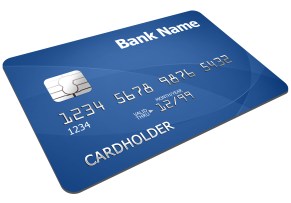
The first six digits of a credit card (BIN) indicate the issuing bank and country. You can use
this to assist in fraud detection, or determine what country a customer is from – although
people do sometimes carry foreign cards.
Here is an example from NeutrinoAPI that allows you look up a card BIN number in c# – you’ll need your own username and key
[HttpGet]
public ActionResult CheckBinNumber(string binNumber)
{
var strUrl = “https://neutrinoapi.com/bin-lookup?”;
strUrl += “bin-number={0}”;
strUrl += “&customer-ip=8.8.8.8”; // Google’s IP address.
strUrl += “&user-id={{your username}}”;
strUrl += “&api-key={{your key}}”;
strUrl = string.Format(strUrl, binNumber);
var wc = new WebClient();
var strRaw = wc.DownloadString(strUrl);
return Content(strRaw, “application/json”);
}
…. and you get the following json
{
“country”:“IRELAND”,
“country-code”:“IE”,
“card-brand”:“MASTERCARD”,
“ip-city”:“Mountain View”,
“ip-blocklists”:[
“dshield”
],
“ip-country”:“United States”,
“issuer”:“BANK OF IRELAND”,
“issuer-website”:“http://www.bankofireland.com/contact-us/”,
“ip-region”:“California”,
“valid”:true,
“card-type”:“CREDIT”,
“ip-blocklisted”:true,
“card-category”:“”,
“issuer-phone”:“1890 365 100 OR 353 1 404 4001”,
“ip-matches-bin”:false,
“ip-country-code”:“US”
}
Embed a #Skype-like chat in your webpage @tokbox

I had a quick look on the internet to see if it was easy to embed Skype / Facetime / or Google talk in a website, and although it seems possible to embed Skype – MDLive did it, but only in partnership with Microsoft, so I don’t think it’s open to all. Facetime seems completely closed.
- When prompted, grant access to your camera and microphone.
- The video from your webcam should appear in the browser.
- Mute your speaker.
- Copy the URI in the browser to your Clipboard.
- Open a new tab.
- Paste the URI into the new tab. Now you should have two videos.
Tip: If you have a public address, share the path with a friend for a real video chat!
<!DOCTYPE HTML>
<html>
<body>
https://static.opentok.com/v2/js/opentok.jsvar apiKey = ‘45708032’;
var sessionId = ‘1_MX40NTcwODAzMn5-MTQ3NzM4MDMxNTE4MH5HUE1rUzlOVlFxb0VDU0FscWRFbXFNdkd-fg’;
var token = ‘T1==cGFydG5lcl9pZD00NTcwODAzMiZzaWc9NWNlMDdkNWExM2Y2MTEzYjFkM2VlZmVjNzg4Zjg0ZTI5ZjY4NTJjZDpzZXNzaW9uX2lkPTFfTVg0ME5UY3dPREF6TW41LU1UUTNOek00TURNeE5URTRNSDVIVUUxclV6bE9WbEZ4YjBWRFUwRnNjV1JGYlhGTmRrZC1mZyZjcmVhdGVfdGltZT0xNDc3MzgwMzQyJm5vbmNlPTAuNjc1MjYyNzQ4NDk2NjA3JnJvbGU9cHVibGlzaGVyJmV4cGlyZV90aW1lPTE0Nzk5NzU5NDQ=’;
var session = OT.initSession(apiKey, sessionId)
.on(‘streamCreated’, function(event) {
session.subscribe(event.stream);
})
.connect(token, function(error) {
var publisher = OT.initPublisher();
session.publish(publisher);
});</body>
</html>
#Microsoft’s #Symbian phones sold to #FIH

On Wednesday, May 18, Microsoft announced an agreement to sell the company’s entry-level feature phone to FIH Mobile Ltd., (FIH) a subsidiary of Hon Hai/Foxconn Technology Group, and HMD Global, Oy (HMD). As part of the sale, FIH Mobile Ltd., and HMD Global Oy will take over all of the manufacturing, sales, and marketing functions related to Microsoft’s feature phone business. As a result, your sales and marketing relationship with respect to Nokia feature phones will transfer from Microsoft to the Buyer’s legal entity. The transaction is expected to close by the end of calendar year 2016, subject to regulatory approvals and other closing conditions.
Send a #Postcard via c# using @StannpApp
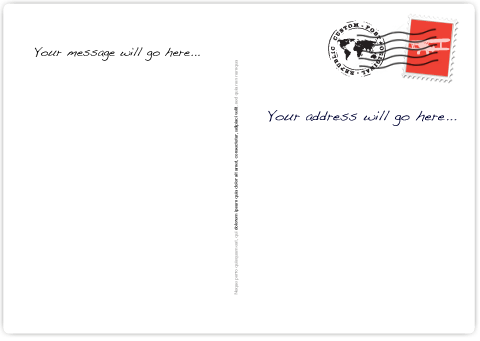
This code will request that a message is printed onto a postcard and posted to an address of your choice, for about 40p (ish) – pretty cool.
You’ll need your own API key, and you should test it with your own address first.
var strPostData = “test=false”;
strPostData += “&size=A6”;
strPostData += “&front=https%3A%2F%2Fwww.stannp.com%2Fassets%2Fsamples%2Fa6-postcard-front.jpg”;
strPostData += “&message=hello+there!”;
strPostData += “&signature=https://www.stannp.com/assets/samples/signature-example.jpg”;
strPostData += “&recipient[title]=Mr”;
strPostData += “&recipient[firstname]=You”;
strPostData += “&recipient[lastname]=You”;
strPostData += “&recipient[address1]=Your Address”;
strPostData += “&recipient[address2]=London”;
strPostData += “&recipient[town]=London”;
strPostData += “&recipient[postcode]=Your Postcode”;
strPostData += “&recipient[country]=GB”;
WebClient wc = new WebClient();
var strUrl = “https://dash.stannp.com/api/v1/postcards/create”;
string credentials = Convert.ToBase64String( Encoding.ASCII.GetBytes(“{{YOUR API KEY HERE}}:”));
wc.Headers[HttpRequestHeader.Authorization] = string.Format(
“Basic {0}”, credentials);
try
{
wc.Headers[HttpRequestHeader.ContentType] = “application/x-www-form-urlencoded”;
var strResponse = wc.UploadString(strUrl , “POST”, strPostData);
}
catch (WebException exception)
{
string responseText;var responseStream = exception.Response?.GetResponseStream();
if (responseStream != null)
{
using (var reader = new StreamReader(responseStream))
{
responseText = reader.ReadToEnd();
}
}
}
#госномер #API – Russian car number plate lookup #ГИБДД #России

Our new website госномер.com ; pronounced “Gos Nomer” offers an API to Russian developers wishing to provide an automated way of looking up details of vehicles from their number plate.
Car registration plates in Russia use the /CheckRussia endpoint and return the following information:
- Make & Model
- Partial VIN number
- Age
- ГИБДД status (Russian police “Gibdd”)
- Representative image
Sample Json:
{
“Description”:“SSANG YONG DJ KYRON”,
“CarMake”:{
“CurrentTextValue”:“SSANG YONG DJ KYRON”
},
“MakeDescription”:{
“CurrentTextValue”:“SSANG YONG DJ KYRON”
},
“VechileIdentificationNumber”:“XU3S*********1174”,
“RegistrationYear”:“2007”,
“gibddWanted”:false,
“gibddRestricted”:false,
“Image”:“http://www.regcheck.org.uk/image.aspx/@U1NBTkcgWU9ORyBESiBLWVJPTg==”
}
Create a Lead in Base using C# @getbase

Base is a CRM system that offers an API to allow you to automatically track your customers / or leads. Here’s a quick code example of how to call the Base API in c#, I’ve removed the username / password values.
var lead = new BaseCRM.Lead
{
data = new Data
{
first_name = “Joe”,
last_name = “bloggs”,
email = “joe.bloggs@gmail.com”,
website = “www.webtropy.com”,
address = new Address { },
custom_fields = new CustomFields { },
tags = new List<string>()
}
};
var strJson = JavascriptSerialize(lead);WebClient wc = new WebClient();
try
{
var strSearch = “https://api.getbase.com/v2/leads”;
wc.Headers[HttpRequestHeader.Accept] = “application/json”;
wc.Headers[HttpRequestHeader.ContentType] = “application/json”;
wc.Headers[HttpRequestHeader.UserAgent] = “Mozilla/5.0 (Windows NT 10.0; WOW64) AppleWebKit/537.36 (KHTML, like Gecko) Chrome/53.0.2785.116 Safari/537.36”;
wc.Headers.Add(“Authorization”, “Bearer {{YOUR API KEY}}”);
var strSearchResponse = wc.UploadString(strSearch,strJson);
}
catch (WebException exception)
{
string responseText;var responseStream = exception.Response.GetResponseStream();
if (responseStream != null)
{
using (var reader = new StreamReader(responseStream))
{
responseText = reader.ReadToEnd();
}
}
}
The code above creates a new “Lead” in the Base CRM system, it requires a few helper methods as follows;
public static T JavascriptDeserialize<T>(string json)
{
var jsSerializer = new JavaScriptSerializer { MaxJsonLength = Int32.MaxValue };
return jsSerializer.Deserialize<T>(json);
}public static string JavascriptSerialize<T>(T obj)
{
var jsSerializer = new JavaScriptSerializer { MaxJsonLength = Int32.MaxValue };
return jsSerializer.Serialize(obj);
}
and the object model;
using System;
using System.Collections.Generic;
using System.Linq;
using System.Text;
using System.Threading.Tasks;namespace Yelper.BaseCRM
{
public class Address
{
public string line1 { get; set; }
public string city { get; set; }
public string postal_code { get; set; }
public string state { get; set; }
public string country { get; set; }
}public class CustomFields
{
public string known_via { get; set; }
}public class Data
{
public string first_name { get; set; }
public string last_name { get; set; }
public string organization_name { get; set; }
public int source_id { get; set; }
public string title { get; set; }
public string description { get; set; }
public string industry { get; set; }
public string website { get; set; }
public string email { get; set; }
public string phone { get; set; }
public string mobile { get; set; }
public string fax { get; set; }
public string twitter { get; set; }
public string facebook { get; set; }
public string linkedin { get; set; }
public string skype { get; set; }
public Address address { get; set; }
public List<string> tags { get; set; }
public CustomFields custom_fields { get; set; }
}public class Lead
{
public Data data { get; set; }
}
}
#Yelp API implemented in C# @yelpdev

Yelp offer an API that allows you extract their data in JSON format; really cool, and a very useful resource. If you’re using C#, then you can use this code to access it (I’ve removed the access key and client id)
static void Main(string[] args)
{
var strUrl = “https://api.yelp.com/oauth2/token”;var strPostData = “grant_type=client_credentials”;
strPostData += “&client_id=A-xxxxx”;
strPostData += “&client_secret=xxxxx”;
WebClient wc = new WebClient();
var strResponse = wc.UploadString(strUrl, strPostData);
var login = JavascriptDeserialize<OAuthLogin>(strResponse);//var strSearch =
// “https://api.yelp.com/v3/businesses/search?term=bar&latitude=51&longitude=0.1”;var strSearch = “https://api.yelp.com/v3/businesses/the-crow-and-gate-crowborough”;
wc.Headers.Add(“Authorization”, “Bearer ” + login.access_token);
var strSearchResponse = wc.DownloadString(strSearch);
}public static T JavascriptDeserialize<T>(string json)
{
var jsSerializer = new JavaScriptSerializer { MaxJsonLength = Int32.MaxValue };
return jsSerializer.Deserialize<T>(json);
}public class OAuthLogin
{
public string token_type { get; set; }
public int expires_in { get; set; }
public string access_token { get; set; }
}
Use #AI to recognise an image in c# @imagga

Link: https://imagga.com/?s=aZzh2zG5r2ZSPSM
Being able to tell the difference between an image of a car, and a banana is a ridiculously simple task for a human, but it’s not easy for a computer. Scan the image, and sum the yellow pixels as a percentage of the total pixels, but that doesn’t work on a yellow car, or an unripe banana.
This is where AI comes in, and it’s not just the realm of academia or data scientists any more. Real world business needs this service. Imagine you sell used cars online?, do you check every uploaded image to say it’s actually a car, or pornography?
I came across imagga, which offers a free 2,000 calls / month package. Given an image URL, it returns a list of keywords (tags) and a % confidence in each one. So if I want to check an image is a car, I can look for a tag called “car” and require a confidence > 90%
var strUrl = “http://api.imagga.com/v1/tagging?url=” + url;
var wc = new WebClient
{
Credentials = new NetworkCredential(“acc_xxxxxxxxxx”, “xxxxxxxxxxxxxxxx”)
};
var strJson = wc.DownloadString(strUrl);
var oRecognise = JavascriptDeserialize<imaggaResults>(strJson);
var carConfidence = oRecognise.results[0].tags.First(o => o.tag == “car”).confidence;
return carConfidence > 90;
With the following ‘helper’ methods
public static T JavascriptDeserialize<T>(string json)
{
var jsSerializer = new JavaScriptSerializer { MaxJsonLength = Int32.MaxValue };
return jsSerializer.Deserialize<T>(json);
}#region imagga objects
public class Tag
{
public double confidence { get; set; }
public string tag { get; set; }
}public class imaggaResult
{
public object tagging_id { get; set; }
public string image { get; set; }
public List<Tag> tags { get; set; }
}public class imaggaResults
{
public List<imaggaResult> results { get; set; }
}
#endregion

