#Danish Car lookup #SKAT #DMR #API

We’ve just upgraded our Danish car lookup API at http://dk.registreringsnummerapi.com/ to include a whole host of data from the Denmark’s SKAT DMR Service
Car registration plates in Denmark use the /CheckDenmark endpoint and return the following information:
- Make and Model
- Year of Registration
- VIN number
- And the table of information below:
| Property | Meaning |
| EF-Type-godkendelsenr. | EC-Type-godkendelsenr. |
| Typeanmeldelses-nummer/bremsedata-erklæringsnummer | Typeanmeldelses number / brake data Statement Number |
| Supplerende anvendelser | additional applications |
| Status | status |
| Type | Type |
| EU-variant | European variant |
| EU-version | EU version |
| Kategori | Category |
| Fabrikant | Manufacturer |
| Anmodningsårsag | request Cause |
| Beskrivelse | Description |
| Kilometerstand | Mileage |
| Køretøjes stand | vehicle’s condition |
| KøretøjsID | KøretøjsID |
| Stelnummer tilkoblet sidevogn | Chassis number attached sidecar |
| Farve | Colour |
| Model-år | Model-year |
| 1. registreringsdato | 1. registration date |
| Ibrugtagningsdato | commissioning Date |
| Bestået NCAP test med mindst 5 stjerner | NCAP passed the test with at least 5 stars |
| Varevogn 30 procent afgift | Van 30 percent charge |
| Fuelmode | Fuel Mode |
| Vejvenlig luftaf-fjedring | Vejvenlig luftaf-spring system |
| Dokumentation for kilometerstand | Documentation for odometer |
| Bemærkninger for stand | Notes for stand |
| Køretøj stand | vehicle condition |
| Trafikskade | traffic Injury |
| Original veterankøretøj | Original vintage vehicle |
| 1- eller 2-zone klima | 1- or 2-zone climate |
| 3- eller 4-zone klima | 3- or 4-zone climate |
| Afstandsradar | Distance Radar |
| Aktiv fartpilot | active cruise Control |
| Antal selealarmer | Number Belt Alarms |
| Bakkamera | Reversing camera |
| El-opvarmet forrude | Electrically heated windscreen |
| Elektrisk bagklap | Power tailgate |
| Elektrisk lukning af døre | Electrically closing the doors |
| Head-up display | Head-up display |
| HiFi musikanlæg | HiFi sound system |
| Key-less go (nøglefri) | Key-less go (keyless) |
| Linievogter | line Guardian |
| Manuel Aircondition | manual Air Conditioning |
| Natsyns-udstyr | Night Vision Equipment |
| Navigationssystem med skærm | Navigation system with display |
| Original tyverialarm | Original alarm |
| Parkeringsassistent | Park Assist |
| Parkeringskontrol bag | The parking control back |
| Parkeringskontrol for | Parking Control for |
| Solcellekøling, kabine | Solar Cooling, cabin |
| Stemmestyring | Voice control |
| Vognbaneskift-alarm | Lane departure alert |
| 3 el. flere sæderækker | 3 el. more rows of seats |
| Dobbeltkabine | double Cab |
| El-soltag | Electric sunroof |
| Glastag | Glass roof |
| Kurvelys | adaptive light |
| Metalfoldetag | RHT |
| Metallak | Metallak |
| Ombygget karrosseri | rebuilt body |
| Targa | Targa |
| Uden siderude i (varerum) bag førersædet i bilens venstre side | Without side pane (load area) behind the driver’s seat in the car’s left side |
| Xenon forlygter | Xenon headlights |
| 6-gear manuel | 6-speed manual transmission |
| ESC stabilitetskontrol | ESC stability control |
| Kompressor | Compressor |
| Motor/kabinevarmer | Engine / cab heater |
| Motornummer | engine number |
| Tunet/anden motor | Tuned / second engine |
| ABS bremser | ABS brakes |
| Keramiske skiver | ceramic discs |
| Skivebremser bag | Disc brakes behind |
| Skivebremser for | Disc brakes |
| Affjedret stel | Suspension frame |
| Elektroniske dæmpere | electronic dampers |
| Luftaffjedring | Air suspension |
| Niveauregulering | Levelling |
| Ombygget stel | rebuilt frame |
| Stift stel | rigid frame |
| Større hjul end 20 | Larger wheels than 20 |
| Antal airbags | number of airbags |
| Radio | Radio |
| Automatgear | automatic |
| Firehjulstræk (4WD) | All-wheel drive (4WD) |
| Ratbetjent gear | Ratbetjent gear |
| Del-lædersæder | Part-leather seats |
| El-gardiner i bagdøre | Electric blinds in the rear doors |
| El-gardiner i bagrude | Electric curtains in the rear window |
| El-indstillelige sæder bag | El-adjustable seats behind |
| Faste sidetasker | Fixed side bags |
| Integreret barnesæde | Integrated child seat |
| Læder/skindsæder | Leather / leather seats |
| Massagesæder | Massage Seats |
| Memory-sæder for | Memory seats for |
| Sport-/komfortsæder | Sport / comfort seats |
| Ventilation i sæder | Ventilation in seats |
| El-indstilleligt rat | El-adjustable steering wheel |
| Højrestyring | right Management |
| Lang forgaffel | long fork |
| Multifunktionsrat | Multifunctional |
| Opvarmet rat/styr | Heated steering wheel / track |
| Turbo | Turbo |
| Andet udstyr | Other equipment |
Sample Json:
{“ABICode”:””,”Description”:”VOLKSWAGEN GOLF PLUS 2″,”RegistrationYear”:”2016″,”CarMake”:{“CurrentTextValue”:”VOLKSWAGEN”},”CarModel”:{“CurrentTextValue”:” GOLF PLUS”},”EngineSize”:{“CurrentTextValue”:””},”FuelType”:{“CurrentTextValue”:””},”MakeDescription”:{“CurrentTextValue”:” GOLF PLUS”},”ModelDescription”:{“CurrentTextValue”:” GOLF PLUS”},”Immobiliser”:{“CurrentTextValue”:””},”NumberOfSeats”:{“CurrentTextValue”:””},”IndicativeValue”:{“CurrentTextValue”:””},”DriverSide”:{“CurrentTextValue”:””},”BodyStyle”:{“CurrentTextValue”:””},”VechileIdentificationNumber”:”WVWZZZ1KZAW532291″,”ExtendedInformation”:{“EF-Type-godkendelsenr.”:”e1*2001/116*0304″,”Typeanmeldelses\u0026shy;nummer/bremsedata-erklæringsnummer”:”E51888-08″,”Supplerende anvendelser”:”-“,”Status”:”Registreret (har fået tilknyttet en gyldig registrering)”,”Type”:”1KP”,”EU-variant”:”-“,”EU-version”:”-“,”Kategori”:”-“,”Fabrikant”:”-“,”Anmodningsårsag”:”-“,”Beskrivelse”:”-“,”Kilometerstand”:”-“,”Køretøjes stand”:”-“,”KøretøjsID”:”1027901200913768″,”Stelnummer tilkoblet sidevogn”:”-“,”Farve”:”Ukendt”,”Model-år”:”-“,”1. registreringsdato”:”02-09-2009″,”Ibrugtagningsdato”:”-“,”Bestået NCAP test med mindst 5 stjerner”:”Ja”,”Varevogn 30 procent afgift”:”-“,”Fuelmode”:”-“,”Vejvenlig luftaf\u0026shy;fjedring”:”Nej”,”Dokumentation for kilometerstand”:”-“,”Bemærkninger for stand”:”DMR Konvertering”,”Køretøj stand”:”-“,”Trafikskade”:”-“,”Original veterankøretøj”:”-“,”1- eller 2-zone klima”:”Nej”,”3- eller 4-zone klima”:”Nej”,”Afstandsradar”:”Nej”,”Aktiv fartpilot”:”Nej”,”Antal selealarmer”:”2″,”Bakkamera”:”Nej”,”El-opvarmet forrude”:”Nej”,”Elektrisk bagklap”:”Nej”,”Elektrisk lukning af døre”:”Nej”,”Head-up display”:”Nej”,”HiFi musikanlæg”:”Nej”,”Key-less go (nøglefri)”:”Nej”,”Linievogter”:”Nej”,”Manuel Aircondition”:”Nej”,”Natsyns-udstyr”:”Nej”,”Navigationssystem med skærm”:”Nej”,”Original tyverialarm”:”Nej”,”Parkeringsassistent”:”Nej”,”Parkeringskontrol bag”:”Nej”,”Parkeringskontrol for”:”Nej”,”Solcellekøling, kabine”:”Nej”,”Stemmestyring”:”Nej”,”Vognbaneskift-alarm”:”Nej”,”3 el. flere sæderækker”:”Nej”,”Dobbeltkabine”:”Nej”,”El-soltag”:”Nej”,”Glastag”:”Nej”,”Kurvelys”:”Nej”,”Metalfoldetag”:”Nej”,”Metallak”:”Nej”,”Ombygget karrosseri”:”Nej”,”Targa”:”Nej”,”Uden siderude i (varerum) bag førersædet i bilens venstre side”:”Nej”,”Xenon forlygter”:”Nej”,”6-gear manuel”:”Nej”,”ESC stabilitetskontrol”:”Ja”,”Kompressor”:”Nej”,”Motor/kabinevarmer”:”Nej”,”Motornummer”:”Nej”,”Tunet/anden motor”:”Nej”,”ABS bremser”:”Ja”,”Keramiske skiver”:”Nej”,”Skivebremser bag”:”Nej”,”Skivebremser for”:”Nej”,”Affjedret stel”:”Nej”,”Elektroniske dæmpere”:”Nej”,”Luftaffjedring”:”Nej”,”Niveauregulering”:”Nej”,”Ombygget stel”:”Nej”,”Stift stel”:”Nej”,”Større hjul end 20″:”Nej”,”Antal airbags”:”4″,”Radio”:”Ja”,”Automatgear”:”Nej”,”Firehjulstræk (4WD)”:”Nej”,”Ratbetjent gear”:”Nej”,”Del-lædersæder”:”Nej”,”El-gardiner i bagdøre”:”Nej”,”El-gardiner i bagrude”:”Nej”,”El-indstillelige sæder bag”:”Nej”,”Faste sidetasker”:”Nej”,”Integreret barnesæde”:”0″,”Læder/skindsæder”:”Nej”,”Massagesæder”:”Nej”,”Memory-sæder for”:”Nej”,”Sport-/komfortsæder”:”Nej”,”Ventilation i sæder”:”Nej”,”El-indstilleligt rat”:”Nej”,”Højrestyring”:”Nej”,”Lang forgaffel”:”Nej”,”Multifunktionsrat”:”Nej”,”Opvarmet rat/styr”:”Nej”,”Turbo”:”Nej”,”Andet udstyr”:”-“}
#EuroNcap API – European car safety

The European New Car Assessment Program (Euro NCAP) is a European car safety performance assessment program based in Brussels (Belgium) and founded in 1997 by the Transport Research Laboratory for the UK Department for Transport and backed by several European governments, as well as by the European Union.
We’ve set up a free API for accessing EuroNCAP data in XML format via a SOAP interface here: https://www.regcheck.org.uk/api/bespokeapi.asmx?op=CheckEuroNCap – you’ll need an account on www.regcheck.org.uk – but there’s no cost to use the API.
Here’s the data you can expect back:
<ArrayOfPreAssessmentSearchResult xmlns:xsi=”http://www.w3.org/2001/XMLSchema-instance” xmlns:xsd=”http://www.w3.org/2001/XMLSchema” xmlns=”http://Regcheck.org.uk/”>
<PreAssessmentSearchResult>
<AdultOccupantStars>4</AdultOccupantStars>
<AdultOccupantStrikeThrough>false</AdultOccupantStrikeThrough>
<ChildOccupantStars>3</ChildOccupantStars>
<ChildOccupantStrikeThrough>false</ChildOccupantStrikeThrough>
<PedestrianStars>1</PedestrianStars>
<PedestrianStrikeThrough>false</PedestrianStrikeThrough>
<Id>15675</Id>
<Title>Mitsubishi Colt (2005)</Title>
<Name>Mitsubishi Colt (2005)</Name>
<Make>Mitsubishi</Make>
<Model>Colt</Model>
<Content>test</Content>
<Url>/results/mitsubishi/colt/15675</Url>
<Year>2005</Year>
<ClassEN>Supermini</ClassEN>
<ClassDE>Kleinstwagen</ClassDE>
<ClassNL>Supermini</ClassNL>
<ClassES>Segmento B</ClassES>
<ClassFR>Citadine</ClassFR>
<ClassIT>Supermini</ClassIT>
<ClassRU>Сверхмалый автомобиль</ClassRU>
<ClassSV>Supermini</ClassSV>
<ClassTR>Supermini</ClassTR>
<ClassZH>微型车</ClassZH>
<ClassId>1202</ClassId>
<MakeImageLarge>
</MakeImageLarge>
<MakeImageSmall>
</MakeImageSmall>
<ProtocolId>14999</ProtocolId>
<MakeId>7302</MakeId>
<ModelId>16055</ModelId>
<IsPublished>true</IsPublished>
<CreateDate>2015-01-29T19:07:15Z</CreateDate>
<ReleaseDate>2015-01-29T19:07:15Z</ReleaseDate>
<Images>
</Images>
<YoutubeVideos>https://www.youtube.com/watch?v=yQ4gAkl8Swk</YoutubeVideos>
<YoukuVideos></YoukuVideos>
<IsPreProtocol>true</IsPreProtocol>
<IsFleet>false</IsFleet>
<SortOrder>166</SortOrder>
<LifecycleStatus>25</LifecycleStatus>
<FirstPublished>2005-11-23T00:00:00Z</FirstPublished>
</PreAssessmentSearchResult>
</ArrayOfPreAssessmentSearchResult>


Read #Android Play Store data with C# via @appTweak

The AppTweak API allows up to 100 queries against the Google Play Store for free. Which is a great free trial. I was looking to import a few apps ad-hoc into http://www.androidappstore.com.cn/en/ – and instead of re-importing the database, this was a handy way.
So, here’s how I did it using C# (I’ve omitted the license key, you can get one yourself!).
WebClient wc = new WebClient();
wc.Headers.Add(“X-Apptweak-Key”, “{{Your Key}}“);
wc.Encoding = Encoding.UTF8;
var strJson = wc.DownloadString(“https://api.apptweak.com/android/applications/uk.org.regcheck.app.json”);
var app = JavascriptDeserialize<RootObject>(strJson);
Note that in the above example uk.org.regcheck.app is the package name of the app.
The JavascriptDeserialize function is defined as follows, – it converts the JSON to a strongly typed object
public static T JavascriptDeserialize<T>(string json)
{
var jsSerializer = new JavaScriptSerializer { MaxJsonLength = Int32.MaxValue };
return jsSerializer.Deserialize<T>(json);
}
Then “RootObject”, and it’s members are defined as follows;
public class Developer
{
public string name { get; set; }
public string email { get; set; }
public string website { get; set; }
}public class Version
{
public string version { get; set; }
public string release_notes { get; set; }
public string release_date { get; set; }
}public class Current
{
public string discovered_at { get; set; }
public string confirmed_at { get; set; }
public int data { get; set; }
}public class History
{
public string discovered_at { get; set; }
public string confirmed_at { get; set; }
public int data { get; set; }
}public class Size
{
public Current current { get; set; }
public List<History> history { get; set; }
}public class StoreInfo
{
public List<Version> versions { get; set; }
public string icon { get; set; }
public List<string> genres { get; set; }
public string title { get; set; }
public string description { get; set; }
public string short_description { get; set; }
public string price { get; set; }
public List<string> permissions { get; set; }
public List<string> screenshots { get; set; }
public List<object> videos { get; set; }
public Size size { get; set; }
public string slug { get; set; }
}
public class Ratings
{
public double average { get; set; }
public int count { get; set; }}
public class Us
{
public string en { get; set; }
}public class Gb
{
public string en { get; set; }
}public class AppInfoUpdater
{
public Us us { get; set; }
public Gb gb { get; set; }
}public class RobotsRunTime
{
public AppInfoUpdater app_info_updater { get; set; }
}public class SchemaVersion
{
public int app_info_updater { get; set; }
}public class Content
{public string application_id { get; set; }
public Developer developer { get; set; }
public StoreInfo store_info { get; set; }
public Ratings ratings { get; set; }
public RobotsRunTime _robots_run_time { get; set; }
public SchemaVersion _schema_version { get; set; }
public List<object> reviews { get; set; }
public List<object> rankings { get; set; }
public List<object> country_rankings { get; set; }
public string country_code { get; set; }
public string language { get; set; }
}public class Params
{
public string country { get; set; }
public string language { get; set; }public string id { get; set; }
public string format { get; set; }
}public class Request
{
public string path { get; set; }
public string store { get; set; }
public Params @params { get; set; }
public string performed_at { get; set; }
}public class Content2
{
}public class Metadata
{
public Request request { get; set; }
public Content2 content { get; set; }
}public class RootObject
{
public Content content { get; set; }
public Metadata metadata { get; set; }
}
}
UK Car price estimate #API

Want to estimate the price of a UK car from its reg number, then we’ve got an API for that.
https://www.regcheck.org.uk/api/bespokeapi.asmx?op=CheckPrice
You provide it with a number plate, mileage and a username from RegCheck.org.uk In return you get a description of the car and the min and max price that can be expected of a private sale.
<ArrayOfNameValue xmlns:xsi=”http://www.w3.org/2001/XMLSchema-instance“ xmlns:xsd=”http://www.w3.org/2001/XMLSchema“ xmlns=”http://Regcheck.org.uk/“></ArrayOfNameValue>
WMI Code allocations by city #database
The first three characters uniquely identify the manufacturer of the vehicle using the World Manufacturer Identifier or WMI code. A manufacturer that builds fewer than 900 vehicles per year uses a 9 as the third digit and the 12th, 13th and 14th position of the VIN for a second part of the identification. Some manufacturers use the third character as a code for a vehicle category (e.g., bus or truck), a division within a manufacturer, or both. For example, within 1G (assigned to General Motors in the United States), 1G1 represents Chevrolet passenger cars; 1G2, Pontiac passenger cars; and 1GC, Chevrolet trucks.
You can download this database for free from ftp://ftp.nhtsa.dot.gov/manufacture/manufacturer.mdb
Stolen Car #API – In 6 EU countries
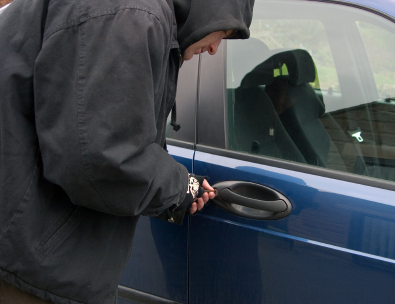
This is a free-to-use API that can check for stolen car details that checks police databases in Italy, Czech Republic, Lithuania, Slovenia, Slovakia and Romania here:
<ArrayOfNameValue xmlns:xsi=”http://www.w3.org/2001/XMLSchema-instance“ xmlns:xsd=”http://www.w3.org/2001/XMLSchema“ xmlns=”http://Regcheck.org.uk/“></ArrayOfNameValue>
#Teletext #API via XML / SOAP – free to use

Here was a side project I did some time ago, and I decided to open up the data as an API. It’s free to use, since I’m not sure who would need this data any more!, but it’s the old Teletext system, that used to be popular on TVs, and still lives on in certain countries. This is a data feed of 83 different TV channels around Europe. – It’s free to use, just please provide a link back to the website if you decide to use this API.
The website is at http://www.teletextapi.com/ and you can access the API via http://www.teletextapi.com/api.asmx – It’s a standard ASP.NET ASMX SOAP/ XML based web service.
Enjoy!
#Bing #Image search from C# or #PHP

EDIT: NB: This is no longer supported, please see this instead;
https://blog.dotnetframework.org/2017/04/24/bing-image-search-using-cognitive-search/
If you want to get an image to represent an arbitrary string in Javascript, then I would recommend the Google Image Search API, but if you want to do it server-side, then I’d recommend instead, the Bing Image search API, which offers 5,000 lookups per month for free. – you’ll need to get a key here : https://datamarket.azure.com/dataset/bing/search before you can use this code.
using System;
using System.Collections.Generic;
using System.Net;
using System.Web.Script.Serialization;///
/// Summary description for BingImageSearch
///public class BingImageSearch
{
public static string GetImage(string searchText)
{
var strUrl = “https://api.datamarket.azure.com/Bing/Search/v1/Image?Query= ‘ ” + searchText + “‘&$format=json “;
WebClient wc = new WebClient();
wc.Credentials = new NetworkCredential(“{{KEY}}“, “{{KEY}}“);
var strJson = wc.DownloadString(strUrl);
var oBingSearch = JavascriptDeserialize(strJson);
if (oBingSearch.d.results.Count == 0) return “”;
return oBingSearch.d.results[0].MediaUrl;
}
public static T JavascriptDeserialize(string json)
{
var jsSerializer = new JavaScriptSerializer { MaxJsonLength = Int32.MaxValue };
return jsSerializer.Deserialize(json);
}public class Thumbnail
{public string MediaUrl { get; set; }
public string ContentType { get; set; }
public string Width { get; set; }
public string Height { get; set; }
public string FileSize { get; set; }
}public class Result
{
public string ID { get; set; }
public string Title { get; set; }
public string MediaUrl { get; set; }
public string SourceUrl { get; set; }
public string DisplayUrl { get; set; }
public string Width { get; set; }
public string Height { get; set; }
public string FileSize { get; set; }
public string ContentType { get; set; }
public Thumbnail Thumbnail { get; set; }
}public class D
{
public List results { get; set; }
public string __next { get; set; }
}public class BingSearchObject
{
public D d { get; set; }
}
}
What this code does, is that it makes an authenticated HTTP request to azure datamarket, where the Bing API resides. The $format=json specifier is used to ask for the response in JSON format rather than XML.
The JavaScriptSerializer, and the various classes below map the JSON to a .NET object, so you can easily access properties using dot notation. Here, we check that the results count is more than zero, to ensure that there is a valid response and returning an empty string as an error condition rather than throwing an exception.
If, however, you want to use PHP to call the API instead of c#, then here is the equivalent code in PHP
function GetImageFromBing($searchTerm)
{
$URL = “https://api.datamarket.azure.com/Bing/Search/v1/Image?Query='” . urlencode($searchTerm) . “‘&\$format=json”;
$ch = curl_init();
curl_setopt($ch, CURLOPT_URL,$URL);
curl_setopt($ch, CURLOPT_USERPWD, “{{YOUR KEY}}:{{YOUR KEY}}“);
curl_setopt($ch, CURLOPT_RETURNTRANSFER, TRUE);
curl_setopt($ch, CURLOPT_SSL_VERIFYPEER, false);
$return = curl_exec($ch);
$error = curl_error($ch);
curl_close($ch);
echo $error;
$oBingSearch = json_decode($return,true);
$MediaUrl = $oBingSearch[‘d’][‘results’][0][‘MediaUrl’];
return $MediaUrl;
}header( ‘Location: ‘ . GetImageFromBing(‘red cars’) ) ;
Here, the process is similar to the C# version, however, there is no classes to define the structure of the JSON, so it’s much more loosely typed, but still perfectly usable. One of the ‘Gotya’s’ I found when writing this was the error:
SSL certificate problem: unable to get local issuer certificate
Which is probably down to the use of TLS 1.2 on Azure, but an easy way to get around this is to skip the HTTPS verification process by setting CURLOPT_SSL_VERIFYPEER to false.
Process a database of email addresses for real names.

If you have a mailing list, or database of users and email addresses, but it appears to be full of nicknames and “asdasdasd” nonsense, and you don’t want to send an email saying “Dear asdasdasd”, here’s some code I wrote using the AvatarAPI email resolution service;
static void Main(string[] args)
{
var strSQL = “sp_GetIncompleteNames”;
var dt =Database.PopulateDataTable(strSQL);
var intProgress = 0;
foreach(DataRow dr in dt.Rows)
{
Console.WriteLine(intProgress + ” Of ” + dt.Rows.Count);
var user = profile.Get(dr[“email”].ToString());
if (!string.IsNullOrEmpty(user.Name))
{
var realname = user.Name.Replace(“‘”, “”);
TextInfo textInfo = new CultureInfo(“en-US”, false).TextInfo;
realname = textInfo.ToTitleCase(realname);
strSQL = “update addressbook set name='” + realname + “‘ where email='” + dr[“email”].ToString() + “‘”;
Database.ExecuteNonQuery(strSQL);
}
intProgress++;
Console.Clear();
}
Console.WriteLine(“Finished”);
Console.ReadLine();
}
It runs through each name in under a second, so you can process thousands in a few hours.
Detect fake / temporary emails with #SQL server

Temporary email services are set up so people can register on a service without disclosing their real email address. But that’s not great for the service provider, so perhaps you’d like to detect / block these temp email addresses. Here’s some SQL to allow you do that:
create table TempEmailDomain
(
domain varchar(100)
)insert into TempEmailDomain (domain) values (‘0-mail.com’)
insert into TempEmailDomain (domain) values (‘0815.ru’)
insert into TempEmailDomain (domain) values (‘0clickemail.com’)
insert into TempEmailDomain (domain) values (‘0wnd.net’)
insert into TempEmailDomain (domain) values (‘0wnd.org’)
insert into TempEmailDomain (domain) values (’10minutemail.com’)
insert into TempEmailDomain (domain) values (’20minutemail.com’)
insert into TempEmailDomain (domain) values (‘2prong.com’)
insert into TempEmailDomain (domain) values (’30minutemail.com’)
insert into TempEmailDomain (domain) values (‘3d-painting.com’)
insert into TempEmailDomain (domain) values (‘4warding.com’)
insert into TempEmailDomain (domain) values (‘4warding.net’)
insert into TempEmailDomain (domain) values (‘4warding.org’)
insert into TempEmailDomain (domain) values (’60minutemail.com’)
insert into TempEmailDomain (domain) values (‘675hosting.com’)
insert into TempEmailDomain (domain) values (‘675hosting.net’)
insert into TempEmailDomain (domain) values (‘675hosting.org’)
insert into TempEmailDomain (domain) values (‘6url.com’)
insert into TempEmailDomain (domain) values (’75hosting.com’)
insert into TempEmailDomain (domain) values (’75hosting.net’)
insert into TempEmailDomain (domain) values (’75hosting.org’)
insert into TempEmailDomain (domain) values (‘7tags.com’)
insert into TempEmailDomain (domain) values (‘9ox.net’)
insert into TempEmailDomain (domain) values (‘a-bc.net’)
insert into TempEmailDomain (domain) values (‘afrobacon.com’)
insert into TempEmailDomain (domain) values (‘ajaxapp.net’)
insert into TempEmailDomain (domain) values (‘amilegit.com’)
insert into TempEmailDomain (domain) values (‘amiri.net’)
insert into TempEmailDomain (domain) values (‘amiriindustries.com’)
insert into TempEmailDomain (domain) values (‘anonbox.net’)
insert into TempEmailDomain (domain) values (‘anonymbox.com’)
insert into TempEmailDomain (domain) values (‘antichef.com’)
insert into TempEmailDomain (domain) values (‘antichef.net’)
insert into TempEmailDomain (domain) values (‘antispam.de’)
insert into TempEmailDomain (domain) values (‘baxomale.ht.cx’)
insert into TempEmailDomain (domain) values (‘beefmilk.com’)
insert into TempEmailDomain (domain) values (‘binkmail.com’)
insert into TempEmailDomain (domain) values (‘bio-muesli.net’)
insert into TempEmailDomain (domain) values (‘bobmail.info’)
insert into TempEmailDomain (domain) values (‘bodhi.lawlita.com’)
insert into TempEmailDomain (domain) values (‘bofthew.com’)
insert into TempEmailDomain (domain) values (‘brefmail.com’)
insert into TempEmailDomain (domain) values (‘broadbandninja.com’)
insert into TempEmailDomain (domain) values (‘bsnow.net’)
insert into TempEmailDomain (domain) values (‘bugmenot.com’)
insert into TempEmailDomain (domain) values (‘bumpymail.com’)
insert into TempEmailDomain (domain) values (‘casualdx.com’)
insert into TempEmailDomain (domain) values (‘centermail.com’)
insert into TempEmailDomain (domain) values (‘centermail.net’)
insert into TempEmailDomain (domain) values (‘chogmail.com’)
insert into TempEmailDomain (domain) values (‘choicemail1.com’)
insert into TempEmailDomain (domain) values (‘cool.fr.nf’)
insert into TempEmailDomain (domain) values (‘correo.blogos.net’)
insert into TempEmailDomain (domain) values (‘cosmorph.com’)
insert into TempEmailDomain (domain) values (‘courriel.fr.nf’)
insert into TempEmailDomain (domain) values (‘courrieltemporaire.com’)
insert into TempEmailDomain (domain) values (‘cubiclink.com’)
insert into TempEmailDomain (domain) values (‘curryworld.de’)
insert into TempEmailDomain (domain) values (‘cust.in’)
insert into TempEmailDomain (domain) values (‘dacoolest.com’)
insert into TempEmailDomain (domain) values (‘dandikmail.com’)
insert into TempEmailDomain (domain) values (‘dayrep.com’)
insert into TempEmailDomain (domain) values (‘deadaddress.com’)
insert into TempEmailDomain (domain) values (‘deadspam.com’)
insert into TempEmailDomain (domain) values (‘despam.it’)
insert into TempEmailDomain (domain) values (‘despammed.com’)
insert into TempEmailDomain (domain) values (‘devnullmail.com’)
insert into TempEmailDomain (domain) values (‘dfgh.net’)
insert into TempEmailDomain (domain) values (‘digitalsanctuary.com’)
insert into TempEmailDomain (domain) values (‘discardmail.com’)
insert into TempEmailDomain (domain) values (‘discardmail.de’)
insert into TempEmailDomain (domain) values (‘disposableaddress.com’)
insert into TempEmailDomain (domain) values (‘disposeamail.com’)
insert into TempEmailDomain (domain) values (‘disposemail.com’)
insert into TempEmailDomain (domain) values (‘dispostable.com’)
insert into TempEmailDomain (domain) values (‘dm.w3internet.co.ukexample.com’)
insert into TempEmailDomain (domain) values (‘dodgeit.com’)
insert into TempEmailDomain (domain) values (‘dodgit.com’)
insert into TempEmailDomain (domain) values (‘dodgit.org’)
insert into TempEmailDomain (domain) values (‘donemail.ru’)
insert into TempEmailDomain (domain) values (‘dontreg.com’)
insert into TempEmailDomain (domain) values (‘dontsendmespam.de’)
insert into TempEmailDomain (domain) values (‘dump-email.info’)
insert into TempEmailDomain (domain) values (‘dumpandjunk.com’)
insert into TempEmailDomain (domain) values (‘dumpmail.de’)
insert into TempEmailDomain (domain) values (‘dumpyemail.com’)
insert into TempEmailDomain (domain) values (‘e4ward.com’)
insert into TempEmailDomain (domain) values (’email60.com’)
insert into TempEmailDomain (domain) values (’emaildienst.de’)
insert into TempEmailDomain (domain) values (’emailias.com’)
insert into TempEmailDomain (domain) values (’emailigo.de’)
insert into TempEmailDomain (domain) values (’emailinfive.com’)
insert into TempEmailDomain (domain) values (’emailmiser.com’)
insert into TempEmailDomain (domain) values (’emailsensei.com’)
insert into TempEmailDomain (domain) values (’emailtemporario.com.br’)
insert into TempEmailDomain (domain) values (’emailto.de’)
insert into TempEmailDomain (domain) values (’emailwarden.com’)
insert into TempEmailDomain (domain) values (’emailx.at.hm’)
insert into TempEmailDomain (domain) values (’emailxfer.com’)
insert into TempEmailDomain (domain) values (’emz.net’)
insert into TempEmailDomain (domain) values (‘enterto.com’)
insert into TempEmailDomain (domain) values (‘ephemail.net’)
insert into TempEmailDomain (domain) values (‘etranquil.com’)
insert into TempEmailDomain (domain) values (‘etranquil.net’)
insert into TempEmailDomain (domain) values (‘etranquil.org’)
insert into TempEmailDomain (domain) values (‘explodemail.com’)
insert into TempEmailDomain (domain) values (‘fakeinbox.com’)
insert into TempEmailDomain (domain) values (‘fakeinformation.com’)
insert into TempEmailDomain (domain) values (‘fastacura.com’)
insert into TempEmailDomain (domain) values (‘fastchevy.com’)
insert into TempEmailDomain (domain) values (‘fastchrysler.com’)
insert into TempEmailDomain (domain) values (‘fastkawasaki.com’)
insert into TempEmailDomain (domain) values (‘fastmazda.com’)
insert into TempEmailDomain (domain) values (‘fastmitsubishi.com’)
insert into TempEmailDomain (domain) values (‘fastnissan.com’)
insert into TempEmailDomain (domain) values (‘fastsubaru.com’)
insert into TempEmailDomain (domain) values (‘fastsuzuki.com’)
insert into TempEmailDomain (domain) values (‘fasttoyota.com’)
insert into TempEmailDomain (domain) values (‘fastyamaha.com’)
insert into TempEmailDomain (domain) values (‘filzmail.com’)
insert into TempEmailDomain (domain) values (‘fizmail.com’)
insert into TempEmailDomain (domain) values (‘fr33mail.info’)
insert into TempEmailDomain (domain) values (‘frapmail.com’)
insert into TempEmailDomain (domain) values (‘front14.org’)
insert into TempEmailDomain (domain) values (‘fux0ringduh.com’)
insert into TempEmailDomain (domain) values (‘garliclife.com’)
insert into TempEmailDomain (domain) values (‘get1mail.com’)
insert into TempEmailDomain (domain) values (‘get2mail.fr’)
insert into TempEmailDomain (domain) values (‘getonemail.com’)
insert into TempEmailDomain (domain) values (‘getonemail.net’)
insert into TempEmailDomain (domain) values (‘ghosttexter.de’)
insert into TempEmailDomain (domain) values (‘girlsundertheinfluence.com’)
insert into TempEmailDomain (domain) values (‘gishpuppy.com’)
insert into TempEmailDomain (domain) values (‘gowikibooks.com’)
insert into TempEmailDomain (domain) values (‘gowikicampus.com’)
insert into TempEmailDomain (domain) values (‘gowikicars.com’)
insert into TempEmailDomain (domain) values (‘gowikifilms.com’)
insert into TempEmailDomain (domain) values (‘gowikigames.com’)
insert into TempEmailDomain (domain) values (‘gowikimusic.com’)
insert into TempEmailDomain (domain) values (‘gowikinetwork.com’)
insert into TempEmailDomain (domain) values (‘gowikitravel.com’)
insert into TempEmailDomain (domain) values (‘gowikitv.com’)
insert into TempEmailDomain (domain) values (‘great-host.in’)
insert into TempEmailDomain (domain) values (‘greensloth.com’)
insert into TempEmailDomain (domain) values (‘gsrv.co.uk’)
insert into TempEmailDomain (domain) values (‘guerillamail.biz’)
insert into TempEmailDomain (domain) values (‘guerillamail.com’)
insert into TempEmailDomain (domain) values (‘guerillamail.net’)
insert into TempEmailDomain (domain) values (‘guerillamail.org’)
insert into TempEmailDomain (domain) values (‘guerrillamail.biz’)
insert into TempEmailDomain (domain) values (‘guerrillamail.com’)
insert into TempEmailDomain (domain) values (‘guerrillamail.de’)
insert into TempEmailDomain (domain) values (‘guerrillamail.net’)
insert into TempEmailDomain (domain) values (‘guerrillamail.org’)
insert into TempEmailDomain (domain) values (‘guerrillamailblock.com’)
insert into TempEmailDomain (domain) values (‘h.mintemail.com’)
insert into TempEmailDomain (domain) values (‘h8s.org’)
insert into TempEmailDomain (domain) values (‘haltospam.com’)
insert into TempEmailDomain (domain) values (‘hatespam.org’)
insert into TempEmailDomain (domain) values (‘hidemail.de’)
insert into TempEmailDomain (domain) values (‘hochsitze.com’)
insert into TempEmailDomain (domain) values (‘hotpop.com’)
insert into TempEmailDomain (domain) values (‘hulapla.de’)
insert into TempEmailDomain (domain) values (‘ieatspam.eu’)
insert into TempEmailDomain (domain) values (‘ieatspam.info’)
insert into TempEmailDomain (domain) values (‘ihateyoualot.info’)
insert into TempEmailDomain (domain) values (‘iheartspam.org’)
insert into TempEmailDomain (domain) values (‘imails.info’)
insert into TempEmailDomain (domain) values (‘inboxclean.com’)
insert into TempEmailDomain (domain) values (‘inboxclean.org’)
insert into TempEmailDomain (domain) values (‘incognitomail.com’)
insert into TempEmailDomain (domain) values (‘incognitomail.net’)
insert into TempEmailDomain (domain) values (‘incognitomail.org’)
insert into TempEmailDomain (domain) values (‘insorg-mail.info’)
insert into TempEmailDomain (domain) values (‘ipoo.org’)
insert into TempEmailDomain (domain) values (‘irish2me.com’)
insert into TempEmailDomain (domain) values (‘iwi.net’)
insert into TempEmailDomain (domain) values (‘jetable.com’)
insert into TempEmailDomain (domain) values (‘jetable.fr.nf’)
insert into TempEmailDomain (domain) values (‘jetable.net’)
insert into TempEmailDomain (domain) values (‘jetable.org’)
insert into TempEmailDomain (domain) values (‘jnxjn.com’)
insert into TempEmailDomain (domain) values (‘junk1e.com’)
insert into TempEmailDomain (domain) values (‘kasmail.com’)
insert into TempEmailDomain (domain) values (‘kaspop.com’)
insert into TempEmailDomain (domain) values (‘keepmymail.com’)
insert into TempEmailDomain (domain) values (‘killmail.com’)
insert into TempEmailDomain (domain) values (‘killmail.net’)
insert into TempEmailDomain (domain) values (‘kir.ch.tc’)
insert into TempEmailDomain (domain) values (‘klassmaster.com’)
insert into TempEmailDomain (domain) values (‘klassmaster.net’)
insert into TempEmailDomain (domain) values (‘klzlk.com’)
insert into TempEmailDomain (domain) values (‘kulturbetrieb.info’)
insert into TempEmailDomain (domain) values (‘kurzepost.de’)
insert into TempEmailDomain (domain) values (‘letthemeatspam.com’)
insert into TempEmailDomain (domain) values (‘lhsdv.com’)
insert into TempEmailDomain (domain) values (‘lifebyfood.com’)
insert into TempEmailDomain (domain) values (‘link2mail.net’)
insert into TempEmailDomain (domain) values (‘litedrop.com’)
insert into TempEmailDomain (domain) values (‘lol.ovpn.to’)
insert into TempEmailDomain (domain) values (‘lookugly.com’)
insert into TempEmailDomain (domain) values (‘lopl.co.cc’)
insert into TempEmailDomain (domain) values (‘lortemail.dk’)
insert into TempEmailDomain (domain) values (‘lr78.com’)
insert into TempEmailDomain (domain) values (‘m4ilweb.info’)
insert into TempEmailDomain (domain) values (‘maboard.com’)
insert into TempEmailDomain (domain) values (‘mail-temporaire.fr’)
insert into TempEmailDomain (domain) values (‘mail.by’)
insert into TempEmailDomain (domain) values (‘mail.mezimages.net’)
insert into TempEmailDomain (domain) values (‘mail2rss.org’)
insert into TempEmailDomain (domain) values (‘mail333.com’)
insert into TempEmailDomain (domain) values (‘mail4trash.com’)
insert into TempEmailDomain (domain) values (‘mailbidon.com’)
insert into TempEmailDomain (domain) values (‘mailblocks.com’)
insert into TempEmailDomain (domain) values (‘mailcatch.com’)
insert into TempEmailDomain (domain) values (‘maileater.com’)
insert into TempEmailDomain (domain) values (‘mailexpire.com’)
insert into TempEmailDomain (domain) values (‘mailfreeonline.com’)
insert into TempEmailDomain (domain) values (‘mailin8r.com’)
insert into TempEmailDomain (domain) values (‘mailinater.com’)
insert into TempEmailDomain (domain) values (‘mailinator.com’)
insert into TempEmailDomain (domain) values (‘mailinator.net’)
insert into TempEmailDomain (domain) values (‘mailinator2.com’)
insert into TempEmailDomain (domain) values (‘mailincubator.com’)
insert into TempEmailDomain (domain) values (‘mailme.ir’)
insert into TempEmailDomain (domain) values (‘mailme.lv’)
insert into TempEmailDomain (domain) values (‘mailmetrash.com’)
insert into TempEmailDomain (domain) values (‘mailmoat.com’)
insert into TempEmailDomain (domain) values (‘mailnator.com’)
insert into TempEmailDomain (domain) values (‘mailnesia.com’)
insert into TempEmailDomain (domain) values (‘mailnull.com’)
insert into TempEmailDomain (domain) values (‘mailshell.com’)
insert into TempEmailDomain (domain) values (‘mailsiphon.com’)
insert into TempEmailDomain (domain) values (‘mailslite.com’)
insert into TempEmailDomain (domain) values (‘mailzilla.com’)
insert into TempEmailDomain (domain) values (‘mailzilla.org’)
insert into TempEmailDomain (domain) values (‘mbx.cc’)
insert into TempEmailDomain (domain) values (‘mega.zik.dj’)
insert into TempEmailDomain (domain) values (‘meinspamschutz.de’)
insert into TempEmailDomain (domain) values (‘meltmail.com’)
insert into TempEmailDomain (domain) values (‘messagebeamer.de’)
insert into TempEmailDomain (domain) values (‘mierdamail.com’)
insert into TempEmailDomain (domain) values (‘mintemail.com’)
insert into TempEmailDomain (domain) values (‘moburl.com’)
insert into TempEmailDomain (domain) values (‘moncourrier.fr.nf’)
insert into TempEmailDomain (domain) values (‘monemail.fr.nf’)
insert into TempEmailDomain (domain) values (‘monmail.fr.nf’)
insert into TempEmailDomain (domain) values (‘msa.minsmail.com’)
insert into TempEmailDomain (domain) values (‘mt2009.com’)
insert into TempEmailDomain (domain) values (‘mx0.wwwnew.eu’)
insert into TempEmailDomain (domain) values (‘mycleaninbox.net’)
insert into TempEmailDomain (domain) values (‘mypartyclip.de’)
insert into TempEmailDomain (domain) values (‘myphantomemail.com’)
insert into TempEmailDomain (domain) values (‘myspaceinc.com’)
insert into TempEmailDomain (domain) values (‘myspaceinc.net’)
insert into TempEmailDomain (domain) values (‘myspaceinc.org’)
insert into TempEmailDomain (domain) values (‘myspacepimpedup.com’)
insert into TempEmailDomain (domain) values (‘myspamless.com’)
insert into TempEmailDomain (domain) values (‘mytrashmail.com’)
insert into TempEmailDomain (domain) values (‘neomailbox.com’)
insert into TempEmailDomain (domain) values (‘nepwk.com’)
insert into TempEmailDomain (domain) values (‘nervmich.net’)
insert into TempEmailDomain (domain) values (‘nervtmich.net’)
insert into TempEmailDomain (domain) values (‘netmails.com’)
insert into TempEmailDomain (domain) values (‘netmails.net’)
insert into TempEmailDomain (domain) values (‘netzidiot.de’)
insert into TempEmailDomain (domain) values (‘neverbox.com’)
insert into TempEmailDomain (domain) values (‘no-spam.ws’)
insert into TempEmailDomain (domain) values (‘nobulk.com’)
insert into TempEmailDomain (domain) values (‘noclickemail.com’)
insert into TempEmailDomain (domain) values (‘nogmailspam.info’)
insert into TempEmailDomain (domain) values (‘nomail.xl.cx’)
insert into TempEmailDomain (domain) values (‘nomail2me.com’)
insert into TempEmailDomain (domain) values (‘nomorespamemails.com’)
insert into TempEmailDomain (domain) values (‘nospam.ze.tc’)
insert into TempEmailDomain (domain) values (‘nospam4.us’)
insert into TempEmailDomain (domain) values (‘nospamfor.us’)
insert into TempEmailDomain (domain) values (‘nospamthanks.info’)
insert into TempEmailDomain (domain) values (‘notmailinator.com’)
insert into TempEmailDomain (domain) values (‘nowmymail.com’)
insert into TempEmailDomain (domain) values (‘nurfuerspam.de’)
insert into TempEmailDomain (domain) values (‘nus.edu.sg’)
insert into TempEmailDomain (domain) values (‘nwldx.com’)
insert into TempEmailDomain (domain) values (‘objectmail.com’)
insert into TempEmailDomain (domain) values (‘obobbo.com’)
insert into TempEmailDomain (domain) values (‘oneoffemail.com’)
insert into TempEmailDomain (domain) values (‘onewaymail.com’)
insert into TempEmailDomain (domain) values (‘online.ms’)
insert into TempEmailDomain (domain) values (‘oopi.org’)
insert into TempEmailDomain (domain) values (‘ordinaryamerican.net’)
insert into TempEmailDomain (domain) values (‘otherinbox.com’)
insert into TempEmailDomain (domain) values (‘ourklips.com’)
insert into TempEmailDomain (domain) values (‘outlawspam.com’)
insert into TempEmailDomain (domain) values (‘ovpn.to’)
insert into TempEmailDomain (domain) values (‘owlpic.com’)
insert into TempEmailDomain (domain) values (‘pancakemail.com’)
insert into TempEmailDomain (domain) values (‘pimpedupmyspace.com’)
insert into TempEmailDomain (domain) values (‘pjjkp.com’)
insert into TempEmailDomain (domain) values (‘politikerclub.de’)
insert into TempEmailDomain (domain) values (‘poofy.org’)
insert into TempEmailDomain (domain) values (‘pookmail.com’)
insert into TempEmailDomain (domain) values (‘privacy.net’)
insert into TempEmailDomain (domain) values (‘proxymail.eu’)
insert into TempEmailDomain (domain) values (‘prtnx.com’)
insert into TempEmailDomain (domain) values (‘punkass.com’)
insert into TempEmailDomain (domain) values (‘PutThisInYourSpamDatabase.com’)
insert into TempEmailDomain (domain) values (‘qq.com’)
insert into TempEmailDomain (domain) values (‘quickinbox.com’)
insert into TempEmailDomain (domain) values (‘rcpt.at’)
insert into TempEmailDomain (domain) values (‘recode.me’)
insert into TempEmailDomain (domain) values (‘recursor.net’)
insert into TempEmailDomain (domain) values (‘regbypass.com’)
insert into TempEmailDomain (domain) values (‘regbypass.comsafe-mail.net’)
insert into TempEmailDomain (domain) values (‘rejectmail.com’)
insert into TempEmailDomain (domain) values (‘rklips.com’)
insert into TempEmailDomain (domain) values (‘rmqkr.net’)
insert into TempEmailDomain (domain) values (‘rppkn.com’)
insert into TempEmailDomain (domain) values (‘rtrtr.com’)
insert into TempEmailDomain (domain) values (‘s0ny.net’)
insert into TempEmailDomain (domain) values (‘safe-mail.net’)
insert into TempEmailDomain (domain) values (‘safersignup.de’)
insert into TempEmailDomain (domain) values (‘safetymail.info’)
insert into TempEmailDomain (domain) values (‘safetypost.de’)
insert into TempEmailDomain (domain) values (‘sandelf.de’)
insert into TempEmailDomain (domain) values (‘saynotospams.com’)
insert into TempEmailDomain (domain) values (‘selfdestructingmail.com’)
insert into TempEmailDomain (domain) values (‘SendSpamHere.com’)
insert into TempEmailDomain (domain) values (‘sharklasers.com’)
insert into TempEmailDomain (domain) values (‘shiftmail.com’)
insert into TempEmailDomain (domain) values (‘shitmail.me’)
insert into TempEmailDomain (domain) values (‘shortmail.net’)
insert into TempEmailDomain (domain) values (‘sibmail.com’)
insert into TempEmailDomain (domain) values (‘skeefmail.com’)
insert into TempEmailDomain (domain) values (‘slaskpost.se’)
insert into TempEmailDomain (domain) values (‘slopsbox.com’)
insert into TempEmailDomain (domain) values (‘smellfear.com’)
insert into TempEmailDomain (domain) values (‘snakemail.com’)
insert into TempEmailDomain (domain) values (‘sneakemail.com’)
insert into TempEmailDomain (domain) values (‘sofimail.com’)
insert into TempEmailDomain (domain) values (‘sofort-mail.de’)
insert into TempEmailDomain (domain) values (‘sogetthis.com’)
insert into TempEmailDomain (domain) values (‘soodonims.com’)
insert into TempEmailDomain (domain) values (‘spam.la’)
insert into TempEmailDomain (domain) values (‘spam.su’)
insert into TempEmailDomain (domain) values (‘spamavert.com’)
insert into TempEmailDomain (domain) values (‘spambob.com’)
insert into TempEmailDomain (domain) values (‘spambob.net’)
insert into TempEmailDomain (domain) values (‘spambob.org’)
insert into TempEmailDomain (domain) values (‘spambog.com’)
insert into TempEmailDomain (domain) values (‘spambog.de’)
insert into TempEmailDomain (domain) values (‘spambog.ru’)
insert into TempEmailDomain (domain) values (‘spambox.info’)
insert into TempEmailDomain (domain) values (‘spambox.irishspringrealty.com’)
insert into TempEmailDomain (domain) values (‘spambox.us’)
insert into TempEmailDomain (domain) values (‘spamcannon.com’)
insert into TempEmailDomain (domain) values (‘spamcannon.net’)
insert into TempEmailDomain (domain) values (‘spamcero.com’)
insert into TempEmailDomain (domain) values (‘spamcon.org’)
insert into TempEmailDomain (domain) values (‘spamcorptastic.com’)
insert into TempEmailDomain (domain) values (‘spamcowboy.com’)
insert into TempEmailDomain (domain) values (‘spamcowboy.net’)
insert into TempEmailDomain (domain) values (‘spamcowboy.org’)
insert into TempEmailDomain (domain) values (‘spamday.com’)
insert into TempEmailDomain (domain) values (‘spamex.com’)
insert into TempEmailDomain (domain) values (‘spamfree24.com’)
insert into TempEmailDomain (domain) values (‘spamfree24.de’)
insert into TempEmailDomain (domain) values (‘spamfree24.eu’)
insert into TempEmailDomain (domain) values (‘spamfree24.info’)
insert into TempEmailDomain (domain) values (‘spamfree24.net’)
insert into TempEmailDomain (domain) values (‘spamfree24.org’)
insert into TempEmailDomain (domain) values (‘spamgourmet.com’)
insert into TempEmailDomain (domain) values (‘spamgourmet.net’)
insert into TempEmailDomain (domain) values (‘spamgourmet.org’)
insert into TempEmailDomain (domain) values (‘SpamHereLots.com’)
insert into TempEmailDomain (domain) values (‘SpamHerePlease.com’)
insert into TempEmailDomain (domain) values (‘spamhole.com’)
insert into TempEmailDomain (domain) values (‘spamify.com’)
insert into TempEmailDomain (domain) values (‘spaminator.de’)
insert into TempEmailDomain (domain) values (‘spamkill.info’)
insert into TempEmailDomain (domain) values (‘spaml.com’)
insert into TempEmailDomain (domain) values (‘spaml.de’)
insert into TempEmailDomain (domain) values (‘spammotel.com’)
insert into TempEmailDomain (domain) values (‘spamobox.com’)
insert into TempEmailDomain (domain) values (‘spamoff.de’)
insert into TempEmailDomain (domain) values (‘spamslicer.com’)
insert into TempEmailDomain (domain) values (‘spamspot.com’)
insert into TempEmailDomain (domain) values (‘spamthis.co.uk’)
insert into TempEmailDomain (domain) values (‘spamthisplease.com’)
insert into TempEmailDomain (domain) values (‘spamtrail.com’)
insert into TempEmailDomain (domain) values (‘speed.1s.fr’)
insert into TempEmailDomain (domain) values (‘supergreatmail.com’)
insert into TempEmailDomain (domain) values (‘supermailer.jp’)
insert into TempEmailDomain (domain) values (‘suremail.info’)
insert into TempEmailDomain (domain) values (‘teewars.org’)
insert into TempEmailDomain (domain) values (‘teleworm.com’)
insert into TempEmailDomain (domain) values (‘tempalias.com’)
insert into TempEmailDomain (domain) values (‘tempe-mail.com’)
insert into TempEmailDomain (domain) values (‘tempemail.biz’)
insert into TempEmailDomain (domain) values (‘tempemail.com’)
insert into TempEmailDomain (domain) values (‘TempEMail.net’)
insert into TempEmailDomain (domain) values (‘tempinbox.co.uk’)
insert into TempEmailDomain (domain) values (‘tempinbox.com’)
insert into TempEmailDomain (domain) values (‘tempmail.it’)
insert into TempEmailDomain (domain) values (‘tempmail2.com’)
insert into TempEmailDomain (domain) values (‘tempomail.fr’)
insert into TempEmailDomain (domain) values (‘temporarily.de’)
insert into TempEmailDomain (domain) values (‘temporarioemail.com.br’)
insert into TempEmailDomain (domain) values (‘temporaryemail.net’)
insert into TempEmailDomain (domain) values (‘temporaryforwarding.com’)
insert into TempEmailDomain (domain) values (‘temporaryinbox.com’)
insert into TempEmailDomain (domain) values (‘thanksnospam.info’)
insert into TempEmailDomain (domain) values (‘thankyou2010.com’)
insert into TempEmailDomain (domain) values (‘thisisnotmyrealemail.com’)
insert into TempEmailDomain (domain) values (‘throwawayemailaddress.com’)
insert into TempEmailDomain (domain) values (’tilien.com’)
insert into TempEmailDomain (domain) values (‘tmailinator.com’)
insert into TempEmailDomain (domain) values (‘tradermail.info’)
insert into TempEmailDomain (domain) values (‘trash-amil.com’)
insert into TempEmailDomain (domain) values (‘trash-mail.at’)
insert into TempEmailDomain (domain) values (‘trash-mail.com’)
insert into TempEmailDomain (domain) values (‘trash-mail.de’)
insert into TempEmailDomain (domain) values (‘trash2009.com’)
insert into TempEmailDomain (domain) values (‘trashemail.de’)
insert into TempEmailDomain (domain) values (‘trashmail.at’)
insert into TempEmailDomain (domain) values (‘trashmail.com’)
insert into TempEmailDomain (domain) values (‘trashmail.de’)
insert into TempEmailDomain (domain) values (‘trashmail.me’)
insert into TempEmailDomain (domain) values (‘trashmail.net’)
insert into TempEmailDomain (domain) values (‘trashmail.org’)
insert into TempEmailDomain (domain) values (‘trashmail.ws’)
insert into TempEmailDomain (domain) values (‘trashmailer.com’)
insert into TempEmailDomain (domain) values (‘trashymail.com’)
insert into TempEmailDomain (domain) values (‘trashymail.net’)
insert into TempEmailDomain (domain) values (‘trillianpro.com’)
insert into TempEmailDomain (domain) values (‘turual.com’)
insert into TempEmailDomain (domain) values (‘twinmail.de’)
insert into TempEmailDomain (domain) values (‘tyldd.com’)
insert into TempEmailDomain (domain) values (‘uggsrock.com’)
insert into TempEmailDomain (domain) values (‘upliftnow.com’)
insert into TempEmailDomain (domain) values (‘uplipht.com’)
insert into TempEmailDomain (domain) values (‘venompen.com’)
insert into TempEmailDomain (domain) values (‘veryrealemail.com’)
insert into TempEmailDomain (domain) values (‘viditag.com’)
insert into TempEmailDomain (domain) values (‘viewcastmedia.com’)
insert into TempEmailDomain (domain) values (‘viewcastmedia.net’)
insert into TempEmailDomain (domain) values (‘viewcastmedia.org’)
insert into TempEmailDomain (domain) values (‘webm4il.info’)
insert into TempEmailDomain (domain) values (‘wegwerfadresse.de’)
insert into TempEmailDomain (domain) values (‘wegwerfemail.de’)
insert into TempEmailDomain (domain) values (‘wegwerfmail.de’)
insert into TempEmailDomain (domain) values (‘wegwerfmail.net’)
insert into TempEmailDomain (domain) values (‘wegwerfmail.org’)
insert into TempEmailDomain (domain) values (‘wetrainbayarea.com’)
insert into TempEmailDomain (domain) values (‘wetrainbayarea.org’)
insert into TempEmailDomain (domain) values (‘wh4f.org’)
insert into TempEmailDomain (domain) values (‘whyspam.me’)
insert into TempEmailDomain (domain) values (‘willselfdestruct.com’)
insert into TempEmailDomain (domain) values (‘winemaven.info’)
insert into TempEmailDomain (domain) values (‘wronghead.com’)
insert into TempEmailDomain (domain) values (‘wuzup.net’)
insert into TempEmailDomain (domain) values (‘wuzupmail.net’)
insert into TempEmailDomain (domain) values (‘www.e4ward.com’)
insert into TempEmailDomain (domain) values (‘www.gishpuppy.com’)
insert into TempEmailDomain (domain) values (‘www.mailinator.com’)
insert into TempEmailDomain (domain) values (‘wwwnew.eu’)
insert into TempEmailDomain (domain) values (‘xagloo.com’)
insert into TempEmailDomain (domain) values (‘xemaps.com’)
insert into TempEmailDomain (domain) values (‘xents.com’)
insert into TempEmailDomain (domain) values (‘xmaily.com’)
insert into TempEmailDomain (domain) values (‘xoxy.net’)
insert into TempEmailDomain (domain) values (‘yep.it’)
insert into TempEmailDomain (domain) values (‘yogamaven.com’)
insert into TempEmailDomain (domain) values (‘yopmail.com’)
insert into TempEmailDomain (domain) values (‘yopmail.fr’)
insert into TempEmailDomain (domain) values (‘yopmail.net’)
insert into TempEmailDomain (domain) values (‘ypmail.webarnak.fr.eu.org’)
insert into TempEmailDomain (domain) values (‘yuurok.com’)
insert into TempEmailDomain (domain) values (‘zehnminutenmail.de’)
insert into TempEmailDomain (domain) values (‘zippymail.info’)
insert into TempEmailDomain (domain) values (‘zoaxe.com’)
insert into TempEmailDomain (domain) values (‘zoemail.org’)create proc sp_IsEmailTemporary
(
@email varchar(100)
)
as
select count(*) as IsTemp from TempEmailDomain where @email like ‘%@’ + domain

