Archive
WordPress fails to install on Microsoft web app installer
http://www.microsoft.com/web/gallery/WordPress.aspx
Press install
Install the Web Platform Installer
Select Web Applications > All > WordPress
Install
I Accept
Administrator username ‘root’
password: xxx
Failed; when installing MYSQL .NET connector
Log:
(Action=ManagedWebInstall,ActionType=3073,Source=BinaryData,Target=CAQuietExec,CustomActionData="C:Windows\Microsoft.NETFrameworkv2.0.50727installUtil.exe" /LogToConsole=false /LogFile= "C:Program FilesMySQLMySQL Connector Net 5.2.5Web ProvidersMySql.Web.dll")
MSI (s) (C0:74) [15:27:06:666]: Invoking remote custom action. DLL: C:WindowsInstallerMSI5048.tmp, Entrypoint: CAQuietExec
CAQuietExec: Microsoft (R) .NET Framework Installation utility Version 2.0.50727.4016
CAQuietExec: Copyright (c) Microsoft Corporation. All rights reserved.
CAQuietExec:
CAQuietExec: The installation failed, and the rollback has been performed.
CAQuietExec: Error 0xffffffff: Command line returned an error.
CAQuietExec: Error 0xffffffff: CAQuietExec Failed
Annoying!
Live example of a SimpleDB site
The case sensitivity is a pain, since the selects have to match the case of the data, and paging is a problem, since the tokens are huge. and they tend to break IIS
see http://www.airportdelays.org/ByState.aspx/wyoming then press "Next" and it says Bad request. – Worked on my development server ! grr.
I did add a filter by tail number also http://www.airportdelays.org/ByTailNumber.aspx/N434YV which is quite new… might add to it, if people use it.
Running Select statements against the Amazon SimpleDB in C#
{
NameValueCollection appConfig = ConfigurationManager.AppSettings;
AmazonSimpleDB service = AWSClientFactory.CreateAmazonSimpleDBClient(
appConfig["AWSAccessKey"],
appConfig["AWSSecretKey"]
);
SelectRequest queryRequest = new SelectRequest();
queryRequest.SelectExpression = query;
if (query == null)
{
eof = true;
return null;
}
queryRequest.NextToken = nextToken; // Seed for where to start reading
SelectResponse queryResponse = service.Select(queryRequest);
DataTable dt = new DataTable();
if (queryResponse.IsSetSelectResult())
{
SelectResult selectResult = queryResponse.SelectResult;
List<Item> itemList = selectResult.Item;
dt.Clear();
// Create the columns and name them
dt.Columns.Add("ItemName", Type.GetType("System.String"));
if (itemList.Count > 0)
{
for (int i = 0; i < itemList[0].Attribute.Count; i++)
{
dt.Columns.Add(itemList[0].Attribute[i].Name, Type.GetType("System.String"));
}
// Now add the data
foreach (Item item in itemList)
{
DataRow dr = dt.NewRow();
List<Amazon.SimpleDB.Model.Attribute> attributeList = item.Attribute;
dr["ItemName"] = item.Name; ;
foreach (Amazon.SimpleDB.Model.Attribute attribute in attributeList)
{
dr[attribute.Name] = attribute.Value;
}
dt.Rows.Add(dr);
}
}
}
if (queryResponse.SelectResult.NextToken != null)
{
nextToken = CleanseToken(queryResponse.SelectResult.NextToken);
eof = false;
}
else
{
nextToken = null;
eof = true;
}
return dt;
}
Adapted from Mike Culver’s code on Amazon. Note that SQL statements are CaSe SeNsItiVe!
The Apache2.2 service terminated with service-specific error 1 (0x1).
It fails to start with "The Apache2.2 service terminated with service-specific error 1 (0x1)." in the event log.
To get around this, edit ApacheConfHttpd.conf
Change Listen 80 to Listen 8080
Then comment out the line #LoadModule ssl_module modules/mod_ssl.so with a hash at the start,
then it starts!
Importing a CSV file into Amazon SimpleDB
Console.WriteLine("Connecting to Amazon Simple DB");
NameValueCollection appConfig = ConfigurationManager.AppSettings;
AmazonSimpleDB sdb = AWSClientFactory.CreateAmazonSimpleDBClient(
appConfig["AWSAccessKey"],
appConfig["AWSSecretKey"]
);
// Setup Flights DataStore
String domainName = "CSV";
CreateDomainRequest createDomain = (new CreateDomainRequest()).WithDomainName(domainName);
sdb.CreateDomain(createDomain);
Console.WriteLine("Created flights DB on Amazon");
string strCSVFile = @"C:MyFile.csv";
FileStream fsCSV = new FileStream(strCSVFile, FileMode.Open, FileAccess.Read);
StreamReader srCSV = new StreamReader(fsCSV);
string strHeaderLine = srCSV.ReadLine();
string[] strHeaders = Regex.Split(strHeaderLine, ",");
// Remove Inverted Commas
for (int i = 0; i < strHeaders.Length; i++)
{
strHeaders[i] = strHeaders[i].Replace(""", "");
}
Console.WriteLine("Read column headers");
string strDataLine = srCSV.ReadLine();
while(!string.IsNullOrEmpty(strDataLine))
{
string[] strData = Regex.Split(strDataLine, ",");
if (strData.Length < strHeaders.Length) continue;
strDataLine = srCSV.ReadLine();
PutAttributesRequest putAttributesAction = new PutAttributesRequest().WithDomainName(domainName).WithItemName(Guid.NewGuid().ToString());
List<ReplaceableAttribute> attributes = putAttributesAction.Attribute;
for (int i = 0; i < strHeaders.Length-1; i++)
{
strData[i] = strData[i].Replace(""", "");
attributes.Add(new ReplaceableAttribute().WithName(strHeaders[i]).WithValue(strData[i]));
}
sdb.PutAttributes(putAttributesAction);
Console.WriteLine(strDataLine);
}
More than one endpoint configuration for that contract was found
some problems with web services that have more than one binding, i.e. designed to support Soap 1.0 and Soap 1.2.
This was the first sign of this nasty quirk;
An endpoint configuration section for contract ‘FreebieSMSWebservice.BulkSMSSoap’ could not be loaded because more than one endpoint configuration for that contract was found. Please indicate the preferred endpoint configuration section by name.
If you open the Configuration.svcinfo file, then scroll to the end right, you’ll see the xml (below). Where I’ve highlighted the endpoint names;
So then the client code becomes:
BulkSMSSoapClient SMS = new BulkSMSSoapClient("BulkSMSSoap");
double dCredit = SMS.GetRemainingCredit("xxxx", "xxxx");
MessageBox.Show(dCredit.ToString());
Where the parameter sent to the constructor is the endpoint name.
<?xml version="1.0" encoding="utf-8"?>
<configurationSnapshot xmlns:xsi="http://www.w3.org/2001/XMLSchema-instance" xmlns:xsd="http://www.w3.org/2001/XMLSchema" xmlns="urn:schemas-microsoft-com:xml-wcfconfigurationsnapshot">
<behaviors />
<bindings>
<binding digest="System.ServiceModel.Configuration.BasicHttpBindingElement, System.ServiceModel, Version=3.0.0.0, Culture=neutral, PublicKeyToken=b77a5c561934e089:<?xml version="1.0" encoding="utf-16"?><Data hostNameComparisonMode="StrongWildcard" maxBufferSize="65536" messageEncoding="Text" name="BulkSMSSoap" textEncoding="utf-8" transferMode="Buffered"><readerQuotas maxArrayLength="16384" maxBytesPerRead="4096" maxDepth="32" maxNameTableCharCount="16384" maxStringContentLength="8192" /><security mode="None"><message algorithmSuite="Default" clientCredentialType="UserName" /><transport clientCredentialType="None" proxyCredentialType="None" realm="" /></security></Data>" bindingType="basicHttpBinding" name="BulkSMSSoap" />
<binding digest="System.ServiceModel.Configuration.CustomBindingElement, System.ServiceModel, Version=3.0.0.0, Culture=neutral, PublicKeyToken=b77a5c561934e089:<?xml version="1.0" encoding="utf-16"?><Data name="BulkSMSSoap12"><httpTransport allowCookies="false" authenticationScheme="Anonymous" bypassProxyOnLocal="false" hostNameComparisonMode="StrongWildcard" keepAliveEnabled="true" manualAddressing="false" maxBufferPoolSize="524288" maxBufferSize="65536" maxReceivedMessageSize="65536" proxyAuthenticationScheme="Anonymous" realm="" transferMode="Buffered" unsafeConnectionNtlmAuthentication="false" useDefaultWebProxy="true" /><textMessageEncoding maxReadPoolSize="64" maxWritePoolSize="16" messageVersion="Soap12" writeEncoding="utf-8"><readerQuotas maxArrayLength="16384" maxBytesPerRead="4096" maxDepth="32" maxNameTableCharCount="16384" maxStringContentLength="8192" /></textMessageEncoding></Data>" bindingType="customBinding" name="BulkSMSSoap12" />
</bindings>
<endpoints>
<endpoint normalizedDigest="<?xml version="1.0" encoding="utf-16"?><Data address="http://www.freebiesms.co.uk/bulksms.asmx" binding="basicHttpBinding" bindingConfiguration="BulkSMSSoap" contract="FreebieSMSWebservice.BulkSMSSoap" name="BulkSMSSoap" />" digest="<?xml version="1.0" encoding="utf-16"?><Data address="http://www.freebiesms.co.uk/bulksms.asmx" binding="basicHttpBinding" bindingConfiguration="BulkSMSSoap" contract="FreebieSMSWebservice.BulkSMSSoap" name="BulkSMSSoap" />" contractName="FreebieSMSWebservice.BulkSMSSoap" name="BulkSMSSoap" />
<endpoint normalizedDigest="<?xml version="1.0" encoding="utf-16"?><Data address="http://www.freebiesms.co.uk/bulksms.asmx" binding="customBinding" bindingConfiguration="BulkSMSSoap12" contract="FreebieSMSWebservice.BulkSMSSoap" name="BulkSMSSoap12" />" digest="<?xml version="1.0" encoding="utf-16"?><Data address="http://www.freebiesms.co.uk/bulksms.asmx" binding="customBinding" bindingConfiguration="BulkSMSSoap12" contract="FreebieSMSWebservice.BulkSMSSoap" name="BulkSMSSoap12" />" contractName="FreebieSMSWebservice.BulkSMSSoap" name="BulkSMSSoap12" />
</endpoints>
</configurationSnapshot>
Writing a text file from SQL server
1. Create the following Stored Procedure:
CREATE PROCEDURE usp_UseOA (
@File varchar(1000)
, @Str varchar(1000)
)
AS
DECLARE @FS int
, @OLEResult int
, @FileID int
EXECUTE @OLEResult = sp_OACreate
'Scripting.FileSystemObject'
, @FS OUT
IF @OLEResult <> 0
BEGIN
'Error: Scripting.FileSystemObject'
END
-- Opens the file specified by the @File input parameter
execute @OLEResult = sp_OAMethod
@FS
, 'OpenTextFile'
, @FileID OUT
, @File
, 8
, 1
-- Prints error if non 0 return code during sp_OAMethod OpenTextFile execution
IF @OLEResult <> 0
BEGIN
PRINT 'Error: OpenTextFile'
END
-- Appends the string value line to the file specified by the @File input parameter
execute @OLEResult = sp_OAMethod
@FileID
, 'WriteLine'
, Null
, @Str
-- Prints error if non 0 return code during sp_OAMethod WriteLine execution
IF @OLEResult <> 0
BEGIN
PRINT 'Error : WriteLine'
END
EXECUTE @OLEResult = sp_OADestroy @FileID
EXECUTE @OLEResult = sp_OADestroy @FS
2. Allow OLE Automation on the database
sp_configure 'show advanced options', 1;
GO
RECONFIGURE;
GO
sp_configure 'Ole Automation Procedures', 1;
GO
RECONFIGURE;
GO
3. Call the stored proc
usp_UseOA 'c:dfslog.txt','hello world'
NB: The SQL server account will have to have read/write access to the destination folder.
Hello World for the Wii
#include <stdlib.h>
#include <gccore.h>
#include <wiiuse/wpad.h>
static void *xfb = NULL;
static GXRModeObj *rmode = NULL;
//———————————————————————————
int main(int argc, char **argv) {
//———————————————————————————
// Initialise the video system
VIDEO_Init();
// This function initialises the attached controllers
WPAD_Init();
// Obtain the preferred video mode from the system
// This will correspond to the settings in the Wii menu
rmode = VIDEO_GetPreferredMode(NULL);
// Allocate memory for the display in the uncached region
xfb = MEM_K0_TO_K1(SYS_AllocateFramebuffer(rmode));
// Initialise the console, required for printf
console_init(xfb,20,20,rmode->fbWidth,rmode->xfbHeight,rmode->fbWidth*VI_DISPLAY_PIX_SZ);
// Set up the video registers with the chosen mode
VIDEO_Configure(rmode);
// Tell the video hardware where our display memory is
VIDEO_SetNextFramebuffer(xfb);
// Make the display visible
VIDEO_SetBlack(FALSE);
// Flush the video register changes to the hardware
VIDEO_Flush();
// Wait for Video setup to complete
VIDEO_WaitVSync();
if(rmode->viTVMode&VI_NON_INTERLACE) VIDEO_WaitVSync();
// The console understands VT terminal escape codes
// This positions the cursor on row 2, column 0
// we can use variables for this with format codes too
// e.g. printf ("x1b[%d;%dH", row, column );
printf("x1b[2;0H");
printf("Hello World!");
while(1) {
// Call WPAD_ScanPads each loop, this reads the latest controller states
WPAD_ScanPads();
// WPAD_ButtonsDown tells us which buttons were pressed in this loop
// this is a "one shot" state which will not fire again until the button has been released
u32 pressed = WPAD_ButtonsDown(0);
// We return to the launcher application via exit
if ( pressed & WPAD_BUTTON_HOME ) exit(0);
// Wait for the next frame
VIDEO_WaitVSync();
}
return 0;
}
Post to Twitter using C#
Using the Yedda Twitter Library
http://devblog.yedda.com/wp-content/uploads/2007/05/yeddatwitter-v01.zip
(Mirror) http://sites.google.com/site/emailtosmsgateway/Home/twitter
private void button1_Click(object sender, EventArgs e)
{
System.Net.ServicePointManager.Expect100Continue = false;
var t = new Yedda.Twitter();
string strResult = t.Update("username", "password", "text", Yedda.Twitter.OutputFormatType.XML);
MessageBox.Show(strResult);
}
Using the missing index feature of SQL 2008
I had a complaint from an affiliate that basically boiled down to a SQL statement taking more than 30 seconds to complete, passing
it’s time-out and returning garbage to the screen.
When a statement ‘sometimes’ takes longer than usual, this points to SQL’s memory cache being empty prior to a command execution,
which you can forcibly re-create using dbcc dropcleanbuffers.
So, here was the statement:
select count(*) as PremiumSMS from triggers t
join
(
select distinct originator from ReceivedTextMessages
where MessageText not like ‘REPORT%’
and originator<>”
) rtm on rtm.originator=substring(t.recipient,3,20)
and AffiliateID=xxx
True, quite alot of slow string comparisons, but I can’t fundamentally change the database information, just work with what I’ve got.
Sure enough it runs in 35 seconds, after a cache purge, enough to pass the timeout. I tried interchanging the last "and" for a "where", but
only got a marginal increase. So, I used the Execution plan, and saw this (top image).
Note the green text "Missing Index", Right clicking on this, then click "show missing index details" creates the index creation statement:
USE [ReceivedTextMessages]
GO
CREATE NONCLUSTERED INDEX [idx_Originator]
ON [dbo].[receivedTextMessages] ([Originator])
INCLUDE ([MessageText])
GO
And, again, clicking Execution plan, then missing index again, I got:
USE [Triggers]
GO
CREATE NONCLUSTERED INDEX [idx_AffiliateID_Recipient]
ON [dbo].[triggers] ([affiliateID])
INCLUDE ([recipient])
GO
I ran the query again after a SQL purge and got 28 seconds on first run, and 6 seconds on subsequent runs.
So, under the 30 second deadline, but only just!.

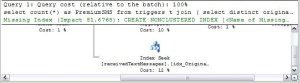
This is the full details of the execution plan for those interested:
<?xml version="1.0" encoding="utf-16"?>
<ShowPlanXML xmlns:xsi="http://www.w3.org/2001/XMLSchema-instance" xmlns:xsd="http://www.w3.org/2001/XMLSchema" Version="1.0" Build="9.00.2047.00" xmlns="http://schemas.microsoft.com/sqlserver/2004/07/showplan">
<BatchSequence>
<Batch>
<Statements>
<StmtSimple StatementCompId="1" StatementEstRows="1" StatementId="1" StatementOptmLevel="FULL" StatementSubTreeCost="32.2463" StatementText="select count(*) as PremiumSMS from triggers t
join
(
select distinct originator from ReceivedTextMessages
where MessageText not like ‘REPORT%’
and originator<>”
) rtm on rtm.originator=substring(t.recipient,3,20)
and AffiliateID=826" StatementType="SELECT">
<StatementSetOptions ANSI_NULLS="false" ANSI_PADDING="false" ANSI_WARNINGS="false" ARITHABORT="true" CONCAT_NULL_YIELDS_NULL="false" NUMERIC_ROUNDABORT="false" QUOTED_IDENTIFIER="false" />
<QueryPlan CachedPlanSize="48">
<MissingIndexes>
<MissingIndexGroup Impact="26.7997">
<MissingIndex Database="[ReceivedTextMessages]" Schema="[dbo]" Table="[receivedTextMessages]">
<ColumnGroup Usage="INEQUALITY">
<Column Name="[Originator]" ColumnId="10" />
</ColumnGroup>
<ColumnGroup Usage="INCLUDE">
<Column Name="[MessageText]" ColumnId="12" />
</ColumnGroup>
</MissingIndex>
</MissingIndexGroup>
<MissingIndexGroup Impact="51.5466">
<MissingIndex Database="[Triggers]" Schema="[dbo]" Table="[triggers]">
<ColumnGroup Usage="EQUALITY">
<Column Name="[affiliateID]" ColumnId="3" />
</ColumnGroup>
<ColumnGroup Usage="INCLUDE">
<Column Name="[recipient]" ColumnId="8" />
</ColumnGroup>
</MissingIndex>
</MissingIndexGroup>
<MissingIndexGroup Impact="34.7633">
<MissingIndex Database="[ReceivedTextMessages]" Schema="[dbo]" Table="[receivedTextMessages]">
<ColumnGroup Usage="EQUALITY">
<Column Name="[Originator]" ColumnId="10" />
</ColumnGroup>
<ColumnGroup Usage="INCLUDE">
<Column Name="[MessageText]" ColumnId="12" />
</ColumnGroup>
</MissingIndex>
</MissingIndexGroup>
</MissingIndexes>
<RelOp AvgRowSize="11" EstimateCPU="1E-07" EstimateIO="0" EstimateRebinds="0" EstimateRewinds="0" EstimateRows="1" LogicalOp="Compute Scalar" NodeId="1" Parallel="false" PhysicalOp="Compute Scalar" EstimatedTotalSubtreeCost="32.2463">
<OutputList>
<ColumnReference Column="Expr1006" />
</OutputList>
<ComputeScalar>
<DefinedValues>
<DefinedValue>
<ColumnReference Column="Expr1006" />
<ScalarOperator ScalarString="CONVERT_IMPLICIT(int,[globalagg1009],0)">
<Convert DataType="int" Style="0" Implicit="true">
<ScalarOperator>
<Identifier>
<ColumnReference Column="globalagg1009" />
</Identifier>
</ScalarOperator>
</Convert>
</ScalarOperator>
</DefinedValue>
</DefinedValues>
<RelOp AvgRowSize="15" EstimateCPU="0.000478573" EstimateIO="0" EstimateRebinds="0" EstimateRewinds="0" EstimateRows="1" LogicalOp="Aggregate" NodeId="2" Parallel="false" PhysicalOp="Stream Aggregate" EstimatedTotalSubtreeCost="32.2463">
<OutputList>
<ColumnReference Column="globalagg1009" />
</OutputList>
<StreamAggregate>
<DefinedValues>
<DefinedValue>
<ColumnReference Column="globalagg1009" />
<ScalarOperator ScalarString="SUM([partialagg1008])">
<Aggregate AggType="SUM" Distinct="false">
<ScalarOperator>
<Identifier>
<ColumnReference Column="partialagg1008" />
</Identifier>
</ScalarOperator>
</Aggregate>
</ScalarOperator>
</DefinedValue>
</DefinedValues>
<RelOp AvgRowSize="15" EstimateCPU="0.177508" EstimateIO="0" EstimateRebinds="0" EstimateRewinds="0" EstimateRows="796.789" LogicalOp="Aggregate" NodeId="3" Parallel="false" PhysicalOp="Hash Match" EstimatedTotalSubtreeCost="32.2458">
<OutputList>
<ColumnReference Column="partialagg1008" />
</OutputList>
<MemoryFractions Input="0" Output="0" />
<Hash>
<DefinedValues>
<DefinedValue>
<ColumnReference Column="partialagg1008" />
<ScalarOperator ScalarString="ANY([partialagg1008])">
<Aggregate AggType="ANY" Distinct="false">
<ScalarOperator>
<Identifier>
<ColumnReference Column="partialagg1008" />
</Identifier>
</ScalarOperator>
</Aggregate>
</ScalarOperator>
</DefinedValue>
</DefinedValues>
<HashKeysBuild>
<ColumnReference Column="Expr1007" />
</HashKeysBuild>
<BuildResidual>
<ScalarOperator ScalarString="[Expr1007] = [Expr1007]">
<Compare CompareOp="IS">
<ScalarOperator>
<Identifier>
<ColumnReference Column="Expr1007" />
</Identifier>
</ScalarOperator>
<ScalarOperator>
<Identifier>
<ColumnReference Column="Expr1007" />
</Identifier>
</ScalarOperator>
</Compare>
</ScalarOperator>
</BuildResidual>
<RelOp AvgRowSize="29" EstimateCPU="4.44944" EstimateIO="0" EstimateRebinds="0" EstimateRewinds="0" EstimateRows="21302.6" LogicalOp="Inner Join" NodeId="4" Parallel="false" PhysicalOp="Hash Match" EstimatedTotalSubtreeCost="32.0683">
<OutputList>
<ColumnReference Column="Expr1007" />
<ColumnReference Column="partialagg1008" />
</OutputList>
<MemoryFractions Input="1" Output="1" />
<Hash>
<DefinedValues />
<HashKeysBuild>
<ColumnReference Column="Expr1007" />
</HashKeysBuild>
<HashKeysProbe>
<ColumnReference Database="[ReceivedTextMessages]" Schema="[dbo]" Table="[receivedTextMessages]" Column="Originator" />
</HashKeysProbe>
<ProbeResidual>
<ScalarOperator ScalarString="[ReceivedTextMessages].[dbo].[receivedTextMessages].[Originator]=[Expr1007]">
<Compare CompareOp="EQ">
<ScalarOperator>
<Identifier>
<ColumnReference Database="[ReceivedTextMessages]" Schema="[dbo]" Table="[receivedTextMessages]" Column="Originator" />
</Identifier>
</ScalarOperator>
<ScalarOperator>
<Identifier>
<ColumnReference Column="Expr1007" />
</Identifier>
</ScalarOperator>
</Compare>
</ScalarOperator>
</ProbeResidual>
<RelOp AvgRowSize="29" EstimateCPU="1.09401" EstimateIO="0" EstimateRebinds="0" EstimateRewinds="0" EstimateRows="796.789" LogicalOp="Aggregate" NodeId="5" Parallel="false" PhysicalOp="Hash Match" EstimatedTotalSubtreeCost="17.7783">
<OutputList>
<ColumnReference Column="Expr1007" />
<ColumnReference Column="partialagg1008" />
</OutputList>
<MemoryFractions Input="0" Output="0" />
<Hash>
<DefinedValues>
<DefinedValue>
<ColumnReference Column="partialagg1008" />
<ScalarOperator ScalarString="COUNT(*)">
<Aggregate AggType="COUNT*" Distinct="false" />
</ScalarOperator>
</DefinedValue>
</DefinedValues>
<HashKeysBuild>
<ColumnReference Column="Expr1007" />
</HashKeysBuild>
<BuildResidual>
<ScalarOperator ScalarString="[Expr1007] = [Expr1007]">
<Compare CompareOp="IS">
<ScalarOperator>
<Identifier>
<ColumnReference Column="Expr1007" />
</Identifier>
</ScalarOperator>
<ScalarOperator>
<Identifier>
<ColumnReference Column="Expr1007" />
</Identifier>
</ScalarOperator>
</Compare>
</ScalarOperator>
</BuildResidual>
<RelOp AvgRowSize="25" EstimateCPU="0.191283" EstimateIO="0" EstimateRebinds="0" EstimateRewinds="0" EstimateRows="158718" LogicalOp="Compute Scalar" NodeId="6" Parallel="false" PhysicalOp="Compute Scalar" EstimatedTotalSubtreeCost="15.7661">
<OutputList>
<ColumnReference Column="Expr1007" />
</OutputList>
<ComputeScalar>
<DefinedValues>
<DefinedValue>
<ColumnReference Column="Expr1007" />
<ScalarOperator ScalarString="substring([Triggers].[dbo].[triggers].[recipient],(3),(20))">
<Intrinsic FunctionName="substring">
<ScalarOperator>
<Identifier>
<ColumnReference Database="[Triggers]" Schema="[dbo]" Table="[triggers]" Column="recipient" />
</Identifier>
</ScalarOperator>
<ScalarOperator>
<Const ConstValue="(3)" />
</ScalarOperator>
<ScalarOperator>
<Const ConstValue="(20)" />
</ScalarOperator>
</Intrinsic>
</ScalarOperator>
</DefinedValue>
</DefinedValues>
<RelOp AvgRowSize="28" EstimateCPU="2.10427" EstimateIO="13.4705" EstimateRebinds="0" EstimateRewinds="0" EstimateRows="158718" LogicalOp="Clustered Index Scan" NodeId="7" Parallel="false" PhysicalOp="Clustered Index Scan" EstimatedTotalSubtreeCost="15.5748">
<OutputList>
<ColumnReference Database="[Triggers]" Schema="[dbo]" Table="[triggers]" Column="recipient" />
</OutputList>
 Network Programming in .NET