Archive
Access UK TV #EPG via #JSON
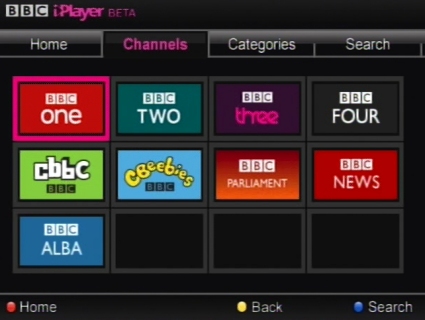
If you are developing an app or website that allows people check television guides in the UK, then this API may help you out.
First, a list of 576 TV channels from the UK can be listed via this Rest API call;
http://tv.apixml.net/api.aspx?action=channels
Then, to get details of programs to be shown on this channel, then you can use the url;
http://tv.apixml.net/api.aspx?action=program&channelid=03c9f88a54910f471bb80c039e2a8fa1
Where channelId is obtained from the previous call. The schedule is always for the next 24 hours.
This API will be built into out TV UK app for iOS: https://itunes.apple.com/us/app/tv-uk/id464570844?mt=8
Sending a base64 encoded file using #SMTP.js

SMTPjs.com is a javascript library that allows you send email through Javascript. – You still need access to a outgoing mail (SMTP) server, but this makes life a little easier for your JS apps.
Today, we released v2.0.1 of the library, which has a few important fixes
- The message body is no longer limited in size
- There is now an optional callback parameter, that allows your code continue after the email is sent.
- Attachments can be sent in base 64 format (dataURI) to the library.
Previous versions of the library will continue to be functional, but we recommend upgrading to the latest version.
Callback feature:
Depending on whether you use a stored token, or send your SMTP credentials with every request, then you use one of the two following blocks of code:
Email.send(“from@you.com”,
“to@them.com”,
“Subject”,
“Body”,
“smtp.server.com”,
“username”,
“password”,
function done(message) { alert(“sent”) }
);
or, when using stored credentials;
Email.send(“from@you.com”,
“to@them.com”,
“Subject”,
“Body”,
{
token: “your-token”,
callback:function done(message) { alert(“sent”) }
});
DataUri Attachments
Previously, in order to send an attachment with this script, then the file you needed to send needed to be already hosted online. This, may not be ideal, if you wanted your user to select a file from their device, or otherwise dynamically generate the file to be sent.
So, let’s imagine we want the user to select a file to be sent from their device, we add a form element as follows;
<input type=”file” id=”fileupload” onchange=”uploadFileToServer()” />
Then define the function uploadFileToServer as follows:
function uploadFileToServer() {
var file = event.srcElement.files[0];
console.log(file);
var reader = new FileReader();
reader.readAsBinaryString(file);
reader.onload = function () {
var datauri = “data:” + file.type + “;base64,” + btoa(reader.result);
Email.sendWithAttachment(“from@you.com”,
“to@them.com”,
“Subject”,
“Body”,
“smtp.server.com”,
“username”,
“password”,,
datauri,
function done(message) { alert(“Message sent OK”) }
);
};
reader.onerror = function() {
console.log(‘there are some problems’);
};
}
#Translate any country name into any language in C#

If you have a multi-lingual app or website that needs to show a drop down list of country names, then it suddenly adds 195 words to your translation file, which is going to make your translation word count shoot up suddenly.
Surely, someone else has done this already?, yes, they have. The Unicode consortium have a public file that you can download that contains a list of countries, and lots of other information translated into many different languages; here; http://unicode.org/Public/cldr/1.7.0/core.zip
I extracted the two letter files ({language}.xml) from core/common/main, removed the dtd definition, and put it in to a folder named /data/localisation off the root of my website.
public static string Country(string code, string culture)
{
// Source: http://unicode.org/Public/cldr/1.7.0/core.zip
var locale = new CultureInfo(culture).TwoLetterISOLanguageName.ToLower();
var strLocalXmlFile = HttpContext.Current.Server.MapPath(“/data/Localisation/” + locale + “.xml”);
var xdoc = new XmlDocument();
xdoc.Load(strLocalXmlFile);
var xn = xdoc.SelectSingleNode(“//territory[@type='” + code + “‘]”);
return xn.InnerText;
}
Then you can call Country(“GB”,”sv-SE”) to get Storbritannien
Of course, there is many more things that you may want to translate, and nothing is better than a human translator, which I’d recommend OutsourceTranslation.com to find one.
Protect yourself from #IAP #Fraud com.zeptolab.ctrbonus.superpower1

IAP or In app Purchases is now the most popular way App developers get paid for their apps. Most IAPs don’t actually incur added cost the developer when used, such as unlocking extra levels, or power ups, but some activate real-world services, and can incur added server costs to the developer – such as extra file storage, or paid-for API calls.
This is why you really need to ensure that you validate your IAP receipt from apple, to ensure that it has indeed come from apple, and not a replay attack from someone else’s IAP.
I received this IAP receipt that failed validation this morning:
ewoJInNpZ25hdHVyZSIgPSAiQXBkeEpkdE53UFUyckE1L2NuM2tJTzFPVGsyNWZlREthMGFhZ3l5UnZlV2xjRmxnbHY2UkY2em5raUJTM3VtOVVjN3BWb2IrUHFaUjJUOHd5VnJITnBsb2YzRFgzSXFET2xXcSs5MGE3WWwrcXJSN0E3ald3dml3NzA4UFMrNjdQeUhSbmhPL0c3YlZxZ1JwRXI2RXVGeWJpVTFGWEFpWEpjNmxzMVlBc3NReEFBQURWekNDQTFNd2dnSTdvQU1DQVFJQ0NHVVVrVTNaV0FTMU1BMEdDU3FHU0liM0RRRUJCUVVBTUg4eEN6QUpCZ05WQkFZVEFsVlRNUk13RVFZRFZRUUtEQXBCY0hCc1pTQkpibU11TVNZd0pBWURWUVFMREIxQmNIQnNaU0JEWlhKMGFXWnBZMkYwYVc5dUlFRjFkR2h2Y21sMGVURXpNREVHQTFVRUF3d3FRWEJ3YkdVZ2FWUjFibVZ6SUZOMGIzSmxJRU5sY25ScFptbGpZWFJwYjI0Z1FYVjBhRzl5YVhSNU1CNFhEVEE1TURZeE5USXlNRFUxTmxvWERURTBNRFl4TkRJeU1EVTFObG93WkRFak1DRUdBMVVFQXd3YVVIVnlZMmhoYzJWU1pXTmxhWEIwUTJWeWRHbG1hV05oZEdVeEd6QVpCZ05WQkFzTUVrRndjR3hsSUdsVWRXNWxjeUJUZEc5eVpURVRNQkVHQTFVRUNnd0tRWEJ3YkdVZ1NXNWpMakVMTUFrR0ExVUVCaE1DVlZNd2daOHdEUVlKS29aSWh2Y05BUUVCQlFBRGdZMEFNSUdKQW9HQkFNclJqRjJjdDRJclNkaVRDaGFJMGc4cHd2L2NtSHM4cC9Sd1YvcnQvOTFYS1ZoTmw0WElCaW1LalFRTmZnSHNEczZ5anUrK0RyS0pFN3VLc3BoTWRkS1lmRkU1ckdYc0FkQkVqQndSSXhleFRldngzSExFRkdBdDFtb0t4NTA5ZGh4dGlJZERnSnYyWWFWczQ5QjB1SnZOZHk2U01xTk5MSHNETHpEUzlvWkhBZ01CQUFHamNqQndNQXdHQTFVZEV3RUIvd1FDTUFBd0h3WURWUjBqQkJnd0ZvQVVOaDNvNHAyQzBnRVl0VEpyRHRkREM1RllRem93RGdZRFZSMFBBUUgvQkFRREFnZUFNQjBHQTFVZERnUVdCQlNwZzRQeUdVakZQaEpYQ0JUTXphTittVjhrOVRBUUJnb3Foa2lHOTJOa0JnVUJCQUlGQURBTkJna3Foa2lHOXcwQkFRVUZBQU9DQVFFQUVhU2JQanRtTjRDL0lCM1FFcEszMlJ4YWNDRFhkVlhBZVZSZVM1RmFaeGMrdDg4cFFQOTNCaUF4dmRXLzNlVFNNR1k1RmJlQVlMM2V0cVA1Z204d3JGb2pYMGlreVZSU3RRKy9BUTBLRWp0cUIwN2tMczlRVWU4Y3pSOFVHZmRNMUV1bVYvVWd2RGQ0TndOWXhMUU1nNFdUUWZna1FRVnk4R1had1ZIZ2JFL1VDNlk3MDUzcEdYQms1MU5QTTN3b3hoZDNnU1JMdlhqK2xvSHNTdGNURXFlOXBCRHBtRzUrc2s0dHcrR0szR01lRU41LytlMVFUOW5wL0tsMW5qK2FCdzdDMHhzeTBiRm5hQWQxY1NTNnhkb3J5L0NVdk02Z3RLc21uT09kcVRlc2JwMGJzOHNuNldxczBDOWRnY3hSSHVPTVoydG04bnBMVW03YXJnT1N6UT09IjsKCSJwdXJjaGFzZS1pbmZvIiA9ICJld29KSW05eWFXZHBibUZzTFhCMWNtTm9ZWE5sTFdSaGRHVXRjSE4wSWlBOUlDSXlNREV5TFRBM0xURXlJREExT2pVME9qTTFJRUZ0WlhKcFkyRXZURzl6WDBGdVoyVnNaWE1pT3dvSkluQjFjbU5vWVhObExXUmhkR1V0YlhNaUlEMGdJakV6TkRJd09UYzJOelU0T0RJaU93b0pJbTl5YVdkcGJtRnNMWFJ5WVc1ellXTjBhVzl1TFdsa0lpQTlJQ0l4TnpBd01EQXdNamswTkRrME1qQWlPd29KSW1KMmNuTWlJRDBnSWpFdU5DSTdDZ2tpWVhCd0xXbDBaVzB0YVdRaUlEMGdJalExTURVME1qSXpNeUk3Q2draWRISmhibk5oWTNScGIyNHRhV1FpSUQwZ0lqRTNNREF3TURBeU9UUTBPVFF5TUNJN0Nna2ljWFZoYm5ScGRIa2lJRDBnSWpFaU93b0pJbTl5YVdkcGJtRnNMWEIxY21Ob1lYTmxMV1JoZEdVdGJYTWlJRDBnSWpFek5ESXdPVGMyTnpVNE9ESWlPd29KSW1sMFpXMHRhV1FpSUQwZ0lqVXpOREU0TlRBME1pSTdDZ2tpZG1WeWMybHZiaTFsZUhSbGNtNWhiQzFwWkdWdWRHbG1hV1Z5SWlBOUlDSTVNRFV4TWpNMklqc0tDU0p3Y205a2RXTjBMV2xrSWlBOUlDSmpiMjB1ZW1Wd2RHOXNZV0l1WTNSeVltOXVkWE11YzNWd1pYSndiM2RsY2pFaU93b0pJbkIxY21Ob1lYTmxMV1JoZEdVaUlEMGdJakl3TVRJdE1EY3RNVElnTVRJNk5UUTZNelVnUlhSakwwZE5WQ0k3Q2draWIzSnBaMmx1WVd3dGNIVnlZMmhoYzJVdFpHRjBaU0lnUFNBaU1qQXhNaTB3TnkweE1pQXhNam8xTkRvek5TQkZkR012UjAxVUlqc0tDU0ppYVdRaUlEMGdJbU52YlM1NlpYQjBiMnhoWWk1amRISmxlSEJsY21sdFpXNTBjeUk3Q2draWNIVnlZMmhoYzJVdFpHRjBaUzF3YzNRaUlEMGdJakl3TVRJdE1EY3RNVElnTURVNk5UUTZNelVnUVcxbGNtbGpZUzlNYjNOZlFXNW5aV3hsY3lJN0NuMD0iOwoJInBvZCIgPSAiMTciOwoJInNpZ25pbmctc3RhdHVzIiA9ICIwIjsKfQ
Running it through my IAP receipt validator I got this;
{ “receipt”: { “original_purchase_date_pst”: “2012-07-12 05:54:35 America/Los_Angeles”, “purchase_date_ms”: “1342097675882”, “original_transaction_id”: “170000029449420”, “original_purchase_date_ms”: “1342097675882”, “app_item_id”: “450542233”, “transaction_id”: “170000029449420”, “quantity”: “1”, “bvrs”: “1.4”, “version_external_identifier”: “9051236”, “bid”: “com.zeptolab.ctrexperiments”, “product_id”: “com.zeptolab.ctrbonus.superpower1“, “purchase_date”: “2012-07-12 12:54:35 Etc/GMT”, “purchase_date_pst”: “2012-07-12 05:54:35 America/Los_Angeles”, “original_purchase_date”: “2012-07-12 12:54:35 Etc/GMT”, “item_id”: “534185042” }, “status”: 0 }
Where I’ve highlighted com.zeptolab.ctrbonus.superpower1 – Which looks like ZeptoLab’s Cut the Rope Super Power 1 from 2012!, Not the IAP I was expecting at all.
Thankfully my validator code spotted this.
Here’s the code for decoding an Apple receipt in c#
private const string urlProduction = “https://buy.itunes.apple.com/verifyReceipt”;
private const string urlSandbox = “https://sandbox.itunes.apple.com/verifyReceipt”;private string Verify(string receipt, string serviceUrl, string sharedSecret)
{
var json = string.Format(“{{\”receipt-data\”:\”{0}\”,\”password\”:\”{1}\”}}”, receipt, sharedSecret);
var wr = WebRequest.Create(serviceUrl);
wr.ContentType = “text/plain”;
wr.Method = “POST”;
var sw = new System.IO.StreamWriter(wr.GetRequestStream());
sw.Write(json);
sw.Flush();
sw.Close();
var wresp = wr.GetResponse();
if (wresp != null)
{
var sr = new System.IO.StreamReader(wresp.GetResponseStream());
var response = sr.ReadToEnd();
sr.Close();
return response;
}
return “no-data”;
}
Set up #Sage on a remote #server

If you have multiple users on Sage, who are not on the same network – i.e. perhaps working from home. Then you will want to move the sage data to a remote server, so that all users can access the same sage data.
- Rent a WINDOWS server. a VPS should do, OVH do one for £9/month
- Set up an VPN to the windows server. Not so easy, glossing over this point
- Close Sage, and copy the Company.000 folder to the server, and share it with a network share
- Ensure you can see this folder from Windows explorer with \\[Server]\[Share]\Company.000
- Now, install the Sage Data Services software on the server. You can download this as part of the trial software from Sage, or just here
- Find the COMPANY file on your local machine, and open it in notepad, and change the C:\programdata\…\Company.000 file to \\[Server]\[Share]\Company.000
- Re-open Sage
Accepting a once off #creditcard #payment in #Stripe
So, if you use Stripe on your website, but you get the odd request from a customer that’s not a standard option of your website. How do you accept a once-off custom payment via stripe, we have an app for that, which you can download here; https://creditcard.apixml.net/
But, if you’d like to use your browser rather than an app, you can do that too. Go to https://creditcard.apixml.net/
- Click on “Accept a payment online”
- Click on “Sign on” on the stripe window
- Enter your stripe username and password.
- Press “Sign into your account”
- The window will close, and return to the previous page, with a popup open
- Enter the amount, currency, and card details into the box provided
- Then press “Pay now”
- You should then see an alert saying the payment has succeeded after a few seconds
- The money is now in your stripe account.
Verify an #Irish #Taxi number plate via an #API

If you wanted to create an app that allows commuters in Ireland feel safe getting into a Taxi, you can use this API to check if the taxi is legitimately registered. (And it’s free)
Here’s the API endpoint;
http://ie.carregistrationapi.com/api/bespokeapi.asmx?op=CheckIrishTaxi
And here is a sample response from 05MH6068
<IrishTaxi xmlns:xsd=”http://www.w3.org/2001/XMLSchema“ xmlns:xsi=”http://www.w3.org/2001/XMLSchema-instance“ xmlns=”http://Regcheck.org.uk/“><LicenceNumber>T30041</LicenceNumber><Expiry>09/02/2018</Expiry><LicenceHolder>PATRICK GERAGHTY</LicenceHolder></IrishTaxi>
This may be built into the main API available here; http://ie.carregistrationapi.com
Verify a #Taxi is registered with #TFL via an #API

You can now verify if a car is registered for private hire via it’s number plate in London via TFL, and here’s a handy API for it here;
https://www.regcheck.org.uk/api/bespokeapi.asmx?op=CheckLondonTaxi
You can use LM58FXO as an example, returning;
<LondonTaxi xmlns:xsd=”http://www.w3.org/2001/XMLSchema“ xmlns:xsi=”http://www.w3.org/2001/XMLSchema-instance“ xmlns=”http://Regcheck.org.uk/“>FORDGalaxy36034511/12/2017
This is an experimental service, in consideration for RegCheck.org.uk , or as a tool for http://listoftaxis.info/
Check for #recalled vehicles via #VIN #NHTSA

NHTSA, the “National Highway Traffic Safety Administration”, which allows users the option to search for vehicle recalls by manufacturers, where a serious safety flaw is discovered.
You can query this API for free via this URL;
http://www.vehicleregistrationapi.com/api/bespokeapi.asmx/CheckRecalledVIN?vin=JTHCE96S170011951
Where JTHCE96S170011951 is a VIN number for a vehicle that is subject to recall.
This is an experimental data source, but could be used in conjunction with data from http://www.vehicleregistrationapi.com/ to determine recalls based on a car registration number.
The format of the data returned is as follows;
{
“status”: true,
“number_of_recalls”: 5,
“make”: “LEXUS”,
“vin”: “JTHCE96S170011951”,
“refresh_date”: “Oct 11,2017”,
“year”: “2007”,
“recalls”: [
{
“mfr_recall_number”: “ELF”,
“mfr_recall_status”: 11,
“mfr_notes”: “”,
“safety_risk_description”: “In the presence of an ignition source, this could increase the risk of a vehicle fire.”,
“recall_description”: “In the subject vehicles, the sealing property of the gasket seated in between the pressure sensor and the fuel delivery pipe could become degraded. During vehicle operation, fuel could leak past the gasket.”,
“remedy_description”: “Any authorized Lexus dealership will repair the fuel pressure sensor sealing surface and replace the gasket at No Charge to you.”,
“refresh_date”: “Oct 11,2017”,
“nhtsa_recall_number”: “14V647”,
“recall_date”: “Oct 15,2014”
},
{
“mfr_recall_number”: “DLG”,
“mfr_recall_status”: 11,
“mfr_notes”: “”,
“safety_risk_description”: “The loose bolts could cause the vvt gear housing and sprocket to separate and result in the engine stopping while the vehicle is being driven, increasing the risk of a crash.”,
“recall_description”: “Toyota is recalling certain model year 2007-2011 lexus gs350 vehicles manufactured june 19, 2006, through july 12, 2011; and model year 2006-2011 lexus is350 vehicles manufactured may 27, 2005, through july 13, 2011; and model year 2010-2011 lexus is350c vehicles manufactured november 25, 2009, through july 19, 2011. These vehicles, equipped with the 2gr-fse engine, use bolts to secure the housing and sprocket of the variable-valve timing (vvt) system gear assembly. These bolts could become loose due to abnormal impacts generated within the gear assembly immediately after a cold start-up.”,
“remedy_description”: “Toyota will notify owners, and lexus dealers will replace the vvt unit free of charge. Owners may contact Toyota at 1-800-331-4331.”,
“refresh_date”: “Oct 11,2017”,
“nhtsa_recall_number”: “13V395”,
“recall_date”: “Sep 04,2013”
},
{
“mfr_recall_number”: “BLA”,
“mfr_recall_status”: 11,
“mfr_notes”: “”,
“safety_risk_description”: “Fuel leakage, in the presence of an ignition source, could result in a fire.”,
“recall_description”: “Toyota is recalling certain model year 2006-2009 Lexus IS and model year 2006-2007 Lexus GS vehicles. Due to insufficient tightening of the fuel pressure sensor connected to an engine fuel delivery pipe with nickel phosphorus plating, there is a possibility that, over time, the pressure sensor could loosen. If loosening occurs, fuel could leak past a gasket used in the connection between the sensor and the pipe and through the threaded portion of the sensor.”,
“remedy_description”: “Dealers will inspect for fuel leakage from the threaded portion of the fuel pressure sensor and if a fuel leak is not confirmed, dealers will further tighten the fuel pressure sensor with the proper torque. If a fuel leak is confirmed, the gasket between the sensor and the fuel deliver pipe will be replaced with a new one, and the sensor will be tightened with the proper torque. This service will be performed free of charge. The safety recall began on march 7, 2011. Owners may contact Toyota at 1-800-331-4331.”,
“refresh_date”: “Oct 11,2017”,
“nhtsa_recall_number”: “11V029”,
“recall_date”: “Jan 26,2011”
},
{
“mfr_recall_number”: “ALE”,
“mfr_recall_status”: 11,
“mfr_notes”: “”,
“safety_risk_description”: “The engine could fail and stop suddenly while the vehicle is in motion, increasing the risk of a crash.”,
“recall_description”: “Lexus is recalling certain Model Year 2006 through 2008 Lexus passenger cars manufactured from August 26, 2005 through August 4, 2008. Micro-foreign objects in the material of the valve spring may degrade the strength of the valve spring, possibly causing the spring to break.”,
“remedy_description”: “Lexus will notify owners and dealers will repair the vehicles free of charge. The safety recall began on September 2, 2010. Owners may contact Lexus at 1-800-255-3987.”,
“refresh_date”: “Oct 11,2017”,
“nhtsa_recall_number”: “10V309”,
“recall_date”: “Jul 06,2010”
},
{
“mfr_recall_number”: “9LA”,
“mfr_recall_status”: 11,
“mfr_notes”: “”,
“safety_risk_description”: “Over time, the corrosion may create a pinhole resulting in fuel leakage. Fuel leakage, in the presence of an ignition source, could result in a fire.”,
“recall_description”: “Toyota is recalling 214,570 Model Year 2006-2008 Lexus IS, Model Year 2006-2007 GS and Model Year 2007-2008 lS passenger vehicles equipped with aluminum fuel delivery pipes (fuel rails). Ethanol fuels with a low moisture content will corrode the internal surface of the fuel rails. As this condition progresses, the engine malfunction indicator light may illuminate.”,
“remedy_description”: “Dealers will inspect and replace the fuel delivery pipes free of charge. Owners may contact Toyota\/Lexus at 1-800-255-3987.”,
“refresh_date”: “Oct 11,2017”,
“nhtsa_recall_number”: “09V020”,
“recall_date”: “Jan 16,2009”
}
],
“manufacturer_id”: 164,
“recalls_available”: true,
“model”: “GS350”
}
Handling #IAP #Subscription #Cancellations
 IAP Subscriptions are great, they allow you take recurring payments from your customers, so that you can make an on-going income from a customer that continues to use your service.
However, accepting a subscription, it’s also important to know when the subscription is cancelled, so that you can stop providing your service to the customer.
First thing is to define a callback with the “Subscription Status Url”, which you can find under your app in iTunes Connect, under App Information > General Information.
This URL will be sent some JSON data using HTTP POST, and the format of the requests are as follows;
First, the Intial buy, as follows;
{
“latest_receipt”: “….”,
“latest_receipt_info”: {
“original_purchase_date_pst”: “2017-10-14 18:51:38 America\/Los_Angeles”,
“quantity”: “1”,
“unique_vendor_identifier”: “025C068A-ABA3-4967-BC20-82C397CA6E1A”,
“original_purchase_date_ms”: “1508032298000”,
“expires_date_formatted”: “2017-11-15 02:51:34 Etc\/GMT”,
“purchase_date_ms”: “1508032294000”,
“expires_date_formatted_pst”: “2017-11-14 18:51:34 America\/Los_Angeles”,
“is_trial_period”: “false”,
“item_id”: “1215609502”,
“unique_identifier”: “aae666d4899834762d29b57272c10400256ba0dc”,
“original_transaction_id”: “240000386052948”,
“expires_date”: “1510714294000”,
“app_item_id”: “1214710746”,
“transaction_id”: “240000386052948”,
“bvrs”: “1.3.3”,
“web_order_line_item_id”: “240000089571027”,
“version_external_identifier”: “822490968”,
“bid”: “ie.infiniteloop.cloudansweringmachine”,
“product_id”: “CloudAnsweringMachineSubscription”,
“purchase_date”: “2017-10-15 01:51:34 Etc\/GMT”,
“purchase_date_pst”: “2017-10-14 18:51:34 America\/Los_Angeles”,
“original_purchase_date”: “2017-10-15 01:51:38 Etc\/GMT”
},
“environment”: “PROD”,
“auto_renew_status”: “true”,
“password”: “f1d192a81bc746da837639012d3917b3”,
“auto_renew_product_id”: “CloudAnsweringMachineSubscription”,
“notification_type”: “INITIAL_BUY”
}
Then if the customer cancels the subscription, then the request would be as follows;
{
“environment”: “PROD”,
“auto_renew_status”: “false”,
“web_order_line_item_id”: “240000089571027”,
“latest_expired_receipt_info”: {
“original_purchase_date_pst”: “2017-10-14 18:51:38 America\/Los_Angeles”,
“cancellation_date_ms”: “1508089204000”,
“quantity”: “1”,
“cancellation_reason”: “0”,
“unique_vendor_identifier”: “025C068A-ABA3-4967-BC20-82C397CA6E1A”,
“original_purchase_date_ms”: “1508032298000”,
“expires_date_formatted”: “2017-11-15 02:51:34 Etc\/GMT”,
“purchase_date_ms”: “1508032294000”,
“expires_date_formatted_pst”: “2017-11-14 18:51:34 America\/Los_Angeles”,
“is_trial_period”: “false”,
“item_id”: “1215609502”,
“unique_identifier”: “aae666d4899834762d29b57272c10400256ba0dc”,
“original_transaction_id”: “240000386052948”,
“expires_date”: “1510714294000”,
“app_item_id”: “1214710746”,
“transaction_id”: “240000386052948”,
“bvrs”: “1.3.3”,
“web_order_line_item_id”: “240000089571027”,
“version_external_identifier”: “822490968”,
“bid”: “ie.infiniteloop.cloudansweringmachine”,
“cancellation_date”: “2017-10-15 17:40:04 Etc\/GMT”,
“product_id”: “CloudAnsweringMachineSubscription”,
“purchase_date”: “2017-10-15 01:51:34 Etc\/GMT”,
“cancellation_date_pst”: “2017-10-15 10:40:04 America\/Los_Angeles”,
“purchase_date_pst”: “2017-10-14 18:51:34 America\/Los_Angeles”,
“original_purchase_date”: “2017-10-15 01:51:38 Etc\/GMT”
},
“cancellation_date_ms”: “1508089204000”,
“latest_expired_receipt”: “………………….”,
“cancellation_date”: “2017-10-15 17:40:04 Etc\/GMT”,
“password”: “f1d192a81bc746da837639012d3917b3”,
“cancellation_date_pst”: “2017-10-15 10:40:04 America\/Los_Angeles”,
“auto_renew_product_id”: “CloudAnsweringMachineSubscription”,
“notification_type”: “CANCEL”
}
This example is taken from the app, CloudAnsweringMachine.com
 Network Programming in .NET