Archive
Verify an Email address without sending an Email via an #API for free

One of these two email addresses is valid : gianluca.91@gmail.com or gianluca.92@gmail.com – how can you tell which one? Regexes will say both are valid, even a DNS MX lookup will say that @gmail.com is valid.
Here’s the trick: https://avatarapi.com/avatar.asmx?op=VerifyEmail
It’s a free API, that does not require registration, or authentication, and does not store the email addresses supplied to it. It does not send an email, but just checks the mailbox.
Here is a result for gianluca.92@gmail.com
<EmailVerificationResponse xmlns:xsi="http://www.w3.org/2001/XMLSchema-instance" xmlns:xsd="http://www.w3.org/2001/XMLSchema" xmlns="http://avatarapi.com/">
<Verification>FAIL</Verification>
<MailExchange>alt4.gmail-smtp-in.l.google.com.</MailExchange>
<SmtpResponse>550-5.1.1 The email account that you tried to reach does not exist. Please try</SmtpResponse>
</EmailVerificationResponse>
And here is the result for gianluca.91@gmail.com
<EmailVerificationResponse xmlns:xsi="http://www.w3.org/2001/XMLSchema-instance" xmlns:xsd="http://www.w3.org/2001/XMLSchema" xmlns="http://avatarapi.com/">
<Verification>SUCCESS</Verification>
<MailExchange>alt4.gmail-smtp-in.l.google.com.</MailExchange>
<SmtpResponse>250 2.1.5 OK hf21-20020a17090aff9500b001bc3052777csi2002522pjb.42 - gsmtp</SmtpResponse>
</EmailVerificationResponse>
It also works with every email host, not just Gmail. However, some mail exchangers do not give information on their mailboxes, in which case the result can be inconclusive.
Decoding binary #WebSockets data using C#

On some websites, you may notice data being exchanged between server and client, with no evident Ajax calls being made, in which case there may be activity on the WebSockets (WS) channel, and in this channel, if you are greeted by a jumble of binary data, then you may feel like giving up, but you may find it is easier to decode than you think.
The first clue I noticed was that there was a request header called
Sec-WebSocket-Extensions: permessage-deflate; client_max_window_bits
Where deflate is a compression mechanism, which is similar to GZip, and can be decoded easily in C#, First step, though is to view the binary data as base64, so you can copy & paste it, then using this function;
public static byte[] Decompress(byte[] data)
{
	MemoryStream input = new MemoryStream(data);
	MemoryStream output = new MemoryStream();
	using (DeflateStream dstream = new DeflateStream(input, CompressionMode.Decompress))
	{
		dstream.CopyTo(output);
	}
	return output.ToArray();
}
Which is called as follows;
var binInput = Convert.FromBase64String(b64Input);
var bDeflate = Decompress(binInput);
var output = Encoding.UTF8.GetString(bDeflate);
And from there, you see much more familiar JSON text.
Handling #SCA (Strong Customer Authentication) with #Stripe and C#
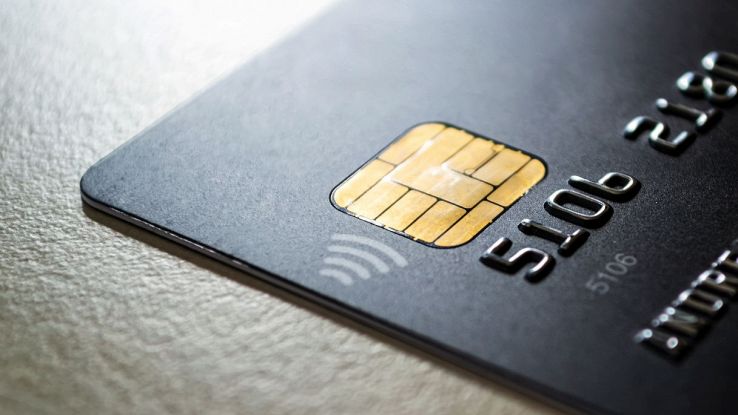
Strong customer Authentication is where your bank (card issuer) will show a popup during your purchase to offer an added level of protection for the consumer, to make sure it really is you, and not someone who’s cloned your card details.
It’s also a massive headache for developers!
Massive disclaimer: This was my approach at fixing it, follow Stripe documentation unless you’re really stuck!
So, capturing a customer (cus_xxxx) token is unchanged, what changes when you try to subscribe that customer to a subscription, then it fails. Here I’m adding “allow_incomplete” to allow the subscription to return data even if the customer has SCA enabled.
  const string strUrl = "https://api.stripe.com/v1/subscriptions";
  var postData = "customer=" + customerId;
  postData += "&items[0][price]=" + priceReference;
  postData += "&payment_behavior=allow_incomplete"; // NEW*SCA*
If we check the return value, and the status says incomplete then we have to jump through a few more hoops before we can get the money from the customer.
First, we get the latest_invoice value from the return, and call the stripe API “https://api.stripe.com/v1/invoices/<id here>” and from the response, we get the payment_intent id.
Then with the payment_intent id, we call the stripe API : “https://api.stripe.com/v1/payment_intents/<id here>” and get the client_secret
Now, we pass the client_secret back to our client side, and then we need to call the Stripe SDK, which is included as follows;
<script src="https://js.stripe.com/v3/"></script> <!-- SCA -->Then it’s initialized as follows; (I’m using JQuery here)
   $(init);
    var stripe = {};
    function init() {
        stripe = Stripe("pk_test_xxxxxxxxxxx"); // SCA
    }
Then once we get the client_secret back somehow; we call the javascript
stripe
.confirmCardPayment(data)
.then(function (result) {
// Handle result.error or result.paymentIntent
console.log(result);
alert("SCA OK!");
});
And it works in test anyway! – let me know if you spot any glaring issues.
Automate #Google login using C# and MasterDev ChromeDevTools

Automating a Chrome login in C# is difficult, because Google is clever enough to detect if you are using an embedded WebBrowser – either the embedded InternetExplorer Control, or CEFSharp, and probably others. It’s also a multi-step process, so you have to get the synchronisation right.
So, this is where ChromeDevTools by MasterDev comes in; The original repo is here:
https://github.com/MasterDevs/ChromeDevTools
I’ve forked this, and made my own changes and fixes here;
https://github.com/infiniteloopltd/ChromeDevTools/blob/master/source/Sample/Program.cs
How MasterDev ChromeDevTools differs from CEFSharp, is that chrome is spawned in a separate process, and it uses WebSockets (WebSocket4Net.WebSocket) to communicate between the host application in C# and Chrome. This also means you can run it in AnyCPU mode, and you don’t have to worry about x86 or x64 CPU types. Oh, and of course, Google can’t detect that you’re listening in to what Chrome is doing.
Some organisational changes I made to the sample code, so that it would run in a synchronous manner was this helper function WaitForEvent<T> which effectively does nothing until a given Event is received from the browser
private static void WaitForEvent<T>(IChromeSession chromeSession) where T : class
{
	var waiter = new ManualResetEventSlim();
	chromeSession.Subscribe<T>(eventFired =>
	{
		waiter.Set();
	});
	waiter.Wait();
}
This method will block indefinitely if the event is never received, but that’s another issue.
I also added this helper method to run Javascript on the page, since I would be calling it repeatedly;
private static async Task<string> ExecuteJavascript(IChromeSession chromeSession, string javaScriptToExecute)
{
	var evalResponse = await chromeSession.SendAsync(new EvaluateCommand
	{
		Expression = javaScriptToExecute,
	});
	if (evalResponse.Result.ExceptionDetails != null)
	{
		return evalResponse.Result.ExceptionDetails.ToString();
	}
	return evalResponse.Result.Result.Value == null ? "" : evalResponse.Result.Result.Value.ToString();
}
Here, I am returning everything as a string, regardless of type – even errors. I’d leave it up to the client application to deal with unexpected values. In my case, I didn’t even need return values.
Everything else is quite straightforward. It’s a matter of navigating to the login page, wait for the page to load, enter the username, press next, wait for the next frame to load, then enter the password, press next, wait for a login, then I can process the page.
Of course, Anything unexpected will make the process hang indefinitely, so this is in no way robust, but it’s a proof of concept, that I hope it helps someone.
How #CloudFlare detects #AWS Lambda request

In the constant cat and mouse game between bots and site owners, there are the “guardians”, such as DataDome, CloudFlare, Akamai, and various other WAF systems to try and keep the bots at bay.
Many “bots” are implemented as AWS Lambda functions, and when suitably routed via a proxy, with realistic looking headers, then they are hard to detect by CloudFlare. However, a http-header that is injected into outbound HTTP requests by AWS has become an indicator to CloudFlare that the request is coming from AWS Lambda, and not a user’s browser.
Here, the header being “x-amzn-trace-id” which is used by AWS X-Ray, is hard to disable, and is a give-away to CloudFlare indicating some likely bot action. If it is removed, then the trap resets, and the mouse gets away again!
Verify a #US Driver’s License via an #API in C#

This is an API I discovered while hunting on Rapid API, and it seems like an interesting find, and potential future addition to RegCheck – It’s a Driver License verification API for the US, in some 37 states, which is most of the country – here; https://rapidapi.com/appaio/api/drivers-license-verify-usa/
  var driversLicense = new
        {
            State = "FL",
            DriversLicense = "W426-545-30-761-0", // This particular driver is deceased
            Firstname = "", // Not required in Florida
            Surname = "", // Not required in Florida
            Last4SSN = "", // Not required in Florida
            DateOfBirth = "", // Not required in Florida
            ZipCode = "" // Not required in Florida
        };
        var payload = JsonConvert.SerializeObject(driversLicense);
        using (var web = new WebClient())
        {
            // Get Key here: https://rapidapi.com/appaio/api/drivers-license-verify-usa/
            web.Headers.Add("x-rapidapi-key", "*** Put Rapid API key here ***");
            var result = web.UploadString("https://drivers-license-verify-usa.p.rapidapi.com/DriversLicenseLambda",
                payload);
            Console.WriteLine(result);
            var json = JObject.Parse(result);
            var valid = json["valid"];
            var endorsements = json["endorsements"];
            var validity = json["validity"];
            var information = json["information"];
        }
Audio Captcha – Use an API to solve audio based #captchas.

Speech to Text : Specifically for captchas
This is no ordinary speech to text API, it is specifically designed to crack audio captchas
If you use AWS Transcribe, or Google Cloud Speech to Text on a captcha audio, then you will have poor results, because it’s a general-purpose speech to text API, designed to transribe video, narrated text, and phone calls. This API is different, it is designed to quickly and accurately solve the short, distorted, random letter and number assortment found in captcha audio.
- Audio can be provided as a URL or Base64 encoded data
- Standard alphabet and NATO alphabet supported (Alpha, Bravo, Charlie …)
- Returns on average in 5 seconds.
You can always call the API multiple times, most websites don’t count failed attempts.
Read more about this new API at https://www.audiocaptcha.com/
Create an account on Rapid API, and get an API key for this API. Once done, you can try out the API for free, by setting a HTTP header “x-rapidapi-key” to your API Key, then posting to the following URL:
https://audio-captcha.p.rapidapi.com/AudioCaptchaLambda{
"url" : "https://pepite.s3.eu-west-1.amazonaws.com/65UHC.wav",
"base64" : "",
"useNato" : false
}With the above JSON – Obviously, the Wave file URL here is a demo, but it was extracted from a real captcha.
Otherwise, you can provide the audio in base 64 format in the base64 field and omit the URL element.
If the audio is in the NATO alphabet (Alpha, Bravo, Charlie …) then you change useNato to true, otherwise, it’s assumed to be (A,B,C,D …)
#Speech to text recognition with #IBM #Watson in C#

If you’ve had experience with AWS Transcribe, you will notice that despite it’s excellent accuracy, it is unfortunately very slow, which can make things awkward if your application is time-sensitive.
One alternative was IBM Watson, which I personally found to be much faster than AWS Transcribe, by an order of magnitude, and it does support keyword matching, which is great if you are looking out for key phrases in audio. However, I did find it was less accurate than AWS transcribe.
You can get started with IBM Watson for free, without a credit card, and you can subscribe to the free version of the speech to text API (500 minutes free per month), which gives you enough to test with. This example assumes you already have an API key, and service URL, which you can get from the IBM website.
So, in this example, I am using a pre-recorded WAV file, which is included in my project (Build action set to copy always). The WAV file is a 8Hkz format, which is really low quality.
So, lets include the NUGET package by typing;
Install-Package IBM.Watson.SpeechToText.v1 Then, we’ll write a bit of code to test this out – The project type is a .NET Core, Console app.
var bAudio = File.ReadAllBytes("Sample.wav");
var memAudio = new MemoryStream(bAudio);
const string apiKey = "xxxxxx";
var authenticator = new IamAuthenticator(apiKey);
var service = new SpeechToTextService(authenticator);
service.SetServiceUrl("https://api.eu-de.speech-to-text.watson.cloud.ibm.com/instances/yyyyy");
var results = service.Recognize( memAudio, model: "en-US_NarrowbandModel");
Console.WriteLine(results.Response);
In terms of complexity, this is certainly easier than the equivalent code for AWS Transcribe, since you don’t need to upload to S3, poll on the results, then download from S3 again.
It’s pretty much the same price as AWS at $0.02 per minute, but has different pricing tiers, so it’s hard to compare like-for-like.
Getting started with #DynamoDB in C#

DynamoDB is a good way to get started with NoSQL databases, and being hosted in AWS, means that you don’t have to worry about servers or backups.
Now, a few assumptions before starting. I’m assuming that you’ve set up a test table, with at least item, with primary key called id of type string. I’m also assuming your development machine has stored AWS credentials, (AWS configure), since they won’t be in the code.
So, step 1, we’ll install two NUGET packages;
Install-Package AWSSDK.DynamoDBv2
Install-Package Newtonsoft.Json


Then, we'll set up a private static reference to our client as follows;
private static readonly AmazonDynamoDBClient Client = new AmazonDynamoDBClient();The code supplied on Amazon for listing tables is designed to list any number of tables, however, this simplified version will read up to 100 tables. But here is a simplified version;
private static void ListMyTables()
{
 var response = Client.ListTablesAsync().Result;
 response.TableNames.ForEach(Console.WriteLine);
}
Now, Imagine we want to read an item from the table, by id and return the data as JSON, we’d use;
private static string GetJsonById(string tableName, string id)
{
	var request = new QueryRequest
	{
		TableName = tableName,
		KeyConditionExpression = "id = :v_Id",
		ExpressionAttributeValues = new Dictionary<string, AttributeValue> {
			{":v_Id", new AttributeValue { S =  id }}}
	};

	var response = Client.QueryAsync(request).Result;

	return JsonConvert.SerializeObject(response.Items, Formatting.Indented);
}
Where we pass the table name, and the id, and it returns as JSON.
And finally, let’s imagine we want to write to the table, with some JSON;
private static void CreateItemFromJson(string tableName, string jsonText)
{
	var item = Document.FromJson(jsonText);
	var table = Table.LoadTable(Client, tableName);
	var ignore =table.PutItemAsync(item).Result;
}
And that’s the basic read/write functionality of DynamoDB.
#Twitter now added as a source to #AvatarAPI – Look up Twitter profiles by email address

AvatarAPI is a service that allows users to look up people’s real names, and profile images using only an email address.
Today, we’ve just added Twitter as a source to this, thanks to a RapidAPI API “https://rapidapi.com/appaio/api/find-twitter-profile-from-email-or-phone/” – As shown in the screenshot above, the input is an email address, and the profile data is returned. Including the name, location, profile picture – if set by the user.
That adds another 330 Million accounts toe the repertoire of AvatarAPI
 Network Programming in .NET