Selectively prevent vertical scrolling in Phonegap app.
A battle I’ve often fought is the vertical scroll in Phonegap. iOS sees the app as a browser window (UIWebView), and wants to treat it as such, and your clients and users see it as a static app, with fixed navigation elements ontop of scrollable content.
On pages where the content does not need to be scrolled at all then you just need to call preventDefault on touchmove event.
document.addEventListener(‘touchmove’, function (e)
{
if (!IsDraggablePage(e))
{
e.preventDefault();
}
}, true);
Note, that I have used a function call to “IsDraggablePage”, this method can be used to selectively decide if the page can be scrolled or not. Typically, a page where all the content fits without scrolling, then you can disable scrolling, if the content doesn’t, or may not always fit, then you should enable scrolling.
function IsDraggablePage(e)
{
if($(‘.ui-page-active’).attr(‘draggable’)==”true”)
{
return true;
}
return false;
}
This function, isDraggablePage, checks an attribute “draggable” of the page, and if it is set to true, then the page can be dragged.
All well and good, until you hit this problem, on a page that needs to be draggable, it appears that the navigation bars can be dragged out of place
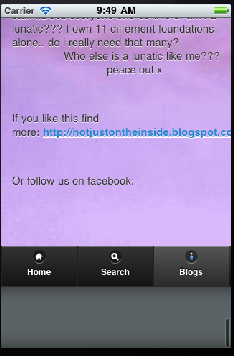 This is caused by the UIWebView Bounce feature of iOS, and in order to remove it, then you have to change some of the underlying Cocoa code, namely Classes > AppDelegate.m
Scroll to webViewDidFinishLoad, and enter the following line of code before the return statement:
[[theWebView.subviews objectAtIndex:0] setBounces:NO];
This means that, when you scroll beyond the bounds of the UIWebView, it will not bounce back to position, it will just stop suddenly, leaving your navigation in place.
Open link in external browser using Phonegap Webworks for Blackberry
If you are developing apps for BlackBerry using PhoneGap / Webworks for Blackberry, then you have probably noticed that if you add a url to an external website, such as <a href=”http://www.google.com”>Google</a>, then the destination website gets loaded within the frame of the app, giving a poor user experience, and no way to return to the app, apart from closing the app.
The solution is not obvious, since you have to use Webworks API (which is not cross-platform, it’s BlackBerry only).
use the following code when itializing JQuery
$(‘a[target=”_blank”]’).live( ‘click’, function()
{
if ( window.blackberry )
{
alert( ‘Loading website: ‘ + $(this).attr( ‘href’ ) );
var args = new blackberry.invoke.BrowserArguments( $(this).attr( ‘href’ ));
blackberry.invoke.invoke(blackberry.invoke.APP_BROWSER, args);
return false;
}
return true;
})
Then IMPORTANTLY add the following lines to the config.xml
<feature id=”blackberry.app” required=”true” version=”1.0.0.0″/>
<feature id=”blackberry.invoke”/>
<feature id=”blackberry.invoke.BrowserArguments” />
<access uri =”*”/>
I have heard that this invocation mechanism may change for BlackBerry 10 / Playbook, which I am going to test soon.
Sort DOM Elements using JQuery
If you want to save a round-trip to the server when changing the sort-order of a list of HTML Elements, you can use Javascript and JQuery quite simply with this handy bit of code:
<html>
<head>
<script src=”jquery-1.8.2.js”></script>
<script language=”javascript”>
$(init);
function init()
{
var listitems = $(“#sortContainer .sortable”).get();
listitems.sort(function(a, b) {
return $(a).attr(“value”) – $(b).attr(“value”);
});
$.each(listitems, function(index, item) { $(“#sortContainer”).append(item); });
}
</script>
</head>
<body>
<div id=”sortContainer”>
<div class=”sortable” value=”5″>5<br></div>
<div class=”sortable” value=”2″>2<br></div>
<div class=”sortable” value=”1″>1<br></div>
<div class=”sortable” value=”10″>10<br></div>
</div>
</body>
</html>
Using HTML markup to display dynamic information
I wanted to associate Longitude & Latitude values with HTML elements on a page, and then using this data, display the KM distance from the current location. Using JQuery, and omitting the HTML5 Geolocation code, this is what I came up with
<html>
<head>
<script src=”jquery-1.8.2.js”></script>
<script lanaguage=”javascript”>
$(init);
function init()
{
$(“.autoDistance”).each(function()
{
$(this).html(renderDistance($(this)));
}
);
}
function renderDistance(obj,position)
{
var a = {
Latitude:obj.attr(“latitude”),
Longitude:obj.attr(“longitude”)
};
var b = { latitude:55.1, longitude:-6.9}; // current location
var distance = Math.sqrt(Math.pow( 69.1 * (a.Latitude – b.latitude),2) +
Math.pow(53.0 * (a.Longitude – b.longitude),2)) * 1.609344;
return Math.round(distance) + ” KM”;
}
</script>
</head>
<body>
Waypoint 1: <div class=”autoDistance” latitude=”55″ longitude=”-7″></div>
<br>
Waypoint 2: <div class=”autoDistance” latitude=”10″ longitude=”-7″></div>
</body>
</html>
Hope this helps someone!
BlackBerry 10 Submissions open to developers
As of this afternoon, BlackBerry has opened up it’s ISV portal for BB10 submissions.
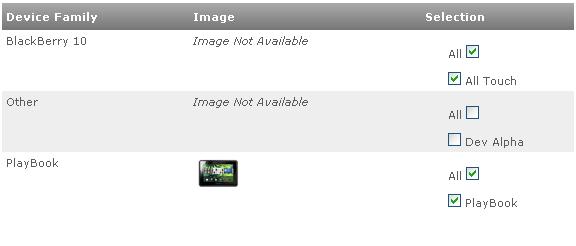
I’m going to try submitting an app using a Playbook signing key, and will update this post if it gets accepted!
Decode Google Recaptcha with C#

The Google Recaptcha system is one of the most popular Captcha systems in use. To beat it, you’ll need to subscribe to a Human Captcha API, What I used was FastTypers.org (Also known as HumanCoders or ExpertDecoders). To test this, I used the standard Recaptcha setup under ASP.NET CLR4 using the code downloaded from http://code.google.com/p/recaptcha/source/browse/trunk/recaptcha-plugins/
I set up a Windows forms application, with a button called btnReCaptcha, and ran the Recaptcha website under the virtual folder /Recaptcha.Test-CLR4/ – and here is the code – Note the code 6Lf9udYSAAAAAGF0LkIu3QsmMPfanZH3T8EXs9fA is the public key that will be contained in the HTML code of the website hosting the website.
private void btnReCaptcha_Click(object sender, EventArgs e)
{
var wc = new WebClient();
var strHtml = wc.DownloadString(“http://www.google.com/recaptcha/api/challenge?k=6Lf9udYSAAAAAGF0LkIu3QsmMPfanZH3T8EXs9fA&hl=&”);
const string strChallengeRegex = @”challenge.{4}(?<Challenge>[\w-_]+)”;
var strChallenge = Regex.Match(strHtml, strChallengeRegex).Groups[“Challenge”].Value;
var bImage = wc.DownloadData(“http://www.google.com/recaptcha/api/image?c=” + strChallenge);
var solver = new CaptchaSolver();
solver.SolveCaptcha(bImage);
var strImageText = solver.LastResponseText;
strHtml = wc.DownloadString(“http://localhost/Recaptcha.Test-CLR4/”);
var strViewstate = GetViewStateFromHtml(strHtml, true);
var strEventValidation = GetEventValidationFromHtml(strHtml);
var strPostData = “__EVENTTARGET=”;
strPostData += “&__EVENTARGUMENT=”;
strPostData += “&__VIEWSTATE=” + strViewstate;
strPostData += “&__EVENTVALIDATION=” + strEventValidation;
strPostData += “&recaptcha_challenge_field=” + strChallenge;
strPostData += “&recaptcha_response_field=” + strImageText;
strPostData += “&RecaptchaButton=Submit”;
wc.Headers[HttpRequestHeader.ContentType] = “application/x-www-form-urlencoded”;
string HtmlResult = wc.UploadString(“http://localhost/Recaptcha.Test-CLR4/”, strPostData);
}/// <summary>
/// Gets a ASP.NET Viewstate from an aspx page.
/// </summary>
/// <param name=”strHtml”>The HTML to extract the viewstate string from.</param>
/// <param name=”urlEncode”>Should the response be Url Encoded.</param>
/// <returns></returns>
public static string GetViewStateFromHtml(string strHtml, bool urlEncode)
{
const string strViewStateRegex = @”__VIEWSTATE.*value..(?<viewstate>[/\w\+=]+)”;
var strViewState = Regex.Match(strHtml, strViewStateRegex, RegexOptions.Compiled).Groups[“viewstate”].Value;
if (urlEncode) { strViewState = HttpUtility.UrlEncode(strViewState); }
return strViewState;
}/// <summary>
/// Gets a ASP.NET EventValidation from an aspx page, it will be already urlencoded.
/// </summary>
/// <param name=”strHtml”></param>
/// <returns></returns>
public static string GetEventValidationFromHtml(string strHtml)
{
var strEventValidationRegex = @”__EVENTVALIDATION.{32}(?<EventValidation>[/\w\+=]+)”;
var strEventValidation = Regex.Match(strHtml, strEventValidationRegex, RegexOptions.Compiled).Groups[“EventValidation”].Value;
if (strEventValidation.Length % 4 != 0)
{
// Invalid Capture, try another regex.
strEventValidationRegex = @”__EVENTVALIDATION..value..(?<EventValidation>[/\w\+=]+)”;
strEventValidation = Regex.Match(strHtml, strEventValidationRegex, RegexOptions.Compiled).Groups[“EventValidation”].Value;
}
strEventValidation = HttpUtility.UrlEncode(strEventValidation);
return strEventValidation;
}
Basically, it makes a request to Google for a Challenge key, uses the challenge key to get the image, passes the image to the Human OCR API, and then captures the Viewstate and Event Validation from the page, then posts the decoded text, challenge key, back to the webserver.
Use jQuery to include a include a Twitter feed
This snippet is designed for mobile apps, but with a suitable proxy, it would work on websites too.
<html>
<head>
<script src=”jquery.js”></script>
<script language=”javascript”>
$(init);
function init()
{
$.get(‘http://api.twitter.com/1/statuses/user_timeline.json?screen_name=petruccimusic’, function(data) {
var strHtml = “<ul>”;
for(var i in data)
{
var strText2 = replaceURLWithHTMLLinks(data[i].text);
strHtml += “<li>” + strText2 + “</li>”;
}
strHtml += “</ul>”;
$(“.result”).html(strHtml);
});
}
function replaceURLWithHTMLLinks(text) {
var exp = /(\b(https?|ftp|file):\/\/[-A-Z0-9+&@#\/%?=~_|!:,.;]*[-A-Z0-9+&@#\/%=~_|])/i;
return text.replace(exp,”<a href=’$1′>$1</a>”);
}
</script>
</head>
<body>
<div class=”result”></div>
</body>
</html>
iPad: Splash screen appearing in top left hand corner while loading
On the iPad, if you’re developing on PhoneGap, then you may have seen this problem, where the main splash screen appears, then disappears moments later showing a smaller splash screen in the top left hand corner, partially obscuring content, then disappearing again a few moments later, like this app:

Then you may be surprised with a simple solution, remove the splash/default.png image. This has the side effect of having no splash at all on the iPhone version, but apparently Apple discourage splash screens anyway.
Read Cookies from another domain using Javascript and ASP.NET
Reading cookies from another domain is a security risk, in terms of session hijacking, however, there may be reasons why you may want to do this.
Here is a simple technique that allows Cookies to be read from one domain that have been set on another domain.
First, add an ASPX page with the content shown below, and save it as “xdom.aspx” in the root of your domain (“domain-A”)
var pairs = “<% Response.Write(Request.ServerVariables[“HTTP_COOKIE”]);%>”.split(“;”);
var cookies = {};
for (var i = 0; i < pairs.length; i++) {
var pair = pairs[i].split(“=”);
cookies[pair[0]] = unescape(pair[1]);
}
Then add a html file to another domain (“domain-B”)
<script src=”http://domain-A/xdom.aspx”></script>
<script language=”javascript”>
console.log(cookies);
</script>
Running this in Google Chrome, open developer console, and then expand out “object” and you’ll see the cookies that were set on “domain-A”
CloudCarousel: Rotating diagonally
A nice carousel effect with Javascript can be achieved with “Professor cloud’s cloudcarousel” (http://www.professorcloud.com/mainsite/carousel-test.htm), This carousel rotates in an ellipsis horizontally, by making a small change it is possible to rotate this carousel 45 degrees, so that it rotates diagonally.
First the maths, where I plotted an askew ellipsis with Wolfram | Alpha, as follows:
x= cos(t)cos(1.1)-sin(t)sin(1.1), y=0.5(cos(t)sin(1.1)-sin(t)cos(1.1))
Where 1.1 is the rotation in Radians, and the 0.5 determines how high
and low the carousel should rotate

To translate this into code, I edited the first few lines of the controller “class” as follows:
var Controller = function(container, images, options)
{
var items = [];
var funcSin = function(t){ return 2.2*(Math.cos(t)*Math.sin(2) – Math.sin(t)*Math.cos(2)) };
var funcCos = function(t){ return Math.cos(t)*Math.cos(2) – Math.sin(t)*Math.sin(2) };
var ctx=this;
 Network Programming in .NET