Archive
KB2463332 – Warning: SQL server inaccessible during installation
The Microsoft Windows Update KB2463332 makes your SQL server 2005 inaccessible during installation
If, you’ve got a situation where your database needs to be online 100% of the time, then take care when installing this update, and make sure you’ve got a backup in place.
The error message reported from SQL server during installation is:
A network-related or instance-specific error occurred while establishing a connection to SQL Server. The server was not found or was not accessible. Verify that the instance name is correct and that SQL Server is configured to allow remote connections. (provider: Named Pipes Provider, error: 40 – Could not open a connection to SQL Server) (Microsoft SQL Server, Error: 53)
– It works fine once the installation is complete.
Export Bing Results to CSV
Ever since Google withdrew it’s search API, a way to automate search engine queries has fallen on Bing, and it’s obliged with the bing search API. You’ll need a Bing search API key before you can use this, but the process is automatic and free.
Unlike the old Google search API, the search result set is limited to 50 results per query, however, the query can be re-run with different offsets, and the result set concatenated.
A live demo of this can be seen at http://bing.freetextuk.com – Which returns a CSV of 300 results for any Bing query. The search box is pre-filled with a sample search to find link directories in spain (ending in .es).
Serve .torrent files from IIS7
By default IIS7 will not serve files with unknown MIME types, one of these could be the .torrent file type, which simply returns a 404 error.
From a command prompt, run %windir%\system32\inetsrv\appcmd set config /section:staticContent /+”[fileExtension=’.torrent’,mimeType=’application/x-bittorrent’]”
Then IISReset
(I’m not 100% sure if IISReset is required, but it worked for me).
How to cancel any outstanding javascript on a page
If you have a webpage, and you need to stop all javascript routines from running. That is, any routine started by setTimeout, and executing in a separate thread. Even if you do not have a reference to the value returned by setTimeout, then you can just clear all timeouts as follows;
var maxTimeout = setTimeout(‘null’,1);
for(i=0;i<maxTimeout;i++)
{
clearTimeout(i);
}
(PlayBook) Code signing request failed because this file has been previously signed
If you’re working on developing for BlackBerry PlayBook TabletOS, using webworks, you’ll find the usual fun & games when trying to sign the BAR file.
Here’s a few “Gotcha’s” that I got this morning:
[INFO] Parsing command line options
[INFO] Parsing bbwp.properties
[INFO] Validating WebWorks archive
[INFO] Parsing config.xml
[INFO] Populating application source
[INFO] Compiling WebWorks application
[INFO] Packaging the bar file
[INFO] Bar packaging complete
[INFO] Starting signing tool
Error: Code signing request failed because this file has been previously signed.
[ERROR] Signing failed
The solution to this error is to increment the buildId, as follows:
C:\Program Files\Research In Motion\BlackBerry WebWorks SDK for TabletOS 2.2.0.5\bbwp>
bbwp c:\bbwp\build\APP.zip -g -gcsk pwd -gp12 pwd2 -o c:\bbwp\build -buildId 2
Another nice error was this:
[INFO] Parsing command line options
[ERROR] Cannot sign application – failed to find signing keys
This basically meant that your p12 file needs to be in this folder
C:\Program Files\Research In Motion\BlackBerry WebWorks SDK for TabletOS 2.2.0.5\bbwp\bin
and named “sigtool.p12”
Basic HTTP Authentication over XMLHttpRequest (AJAX)
 Here is a simple way to perform basic HTTP Authentication with a XMLHttpRequest – Ajax request – from your webpage.
       var url = 'http://someurl.com';
	xml = new XMLHttpRequest();
	xml.open("GET", url, false, "username", "password");
	xml.onreadystatechange = function() {
	   if (xml.readyState != 4)  { return; }
	   if (xml.status != 200)  {
		 alert("error");
		 return;
	   }
	   alert(xml.responseText);
	 };
	 xml.send(null);
You don’t have to do the Base64 encoding yourself, unlike some examples online. – Do note that “url” needs to be on the same domain as your script.
Install a COD file on a Blackberry
Often, if a blackberry app fails to install correctly via Blackberry AppWorld, then you can contact the app developer and ask them for the COD file for a manual installation. If you use the Blackberry Desktop software, it isn’t difficult to install it manually. But here’s a video showing the procedure:
Make iPhone App available for iPad
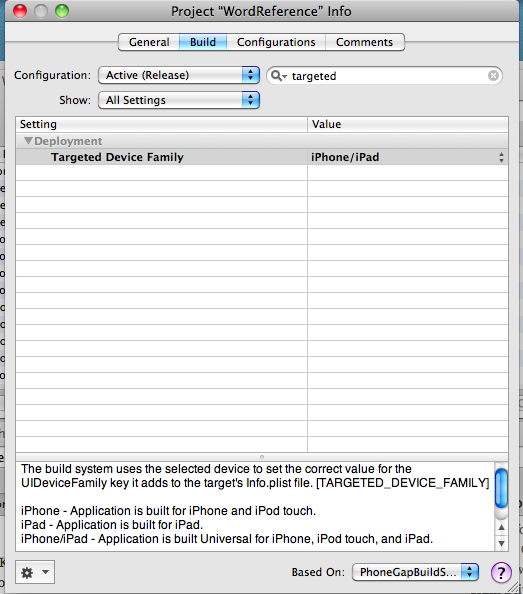
Ok, If you have an iPhone App, and want it to be available for iPad also, then selecti Edit Project Settings from the Project menu and then navigate to the Build tab.
Once there, search for “Targeted” in the search box, and change the value from iPhone to iPhone/iPad.
*Simples*
Porting a Palm Pre WebOs App to Touchpad
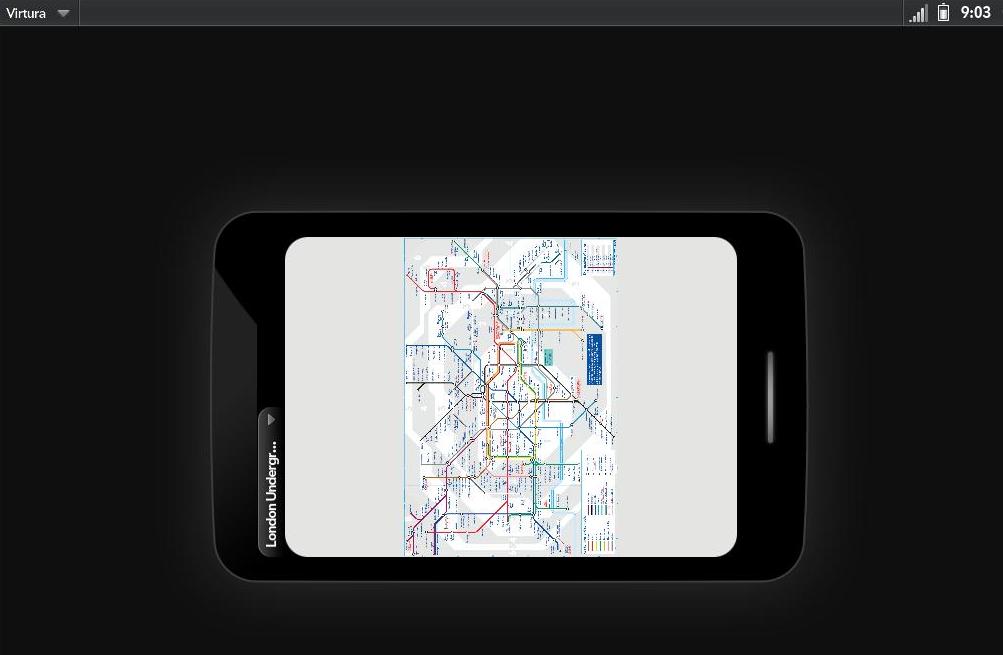 Without making any changes to a Palm Pre WebOs app, if you try to run it in a Hp Touchpad, then it appears like a little mobile phone in the middle of the screen, not making full use of the screen size available.
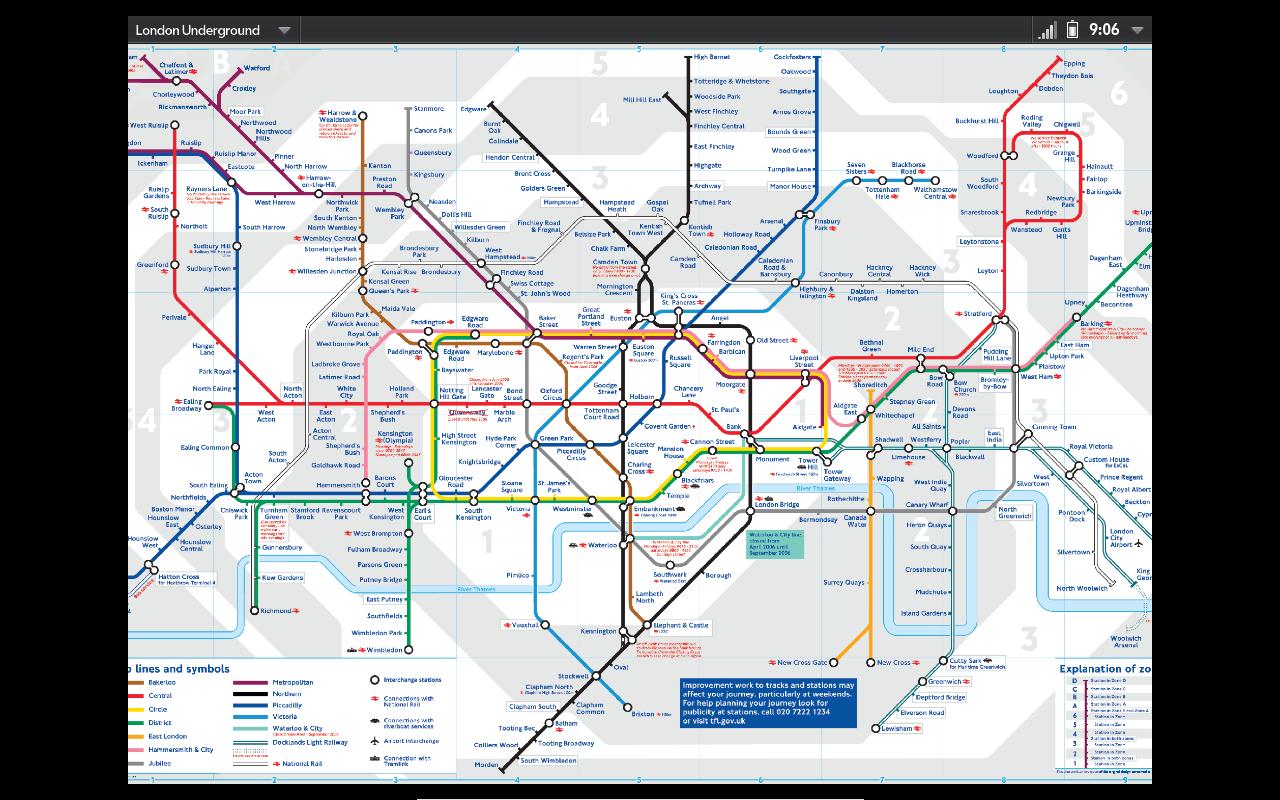
Easy fix is to add “uiRevision” : “2” to the appinfo.json file, thus making full use of the screen size.
And, it appears full screen as follows:
Transfer contacts from Palm to Blackberry
 There does appear to be a number of ways to transfer contacts from Palm pre to Blackberry, most involving Outlook. But this way does not use outlook.
First press phone icon and type #*66623#, and then wait as a VCF file is created (PMMigration.vcf).
Connect the USB cable, and upload the VCF file to Google Contacts (Google.com/contacts). Then go to your blackberry, and download Google Sync from (m.google.com/sync). With this app, you can select either a manual or automatic sync.
Et viola!
 Network Programming in .NET