Archive
#REST based #API open for feedback
Beta REST API reference
Overview
The REST Beta API is a JSON based API that accepts basic HTTP authentication for user identification. This API is still in BETA, and is therefore open for discussion and feedback from our users, but also may be changed without warning. If you would like to use this API in production, please let us know.
The format of the REST URL is as follows:
| https://www.regcheck.org.uk/api/json.aspx/{Method}/{Parameter1}/{Parameter2} |
Where {Method} is one of the following options;
CarSpecifications
Get static data based on a make, model and year of a car
Check
Get details for a vehicle in the UK
CheckAustralia
Get details for a vehicle in Australia
CheckBelgium
Get details for a vehicle in Belgium
CheckCroatia
Get details for a vehicle in Croatia
CheckCzechRepublic
Get details for a vehicle in the Czech Republic
CheckDenmark
Get details for a vehicle in Denmark
CheckEstonia
Get details for a vehicle in Estonia
CheckFinland
Get details for a vehicle in Finland
CheckFrance
Get details for a vehicle in France
CheckHungary
Get details for a vehicle in Hungary
CheckIndia
Get details for a vehicle in India
CheckIreland
Get details for a vehicle in Ireland
CheckItaly
Get details for a vehicle in Italy
CheckMotorBikeUK
Get details for a motorbike in the UK
CheckNetherlands
Get details for a vehicle in the Netherlands
CheckNewZealand
Get details for a vehicle in New Zealand
CheckNorway
Get details for a vehicle in Norway
CheckPakistan
Get details for a vehicle in Pakistan
CheckPortugal
Get details for a vehicle in Portugal
CheckRussia
Get details for a vehicle in Russia
CheckSlovakia
Get details for a vehicle in Slovakia
CheckSouthAfrica
Get details for a vehicle in South Africa
CheckSpain
Get details for a vehicle in Spain
CheckSriLanka
Get details for a vehicle in Sri Lanka
CheckSweden
Get details for a vehicle in Sweden
CheckUAE
Get details for a vehicle in United Arab Emirates
CheckUSA
Get details for a vehicle in the USA
UKMOT
Get MOT (Vehicle test) data for a car in England, Scotland or Wales
VinCheck
Get details for a vehicle based on its VIN number
WheelSize
Get Wheel size data based on a make, model and year of a car
So a sample request for a search on plate YYO7XHH in the UK would be:
| https://www.regcheck.org.uk/api/json.aspx/Check/YYO7XHH |
Which would return the following JSON
| { “ABICode”: “39049602”, “Description”: “2007 Peugeot 307 X-line, 1360CC Petrol, 5DR, Manual”, “RegistrationYear”: “2007”, “CarMake”: { “CurrentTextValue”: “Peugeot” }, “CarModel”: { “CurrentTextValue”: “307” }, “EngineSize”: { “CurrentTextValue”: “1360CC” }, “FuelType”: { “CurrentTextValue”: “Petrol” }, “MakeDescription”: “Peugeot”, “ModelDescription”: “307”, “Immobiliser”: { “CurrentTextValue”: “” }, “NumberOfSeats”: { “CurrentTextValue”: 5 }, “IndicativeValue”: { “CurrentTextValue”: “” }, “DriverSide”: { “CurrentTextValue”: “RHD” }, “Transmission”: { “CurrentTextValue”: “Manual” }, “NumberOfDoors”: { “CurrentTextValue”: “5” }, “ImageUrl”: “http:\/\/www.regcheck.org.uk\/image.aspx\/@UGV1Z2VvdCAzMDc=”, “VehicleInsuranceGroup”: “04” } |
Exceptions:
Certain REST API calls require more than one parameter, and these are as follows;
CarSpecifications
This is called in the format Make / Model / Year, for example;
https://www.regcheck.org.uk/api/json.aspx/CarSpecifications/Honda/Civic/2014
CheckAustralia
This is called in the format Registration Number / State, for example:
https://www.regcheck.org.uk/api/json.aspx/CheckAustralia/CEC36T/NSW
CheckUSA
This is called in the format Registration Number / State, for example:
https://www.regcheck.org.uk/api/json.aspx/CheckUSA/jxv7422/pa
CheckPakistan
This is called in the format Registration Number / State / District, for example:
https://www.regcheck.org.uk/api/json.aspx/CheckPakistan/STR%206006/PB/Pathankot
UKMOT
This is called in the format Registration Number / Make, for example:
https://www.regcheck.org.uk/api/json.aspx/UKMOT/DE02VOV/PEUGEOT
VinCheck
This is called with a VIN number instead of a registration number. for example;
https://www.regcheck.org.uk/api/json.aspx/VinCheck/5XYZT3LB9FG259411
WheelSize
This is called in the format Make / Model / Year, for example;
https://www.regcheck.org.uk/api/json.aspx/WheelSize/Ford/Focus/2014
Enter card details using camera @cardio #cordova #phonegap

Entering a 16 digit number into an app is error prone, and can frustrate a user right at the point of purchase. There is a really cool Cordova / Phonegap plugin that allows you scan a credit card using the camera, so you can input it into the page, without the user having to type.
Although the plugin is developed by paypal, you can use it with other PSPs, like stripe, – and since the processing is done on-device, there is no transmission of sensitive data.
You add the plugin to your project using:
cordova plugin add https://github.com/card-io/card.io-Cordova-Plugin
Then you call it in Javascript with code such as;
CardIO.scan({
“requireExpiry”: true,
“requireCVV”: true,
“requirePostalCode”: false,
“restrictPostalCodeToNumericOnly”: true
},
function(response){$scope.form.CardNumber = parseInt(response[“cardNumber”]);
var dtExpiry = new Date(response[“expiryYear”], response[“expiryMonth”], 1);
$scope.form.CardExpiry = dtExpiry;
$scope.form.CardCvv = parseInt(response[“cvv”]);
$scope.$apply();
},
function(){
sweetAlert(“Oops…”, “Your card scan has failed”, “error”);
}
);
Adding a #URL to #Google just got easier #SEO

Step 1 of any SEO exercise is to add the URL to google; now you just can just search in the address bar, add URL to Google, and just add it below, without leaving the Google search.
Sure, Google will find your new website in a few days as long as you are doing “some” sort of off-page SEO activity; but this is the fast-track.
If you are planning to target Chinese users you’ll need to submit to Baidu also; and a couple of other minor search engines in China – for this I’d recommend using a service on fiverr to do this, since it is difficult to follow the procedure without knowing chinese.
Similarly, if you want to target the Russian market you will need to submit to Yandex. This has an english version, and you can get by without knowing any russian.
Just for context, I was relaunching two indian sites; http://india.appaio.com and http://india.listofcardealers.info
Send #Email with Attachments from #Javascript
We’ve made a few updates to SMTPJS.com –
- We now allow attachments, so you can get your Javascript to include an attachment with the email;
use sendWithAttachment:
Email.sendWithAttachment( "from@you.com", "to@them.com", "Subject", "Body", "host.yourisp.com", "username", "password", "http://url-where-your-attachment-file-is-stored"); - We now assume your SMTP server supports SSL. If it doesn’t … it should! 🙂
- We’ve secured all client-server communications using HTTPS for added security.
- We now use CORS for client-server communication, which currently has 95.33 % browser coverage.
#AWS #S3 upload with C# and HttpPostedFile

Uploading a file to AWS S3 via C# has been documented a million times, but I thought I’d put my own version here, a simple upload from a HTML page, a bit of ajax, and an ASPX file to upload the file to S3, and return a unique file name.
Firstly, you need to include the Nuget package with Install-Package AWSSDK.S3
Here’s the javascript:
$(document).ready(function(e) {
$(“#uploadimage”).on(‘submit’,
(function(e) {
e.preventDefault();
$.ajax({
url: “/api/imageUpload.aspx”, // Url to which the request is sent
type: “POST”, // Type of request to be send, called as method
data: new
FormData(
this), // Data sent to server, a set of key/value pairs (i.e. form fields and values)
contentType: false, // The content type used when sending data to the server.
cache: false, // To unable request pages to be cached
processData: false, // To send DOMDocument or non processed data file it is set to false
success: function(data) // A function to be called if request succeeds
{
$(“#previewing”).attr(“src”,data);
}
});}));});
Then, here is the api/imageUpload.aspx file codebehind (with keys removed)
var MyFiles = Request.Files;
for (int l = 0; l < MyFiles.Count; l++)
{
if (MyFiles.GetKey(l) != “file”) continue;
var file = MyFiles.Get(“file”);
var strExt = Path.GetExtension(file.FileName);
var filename = Guid.NewGuid().ToString(“D”) + strExt;
var cfg = new AmazonS3Config {RegionEndpoint = Amazon.RegionEndpoint.EUWest1};
const string bucketName = “xxxxxx”;
var s3Client = new AmazonS3Client(“xxxxx”, “xxxxx”, cfg);
var fileTransferUtility = new TransferUtility(s3Client);
var fileTransferUtilityRequest = new TransferUtilityUploadRequest
{
BucketName = bucketName,
InputStream = file.InputStream,
StorageClass = S3StorageClass.ReducedRedundancy,
Key = filename,
CannedACL = S3CannedACL.PublicRead
};
fileTransferUtility.Upload(fileTransferUtilityRequest);
Response.Write(“https://s3-eu-west-1.amazonaws.com/xxxxxx/” + filename);
}
Bing Image search using #Cognitive Search

The Bing Image search based on the DataMarket service by Microsoft is closing down, and it is moving to cognitive services. This means that if you have code that uses an endpoint like this;
https://api.datamarket.azure.com/Bing/Search/v1/Image …
It needs to be changed to code like this:
https://api.cognitive.microsoft.com/bing/v5.0/images/search …
And your quote is reduced to 1,000 per month… 😦
Here’s some code I’ve written in C# to do a basic image search
public static List<String> GetImages(string searchText)
{
var strUrl = “https://api.cognitive.microsoft.com/bing/v5.0/images/search?q=” + searchText + “&count=1000”;
var wc = new WebClient();
wc.Headers[“Ocp-Apim-Subscription-Key”] = “xxxxxxxxxxx”;
var strJson = wc.DownloadString(strUrl);
var bing = JavascriptDeserialize<BingSearchObject>(strJson);
var lResults = new List<string>();
foreach (var result in bing.value)
{
var qs = HttpUtility.ParseQueryString(result.contentUrl);
lResults.Add(qs[“r”]);}
return lResults;
}
Where “BingSearchObject” is defined as:
#region BingSearchResults
public class Instrumentation
{
public string pageLoadPingUrl { get; set; }
}public class Thumbnail
{
public int width { get; set; }
public int height { get; set; }
}public class InsightsSourcesSummary
{
public int shoppingSourcesCount { get; set; }
public int recipeSourcesCount { get; set; }
}public class Value
{
public string name { get; set; }
public string webSearchUrl { get; set; }
public string thumbnailUrl { get; set; }
public string datePublished { get; set; }
public string contentUrl { get; set; }
public string hostPageUrl { get; set; }
public string contentSize { get; set; }
public string encodingFormat { get; set; }
public string hostPageDisplayUrl { get; set; }
public int width { get; set; }
public int height { get; set; }
public Thumbnail thumbnail { get; set; }
public string imageInsightsToken { get; set; }
public InsightsSourcesSummary insightsSourcesSummary { get; set; }
public string imageId { get; set; }
public string accentColor { get; set; }
}public class Thumbnail2
{
public string thumbnailUrl { get; set; }
}public class QueryExpansion
{
public string text { get; set; }
public string displayText { get; set; }
public string webSearchUrl { get; set; }
public string searchLink { get; set; }
public Thumbnail2 thumbnail { get; set; }
}public class Thumbnail3
{
public string thumbnailUrl { get; set; }
}public class Suggestion
{
public string text { get; set; }
public string displayText { get; set; }
public string webSearchUrl { get; set; }
public string searchLink { get; set; }
public Thumbnail3 thumbnail { get; set; }
}public class PivotSuggestion
{
public string pivot { get; set; }
public List<Suggestion> suggestions { get; set; }
}public class Thumbnail4
{
public string url { get; set; }
}public class SimilarTerm
{
public string text { get; set; }
public string displayText { get; set; }
public string webSearchUrl { get; set; }
public Thumbnail4 thumbnail { get; set; }
}public class BingSearchObject
{
public string _type { get; set; }
public Instrumentation instrumentation { get; set; }
public string readLink { get; set; }
public string webSearchUrl { get; set; }
public int totalEstimatedMatches { get; set; }
public List<Value> value { get; set; }
public List<QueryExpansion> queryExpansions { get; set; }
public int nextOffsetAddCount { get; set; }
public List<PivotSuggestion> pivotSuggestions { get; set; }
public bool displayShoppingSourcesBadges { get; set; }
public bool displayRecipeSourcesBadges { get; set; }
public List<SimilarTerm> similarTerms { get; set; }
}
#endregion
Remove #Grey from an image using C# #ImageProcessing


Image processing in C# is surprisingly fast, and not too difficult. Here is a simple example of how to remove greys from an image, an extract only colour.
Firstly, a pure Grey is one defined as a colour where the Red, Green, and blue component are exactly equal. This spans the spectrum from White (all 255), to Black (all 0). In natural photographs, then the Grey may not be exactly pure, with small variations in the colour components.
So, lets see the core processing code:
public static byte[] PreprocessStep(byte[] input)
{
Stream sInput = new MemoryStream(input);
var imgEasy = Bitmap.FromStream(sInput) as Bitmap;
var img2dEasy = new Color[imgEasy.Width, imgEasy.Height];
for (int i = 0; i < imgEasy.Width; i++)
{
for (int j = 0; j < imgEasy.Height; j++)
{
Color pixel = imgEasy.GetPixel(i, j);// Preprocessing
if (pixel.R == pixel.G && pixel.B == pixel.G)
{
// Convert all greys to white.
pixel = Color.White;
}img2dEasy[i, j] = pixel;
}
}var imgOut = new Bitmap(imgEasy.Width, imgEasy.Height);
for (int i = 0; i < imgEasy.Width; i++)
{
for (int j = 0; j < imgEasy.Height; j++)
{
imgOut.SetPixel(i, j, img2dEasy[i, j]);
}
}
var stream = new MemoryStream();
imgOut.Save(stream, ImageFormat.Png);
var bytes = stream.ToArray();
return bytes;
}
This accepts an image as a byte array, and outputs a byte array in PNG format. by accepting and returning a byte array, it makes it more “pluggable” into different inputs and outputs, like Files, HTTP streams etc.
Here’s how to use it with an input and output file.
static void Main(string[] args)
{
var strExePath = AppDomain.CurrentDomain.BaseDirectory;
var strEasyImage = strExePath + “il_570xN.1036233188_neqb.jpg”;
var sIn = new FileStream(strEasyImage,FileMode.Open);
var br = new BinaryReader(sIn);
var bIn = br.ReadBytes((int)sIn.Length);
sIn.Close();
var bOut = PreprocessStep(bIn);
var sOut = new FileStream(strExePath + “flower.png”,FileMode.Create);
sOut.Write(bOut,0,bOut.Length);
sOut.Close();
}
Mail Address Verification.com – #Physical #address #verification online
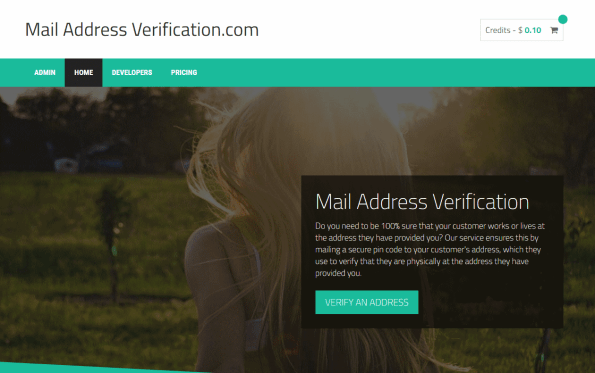
If you need to be 100% sure that your customer works or lives at the address they have provided you? Our service ensures this by mailing a secure pin code to your customer’s address, which they use to verify that they are physically at the address they have provided you.
It works internationally, and we’ve got an API, so you can integrate into the system programmatically, as part of your customer-onboarding process.
The website is at www.mailaddressverification.com – and you get $1 free to test the service once you open a test account.
#Finnish Car registration #API now supports Commercial vehicles and Motorbikes

The Finnish API for Car registrations; which you can access at http://www.rekisterinumeroapi.com/ now supports both all types of vehicles, not only cars – this includes;
- Private Cars [M1]
- Commercial vehicles (Vans / Trucks) [N1]
- Motorcycles [L3e]
- Mopeds [L1e]
- Snowmobiles
- Tractors
- Trailers
Send email using #NodeJS with #AWS #Lambda and #SES

Amazon Lamdba is a great service for quickly deploying NodeJS apps, without worrying about dealing with servers. Great if your servers are strictly production only, and you need to have a “throw away” but internet-connected API.
So, I created a NodeJS Lambda function on AWS, triggered using the API gateway with no authentication. You need to set up AWS SES with a verified email address, and get your SMTP credentials ready.
Here’s the code I used;
var aws = require(‘aws-sdk’);
var ses = new aws.SES({
accessKeyId: ‘xxxxxx’,
secretAccesskey: ‘xxxxx’,
region: ‘eu-west-1’
});exports.handler = function(event, context, callback) {
console.log(“Incoming: “, event);
//var output = querystring.parse(event);var eParams = {
Destination: {
ToAddresses: [“xxxx.xxxx@gmail.com”]
},
Message: {
Body: {
Text: {
Data: JSON.stringify(event)
}
},
Subject: {
Data: “Ses Test Email”
}
},
Source: “info@xxxxxxx.com”
};console.log(‘===SENDING EMAIL===’);
var email = ses.sendEmail(eParams, function(err, data){
if(err) console.log(err);
else {
console.log(“===EMAIL SENT===”);
console.log(data);}
});
console.log(“EMAIL CODE END”);
console.log(‘EMAIL: ‘, email);
var response = {
statusCode: 200,
body: “Sending email”
};
callback(null, response);
};
When running this for the first time I got the error
AccessDenied: User `arn:aws:sts::005445879168:assumed-role/helloWorldRole/LambdaMail’ is not authorized to perform `ses:SendEmail’
Which meant that I had to log in to IAM, and attach the policy AmazonSESFullAccess to the Role “helloWorldRole”
The format of the email sent was:
{
“resource”: “\/LambdaMail”,
“path”: “\/LambdaMail”,
“httpMethod”: “GET”,
“headers”: {
“CloudFront-Forwarded-Proto”: “https”,
“CloudFront-Is-Desktop-Viewer”: “true”,
“CloudFront-Is-Mobile-Viewer”: “false”,
“CloudFront-Is-SmartTV-Viewer”: “false”,
“CloudFront-Is-Tablet-Viewer”: “false”,
“CloudFront-Viewer-Country”: “DE”,
“Host”: “0vuu0520rb.execute-api.eu-west-1.amazonaws.com”,
“Via”: “1.1 d2e34d11a094aa8f0c8077cfdf5b4b38.cloudfront.net (CloudFront)”,
“X-Amz-Cf-Id”: “uWqPSOmAwMbgRDiwh8Wtwigf_YRHyXYM2CnC1tj-NzXOvk287KXs6Q==”,
“X-Amzn-Trace-Id”: “Root=1-58dd11fa-6ead550f5465a3814fc53748”,
“X-Forwarded-For”: “82.165.24.222, 54.240.145.60”,
“X-Forwarded-Port”: “443”,
“X-Forwarded-Proto”: “https”
},
“queryStringParameters”: {
“FirstName”: “Fiach”,
“Reference”: “GPhxXsQ”,
“Address2”: “10 NUALAMONT DRIVE”,
“Country”: “United Kingdom”,
“Address1”: “10 Nualamont Drive”,
“City”: “Derry”,
“LastName”: “Reid”,
“Postcode”: “BT48 9PH”
},
“pathParameters”: null,
“stageVariables”: null,
“requestContext”: {
“accountId”: “005445879168”,
“resourceId”: “i6b7on”,
“stage”: “prod”,
“requestId”: “b745b5a7-1552-11e7-8da2-c13b9a89bb97”,
“identity”: {
“cognitoIdentityPoolId”: null,
“accountId”: null,
“cognitoIdentityId”: null,
“caller”: null,
“apiKey”: null,
“sourceIp”: “82.165.24.222”,
“accessKey”: null,
“cognitoAuthenticationType”: null,
“cognitoAuthenticationProvider”: null,
“userArn”: null,
“userAgent”: null,
“user”: null
},
“resourcePath”: “\/LambdaMail”,
“httpMethod”: “GET”,
“apiId”: “0vuu0520rb”
},
“body”: null,
“isBase64Encoded”: false
}
 Network Programming in .NET