Archive
Javascript evaluator for Nokia
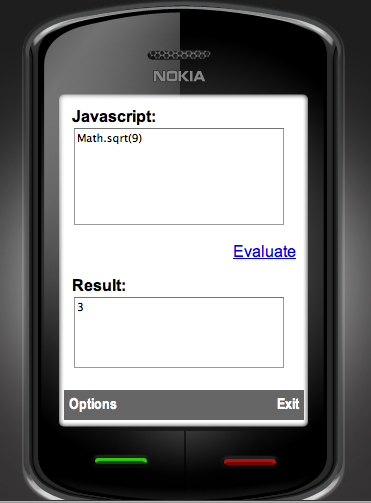 This is a handy utility to evaluate Javascript directly from your Nokia mobile Phone, in the context of your mobile web browser. It requires WRT (Web Runtime) support.
The source code behind this app is really simple:
function evaluate()
{
var JS = document.getElementById(“taJS”);
var Result = document.getElementById(“taResult”);
Result.value = eval(JS.value);
}
For Full source code, download the wgz
oAuth CosumerKey and SecretKey for Google,Twitter,Yahoo and Vimeo
Here are a list of oAuth providers, for Google, Twitter, Yahoo and Vimeo, with consumerKey and SecretKey set for http://Localhost, so they are ideal for testing, although you’ll need to get live ones for live environments:
if (Request.PathInfo == “/requestToken/google/”)
{
consumerKey = “anonymous”;
consumerSecret = “anonymous”;
// Google requires an additional “scope” parameter that identifies one of the google applications
requestTokenEndpoint = “https://www.google.com/accounts/OAuthGetRequestToken?scope=https://www.googleapis.com/auth/userinfo#email”;
requestTokenCallback = GetRouteableUrlFromRelativeUrl(“oAuth/default.aspx/authorizeToken/google/”);
authorizeTokenUrl = “https://www.google.com/accounts/OAuthAuthorizeToken”;
}
else if (Request.PathInfo == “/requestToken/twitter/”)
{
// http://twitter.com/oauth_clients/details/763647
consumerKey = “esK3OieltAXufhxvWJBNw”;
consumerSecret = “8APVHgYEXwDoPgtsUj7tYns4NFNkOnXG5yMAPAPUXU”;
requestTokenEndpoint = “https://api.twitter.com/oauth/request_token”;
requestTokenCallback = GetRouteableUrlFromRelativeUrl(“oAuth/default.aspx/authorizeToken/twitter/”);
authorizeTokenUrl = “https://api.twitter.com/oauth/authorize”;
}
else if (Request.PathInfo == “/requestToken/yahoo/”)
{
//https://developer.apps.yahoo.com/dashboard/createKey.html
consumerKey = “dj0yJmk9QVM4UjFabHZrME4zJmQ9WVdrOVRYbERhMVJSTTJVbWNHbzlOVFF5T0RJeU5UWXkmcz1jb25zdW1lcnNlY3JldCZ4PWJh”;
consumerSecret = “3d9ec8bea068a2bdd5b940b24fbedc9da6949569”;
requestTokenEndpoint = “https://api.login.yahoo.com/oauth/v2/get_request_token”;
requestTokenCallback = GetRouteableUrlFromRelativeUrl(“oAuth/default.aspx/authorizeToken/yahoo/”);
authorizeTokenUrl = “https://api.login.yahoo.com/oauth/v2/request_auth”;
}
else if (Request.PathInfo == “/requestToken/vimeo/”)
{
// http://vimeo.com/api/applications/new
consumerKey = “7a4b3b5d5205e6c6903bf77aeaf258cc”;
consumerSecret = “23609bc1174ca5c5”;
requestTokenEndpoint = “http://vimeo.com/oauth/request_token”;
requestTokenCallback = GetRouteableUrlFromRelativeUrl(“oAuth/default.aspx/authorizeToken/vimeo/”);
authorizeTokenUrl = “http://vimeo.com/oauth/authorize”;
}
Once the oAuth token is acquired, then you can get email address information from Google using:
oAuthConsumer.GetUserInfo(“https://www.googleapis.com/userinfo/email”, realm, consumerKey, consumerSecret, accessToken.Token, accessToken.TokenSecret);
And, significantly more information from Twitter using:
oAuthConsumer.GetUserInfo(“http://api.twitter.com/1/account/verify_credentials.xml”, realm, consumerKey, consumerSecret, accessToken.Token, accessToken.TokenSecret)
Please post updates to this post if you find equivalents for Yahoo!, or Vimeo. I’ve also heard about Messenger Connect which is supposed to be an oAuth system for Microsoft…
How to create a WGZ for Nokia Symbian WRT
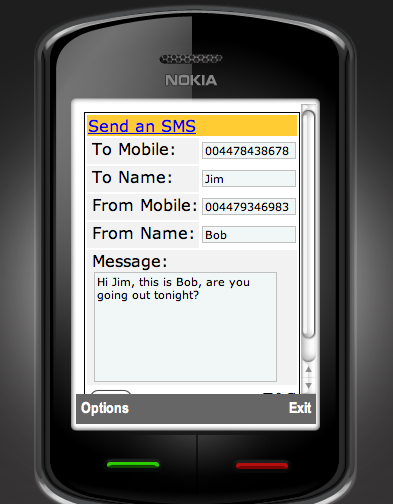 This is a simple HTML form packaged as a WGZ by using Aptana studio and Phonegap.
The WGZ can be created from within Aptana studio, by pressing control-click on the project, then selecting package. This WGZ can then be uploaded to Nokia’s OVI store under their WRT (Web runtime) category.
Source code for this project is available for download as a WGZ (basically a zip file)
This App is now published on OVI!
 Network Programming in .NET